If you’re shopping for an Aiven alternative, it’s usually not because Aiven is bad. It’s a strong multi-cloud data platform. It’s that your databases live on a platform of their own, away from your app, reached over the public internet and billed by the meter, and you’d rather have the whole data layer in one place.
So here’s the honest version: what Aiven is great at, why teams move, and how bringing your databases (and yes, Kafka or RabbitMQ or Inkless or Clickhouse even when you need them) into the same dashboard as your app, even on a private network (VPC under Enterprise plan), changes the day-to-day. The short story is you can bring it all over.
The short answer
Aiven is a broad, multi-cloud data platform, and it’s good at that. But if you’d rather run your data layer in one dashboard next to your app at a flat, server-based price, that’s the move here. Kloudbean runs the common engines (PostgreSQL, MySQL, MariaDB, Redis, MongoDB, plus Memcached and Elasticsearch) one-click from $18/mo with automatic backups, and the bigger engines (Kafka, RabbitMQ, ClickHouse, OpenSearch, Flink) are available on demand. Private networking, VPN and Kubernetes come with Enterprise plans. Check current pricing on both sides before you commit. For KSA Region to deliver best Managed DB with data sovereignty and complaint to NCA and CSCC norms. along with GDPR, SOC2 and ISO270001 Ready as well.
First, what are you actually running on Aiven?
Before you weigh any managed database platform alternative, list what your app actually opens a connection to. Not the catalog of engines a platform could give you. The ones your code uses.
For most web and SaaS apps it’s short. A primary database, usually PostgreSQL or MySQL. A cache, usually Redis. Maybe a document store like MongoDB. Sometimes a message queue or an event stream when work needs to happen in the background or services talk asynchronously.
My honest take after seeing a lot of these stacks: the engines are rarely the problem. The friction is that they sit on a separate platform from your app, each its own metered service and its own endpoint. Bring the same engines into the dashboard your app already lives in, and most of that friction just goes away.
Why teams look for an Aiven alternative
Nobody leaves a tool that fits. Teams shopping for an alternative to Aiven tend to hit the same few things, and none of them is a flaw in Aiven.
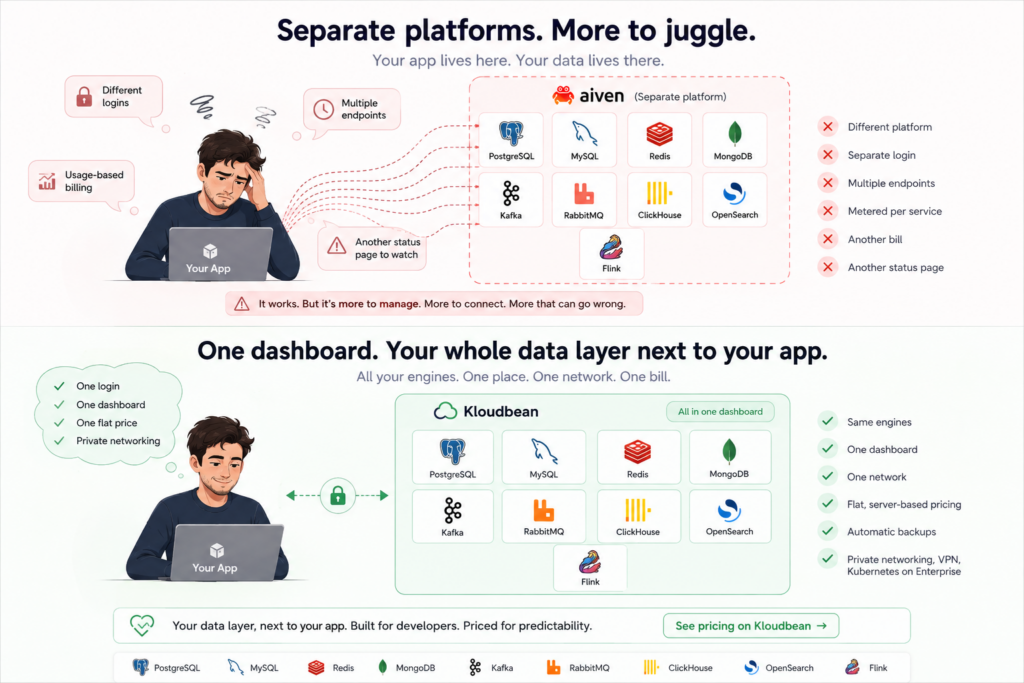
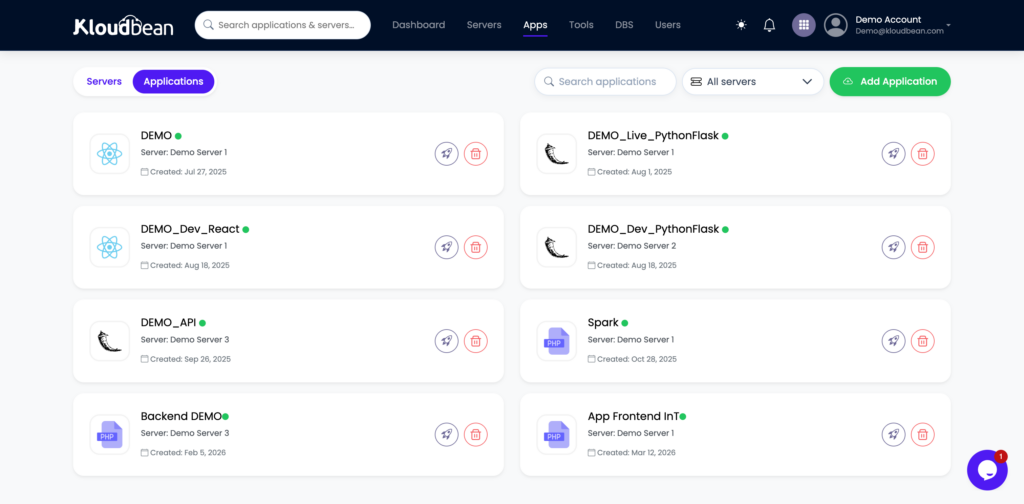
The databases live on a separate platform. Your app runs in one place and your Aiven services in another. Each is its own public endpoint at an aivencloud.com host, reached with TLS. It works. It’s also an extra vendor between your app and its data, and one more status page to watch when a request is slow.
Usage-based pricing that moves. Aiven is metered per service, so each database is its own line and the total climbs with traffic. Once you’re running three or four services, the number gets hard to forecast.
Another vendor, another dashboard. Your app platform is somewhere else. Aiven is a separate login, a separate bill, and one more thing to wire together with connection strings and secrets. For a small team, that seam adds up.
None of that makes Aiven bad. It makes it a separate platform sitting under your app, and a lot of teams would rather not run it that way.
What moving to Kloudbean gives you
Here’s the pitch, plainly. Your databases move into the same dashboard as your app, and you can run every engine you had on Aiven.
One dashboard, one bill, a price you can plan. The same console runs your app, your Postgres, your Redis, your Mongo. Pricing is server-based and flat, from $8/mo, so a traffic spike doesn’t rewrite your invoice.
The common engines, one click. PostgreSQL, MySQL, MariaDB, Redis, MongoDB, plus Memcached and Elasticsearch, each one click to launch and backed up automatically.
The heavy engines, on demand. Streaming, queues, columnar analytics and search aren’t only Aiven’s turf. Apache Kafka, RabbitMQ, ClickHouse, OpenSearch and Apache Flink can all be enabled on demand, so the parts of your stack that used to justify a whole separate platform can live in the same account as everything else.
You still own standard engines. Real PostgreSQL, MySQL, MariaDB, Redis, and MongoDB underneath, exportable anytime with the tools you already use.
Enterprise, when you need it. Private networking (VPC), VPN, Kubernetes, autoscaling, an audit trail and custom architectures are part of Enterprise plans. If your setup needs traffic kept off the public internet or a bespoke architecture, that’s the tier for it, not something every account carries by default.
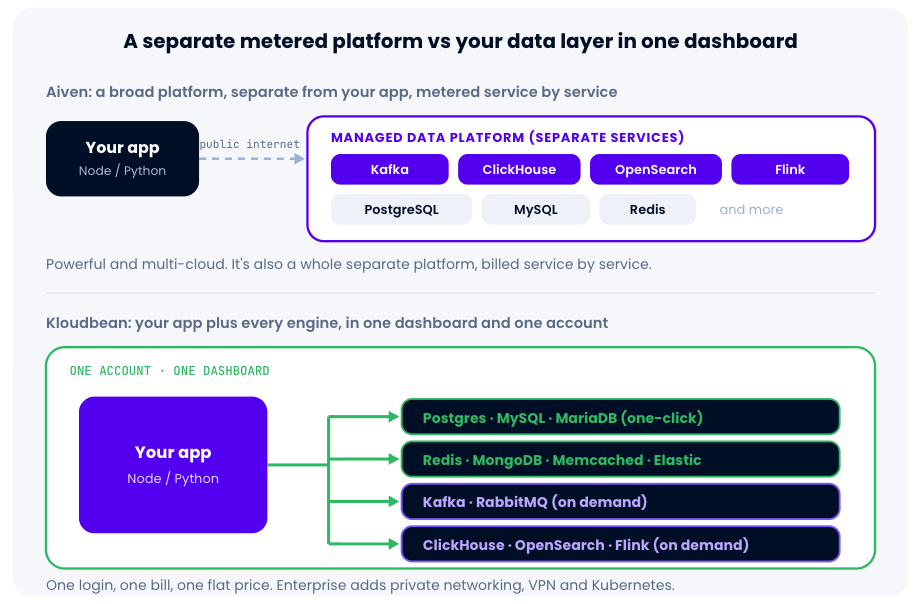
Same engines, different posture. Aiven is a broad platform of separate metered services; Kloudbean puts your app and every engine in one dashboard and one account, the common ones one-click and the heavier ones on demand.
Aiven vs Kloudbean, honestly
No thumb on the scale. This isn’t which platform is better in the abstract, it’s which shape fits which job.
Dimension
Aiven (data platform)
Kloudbean (app + data, one dashboard)
Common app databases
PostgreSQL, MySQL, Redis (Valkey)
PostgreSQL, MySQL, MariaDB, Redis, MongoDB, plus Memcached and Elasticsearch, one-click
Kafka, RabbitMQ, ClickHouse, OpenSearch, Flink available on demand
Where it runs
Separate platform; each service its own metered endpoint
One dashboard, one account, alongside your app
Pricing shape
Usage-based, metered per service
Server-based flat plan, from $8/mo
Multi-cloud spread
Broad, many clouds and regions (a real strength)
Runs on tier-1 clouds; not the same cross-cloud spread
Private networking / VPN / k8s
Available
Part of Enterprise plans
Backups
Automatic
Automatic
Best fit
Multi-cloud data-engineering pipelines
Teams who want their whole data layer next to the app at a predictable price
Read the pattern, not the score. The engines line up on both sides now, so the real question is shape: a separate platform billed per service across many clouds, or your whole data layer in one dashboard next to your app at a flat price. Weighing a document database? The MongoDB Atlas alternative makes the case for Mongo, and the Neon alternative covers serverless Postgres.Add imageAn Aiven services list showing several engines running side by side, to make the separate-platform point concrete.Author supplies from their own Aiven console.
Where Aiven is genuinely strong
Credit where it’s earned, then we move on. Aiven’s real edge is multi-cloud reach: running the same managed services across AWS, GCP, Azure and more, with deliberate placement across clouds and regions. If spanning several clouds is a hard requirement in your design, that’s a genuine strength and worth weighing. It’s also a dedicated data-engineering platform, so if you’re wiring a big pipeline end to end with a lot of connectors and integrations, that depth is its home turf.
For that job, evaluate carefully. For the far more common one, an app with a handful of databases and maybe a queue or a search index, everything comes over and lands in one place.
Connecting: one place, any standard driver
On Aiven each service is its own public endpoint with a host, a high port, and required TLS, reached over the internet. On Kloudbean your databases sit in the same account as your app, so the connection string is a plain host any standard driver understands.
# Aiven: each service is a separate public endpoint, TLS required, reached over the internet
DATABASE_URL=postgresql://avnadmin:[email protected]:12691/defaultdb?sslmode=require
REDIS_URL=rediss://default:[email protected]:12692

# Kloudbean: your databases in the same account as your app, a plain host, any standard driver
DATABASE_URL=postgresql://appuser:s3cret@your-db-host:5432/appdb
REDIS_URL=redis://default:s3cret@your-cache-host:6379/0
Your code doesn’t care which one it gets. A plain pg pool on an always-on app server is all the connection management most apps need, created once and reused for the life of the process:
import { Pool } from "pg";
// One pool, reused for the life of the process. The app and Postgres live in the same account,
// so there's no separate vendor endpoint to reach. On Enterprise, private networking keeps that
// traffic off the public internet entirely.
const pool = new Pool({ connectionString: process.env.DATABASE_URL, max: 10 });
export const query = (text, params) => pool.query(text, params);
The move is less dramatic than it sounds. Most of it is a plain dump and load, one database at a time.
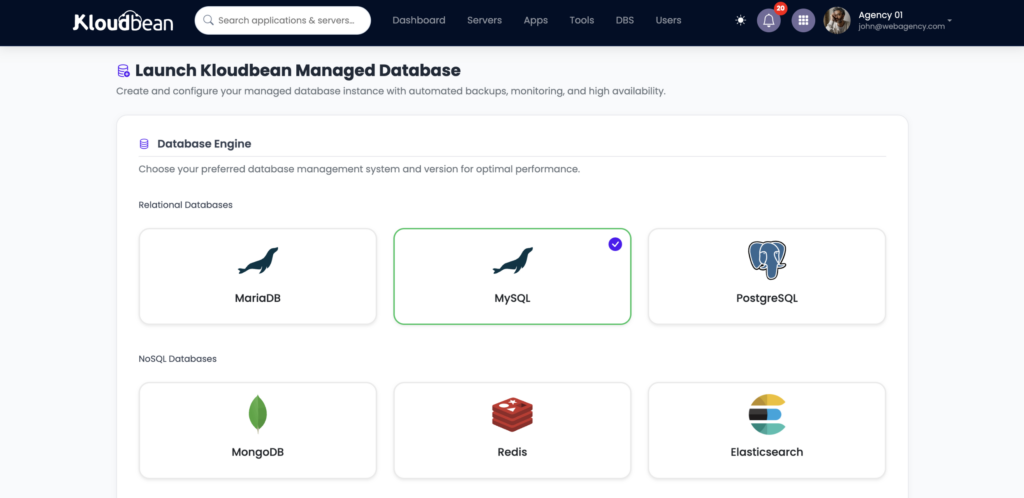
Launch the databases your app uses. Open the DBS section, hit Launch Database, and pick what you need: PostgreSQL or MySQL for your primary, Redis for cache, MongoDB if you use a document store. Each arrives provisioned in your account and already being backed up. Running Kafka, RabbitMQ, ClickHouse, OpenSearch or Flink? Those can be enabled on demand in the same account.
Seven + managed database engines, provisioned and backed up, without you administering a thing.
Deploy your app in the same account. Bring your Node or Python app into the same account as the databases, one dashboard for both. Connect a GitHub repo and managed CI/CD deploys on every push.
Set connection strings as environment variables. In Runtime Configuration, add DATABASE_URL and REDIS_URL. Never in code, never in Git. Rotate them later without touching source.
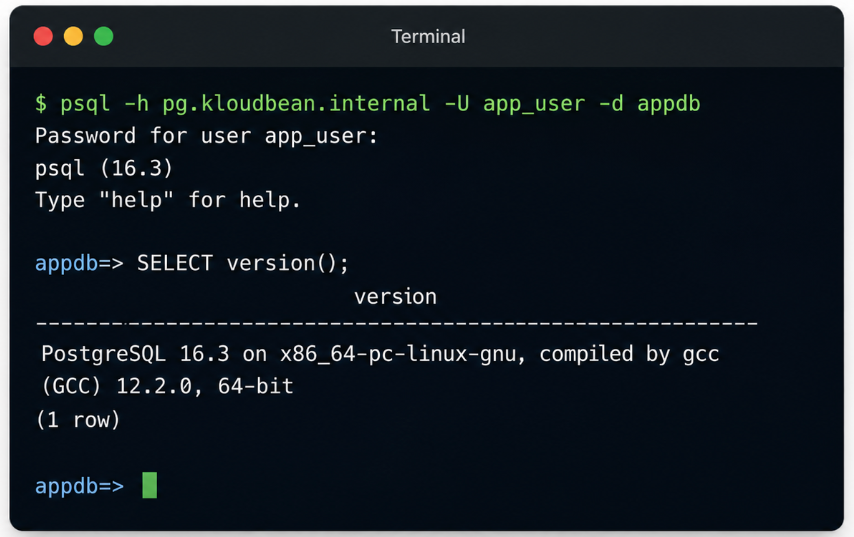
A terminal showing psql connecting to the managed Postgres and running a quick SELECT, proving the app can reach it.Optional proof-of-connection shot.
Import your data. Dump each Aiven service and load it into its Kloudbean counterpart: pg_dump and psql for Postgres, mysqldump and mysql for MySQL, mongodump and mongorestore for Mongo. A cache like Redis usually needs no migration; point at the new instance and let it refill.
Repoint and verify. Swap the connection strings, redeploy, then do something real. Sign up a test user, reload, confirm the row is still there. If it won’t connect, it’s almost always a typo in the string or the wrong variable name.
Moving off Aiven
Migrating sounds scarier than it is. Aiven runs real engines underneath, so moving is a plain dump and load, no proprietary export format and no data trapped behind an API.
Coming from Aiven? Your data is standard PostgreSQL, MySQL, and MongoDB, so the move is a normal dump out and load in, then a connection-string swap. Drop the ?sslmode=require and the aivencloud.com host for your Kloudbean host. Kloudbean’s free migration assistance can run the first cutover with you and keep downtime minimal.
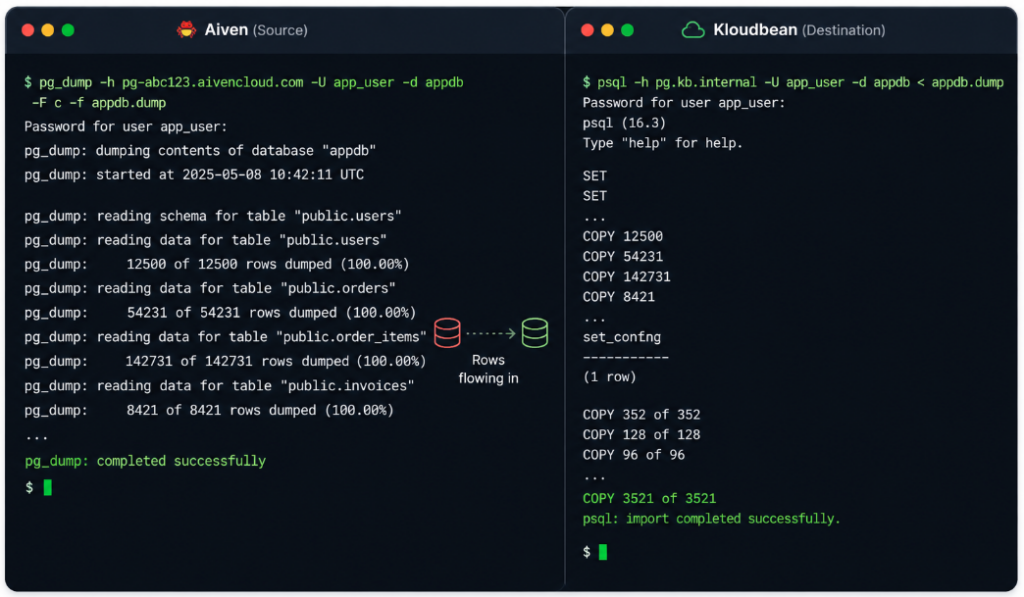
# export from your Aiven PostgreSQL service (real Postgres underneath)
pg_dump "$AIVEN_DATABASE_URL" > aiven.sql

# import into your Kloudbean managed Postgres
psql "$NEW_DATABASE_URL" < aiven.sql
Point DATABASE_URL at the new database, redeploy, done. MySQL follows the same pattern with mysqldump and mysql, MongoDB with mongodump and mongorestore. A cache like Redis usually needs no migration at all.
A terminal running pg_dump against the Aiven service, then psql importing into the Kloudbean managed Postgres, rows flowing in.
How it fits the rest of your stack
On Kloudbean each database is a tile in the same dashboard as your app, wired in through environment variables. Go deeper on the engine you lean on most: managed PostgreSQL hosting, managed MySQL hosting, managed Redis hosting, and managed MongoDB hosting. Running Postgres and Redis together for one app is the common case, and both are one-click engines in the same account.
The honest boundary, once: these are Linux-based managed engines, and managed means the platform handles provisioning, patching, backups, and monitoring while your schema and data stay yours. The seven common engines are one-click and self-serve; Kafka, RabbitMQ, ClickHouse, OpenSearch and Flink are enabled on demand. Private networking (VPC), VPN, Kubernetes, autoscaling and custom architectures are part of Enterprise plans, not defaults on every account. If you need those, that’s the tier to talk to us about.
Bring your whole data layer into one dashboard.
Launch managed PostgreSQL, MySQL, Redis, or MongoDB next to your app, add Kafka, RabbitMQ, ClickHouse, OpenSearch or Flink on demand, with automatic backups from minute one and a bill you can forecast. Start free at kloudbean.com, see plans on pricing.
One dashboard · One-click Postgres, MySQL, Redis, MongoDB · Kafka, RabbitMQ, ClickHouse & more on demand · Automatic backups · Predictable pricing · Free migration
FAQ
Does Kloudbean have Kafka and ClickHouse?
Yes, on demand. Apache Kafka, RabbitMQ, ClickHouse, OpenSearch and Apache Flink can all be enabled on request, in the same account as your app and databases. They aren’t default one-click tiles like the common databases, but Kloudbean can run them, so the engines that used to justify a separate platform don’t have to live somewhere else.
What databases does Kloudbean offer?
Seven managed engines, one click each: MySQL, MariaDB, PostgreSQL, Redis, Memcached, Elasticsearch, and MongoDB, all with automatic backups. On top of that, Kafka, RabbitMQ, ClickHouse, OpenSearch and Flink are available on demand. For most apps that’s the primary database, the cache, a document store, and whatever streaming or search you need, all in one place.
Is Kloudbean cheaper than Aiven?
It depends on usage, and the difference is shape more than size. Aiven is metered per service, cheap when idle and climbing with traffic. Kloudbean is server-based and flat, from $8/mo, so the bill is easy to forecast. Compare a busy month, and verify current numbers on both pricing pages.
Can I run managed Postgres and Redis together?
Yes. PostgreSQL and Redis are both one-click managed engines, and you can run them in the same account as your app. That’s the common pattern: a primary database plus a cache, next to the code that uses them.
How do I migrate off Aiven?
Aiven runs real engines underneath, so it’s a standard dump and load: pg_dump and psql for Postgres, mysqldump and mysql for MySQL, mongodump and mongorestore for MongoDB, then repoint your connection strings. A cache like Redis usually needs no migration. Free migration assistance can run the first cutover with you.
What’s the difference between Aiven and Kloudbean?
Aiven is a standalone data platform: many engines across many clouds, each a separate metered service reached over the internet. Kloudbean puts your databases in the same dashboard and account as your app, at a flat price, and can run the same engines on demand. One is a platform you run under your app; the other keeps the whole data layer in one place.
Does Kloudbean offer private networking like a VPC?
Yes, as part of Enterprise plans. Private networking (VPC), VPN, Kubernetes and autoscaling come with Enterprise, not with every account by default. If keeping database traffic off the public internet or a custom network setup matters to you, that’s the tier to ask about.
Does Kloudbean support MongoDB?
Yes. MongoDB is one of the seven one-click managed engines, with automatic backups. If you’re leaving a hosted Mongo service, the MongoDB Atlas alternative guide covers that move.
Can Kloudbean handle streaming and analytics like Aiven?
Yes. Kafka, RabbitMQ, ClickHouse, OpenSearch and Flink are all available on demand, so streaming, queues, columnar analytics and search can run on Kloudbean alongside your databases. They’re enabled on request rather than one-click tiles, so it’s worth a quick conversation about your specific engines and scale.
Is Aiven a good platform?
Yes, genuinely, especially for multi-cloud data-engineering pipelines. The question isn’t whether Aiven is good. It’s whether you want your data layer on a separate platform billed service by service, or in one dashboard next to your app at a flat price.
Kloudbean Data · Your data layer, in one place.
Vikram Jindal
I’m Vikram Jindal, Founder & CEO of KloudBean a managed cloud Infrastructure platform designed to simplify infrastructure for developers, agencies, and businesses. We help teams deploy, manage, and scale applications across modern stacks (Node.js, Python, WordPress, microservices) without needing deep DevOps expertise. At KloudBean, our mission is to remove the complexity of cloud infrastructure while reducing costs and improving performance. Passionate about cloud, automation, and building products that make developers’ lives easier.
Simplifying the Cloud, One Solution at a Time
Explore insights, strategies, and tools to make your cloud journey smoother and smarter.