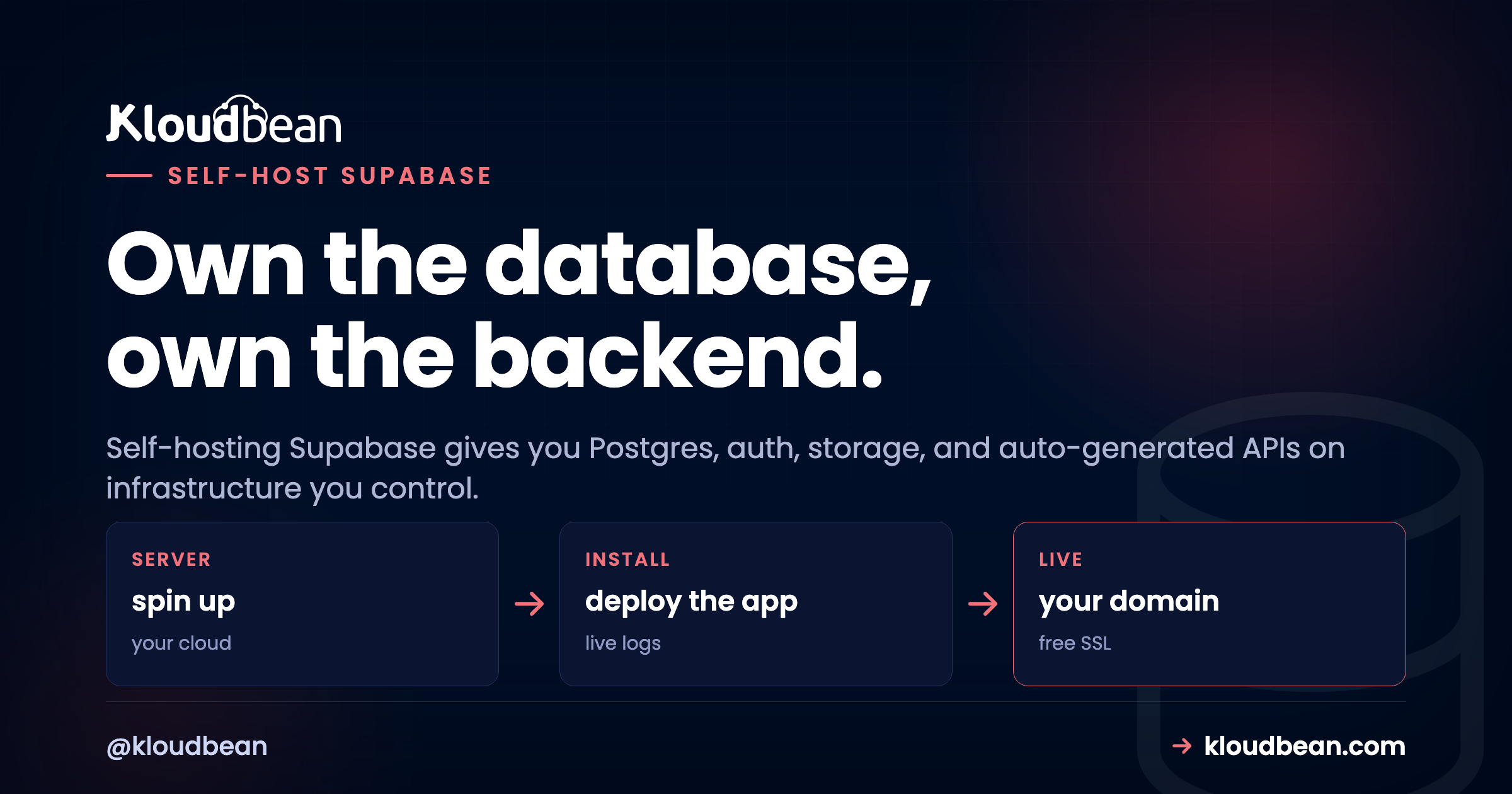
Supabase gives you a whole backend in one product: a Postgres database with authentication, file storage, realtime updates, and REST APIs generated straight from your tables. The part people forget is that all of it is open source. So you can self-host Supabase on a server you own, keep every user record in your region, and stop watching a usage meter tick. This is the honest version of how that works, and when it’s worth it.
I’ll say the awkward thing early. Supabase is the most involved tool to self-host in this category, because it isn’t one app. It’s a handful of services that run together. That’s very manageable, especially with a one-click install, but you should know what you’re actually running.
Supabase is Postgres with auth, storage, realtime, and auto-generated APIs bundled around it, all open source. Self-hosting means running that stack on your own server so your data and your costs stay under your control. On Kloudbean you can launch Supabase in one click, and the managed server underneath handles the OS, SSL, and server backups while you keep the keys. Self-host when data ownership or predictable cost matters. Stay on hosted Supabase for a quick prototype.
What Supabase actually is
Most people meet Supabase as “the open-source Firebase alternative,” which is true but hides the useful detail. Under the hood it’s a set of services, each doing one job, all pointed at a single Postgres database:
- PostgreSQL is the core. Your users, your rows, your relationships. Everything else orbits it.
- Auth (GoTrue) handles sign-ups, logins, and tokens.
- PostgREST turns your tables into a REST API automatically, no endpoint code required.
- Realtime streams row changes to clients over websockets.
- Storage handles file uploads and serving.
- Kong is the gateway that sits in front and routes every request to the right service.
- Studio is the admin dashboard you click around in.
You don’t wire these up by hand. Supabase publishes an official docker-compose stack that starts them together, and a one-click deploy does the same thing for you. The mental model that matters: everything is a satellite around one Postgres database.
Why self-host Supabase at all?
Hosted Supabase is good. Genuinely good. So the reason to move isn’t that the software gets better when you run it yourself. It’s the same software. What changes is who holds the keys and who sends the invoice. Four reasons actually push teams to self-host Supabase, and they’re worth being honest about.
- You want to own the data. User records, auth tokens, uploaded files. Self-hosting keeps all of it on a server you control, not a third party’s account. For a lot of teams that’s the entire motivation.
- Predictable cost at scale. Hosted plans grow with usage: rows, storage, monthly active users, bandwidth. A flat server doesn’t care how many users you have. Once you’re past a certain size, a box you rent for a fixed price is cheaper and roomier than a plan that keeps nudging you upward.
- Data residency. If a rule says your users’ data must stay in a specific country, self-hosting lets you put the server exactly there and prove it.
- No lock-in. It’s plain Postgres and open-source services. You can move it, dump it, or inspect it whenever you want. Nothing proprietary to escape later.
My honest take: if you’re prototyping, none of this matters yet and you should stay on hosted. The move makes sense the moment your data or your bill becomes something you need to control rather than hope about.
| Hosted Supabase | Self-hosted Supabase | |
|---|---|---|
| Setup effort | Click a project, done in a minute | One-click install, then set your keys |
| Who holds the data | Supabase’s cloud account | Your server, your region |
| Cost shape | Scales with rows, storage, users, bandwidth | Flat server price, regardless of usage |
| Data residency | Their available regions | Any region you can rent a server in |
| You maintain | Almost nothing | Stack updates and database backups |
| Best for | Prototypes, small apps, hands-off teams | Data ownership, residency, cost at scale |
The honest tradeoff nobody mentions
Here’s where most “self-host everything” posts oversell it, so I won’t. When you self-host Supabase, you take on the operations. You’ll update the stack now and then. You must keep the Postgres database backed up. If something breaks at an odd hour, it’s your server.
A managed platform softens that a lot, but it doesn’t erase it. On Kloudbean the underlying server is handled for you: the OS, the firewall, free SSL, and server-level backups all come with the box, and the one-click install stands the Supabase stack up without you assembling anything. What stays yours is the Supabase project and its data, the part you wanted to own. So the trade is real but small.
The one-click path (and the managed Postgres option)
The fastest way to a running Supabase you own is the one-click app. Add an application, pick Supabase, and the platform provisions the whole stack on your server. No docker-compose wrangling, no assembling services by hand.
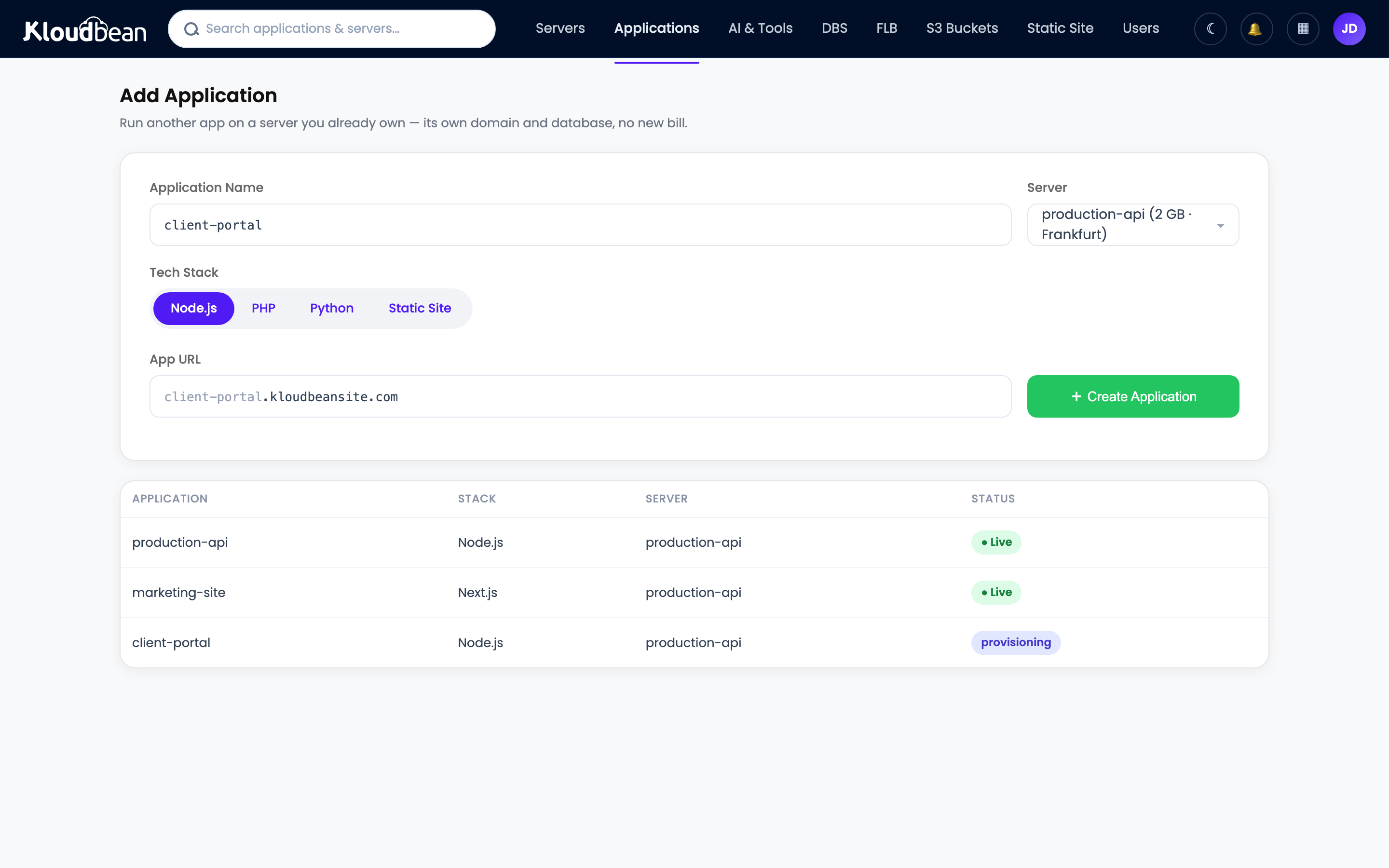
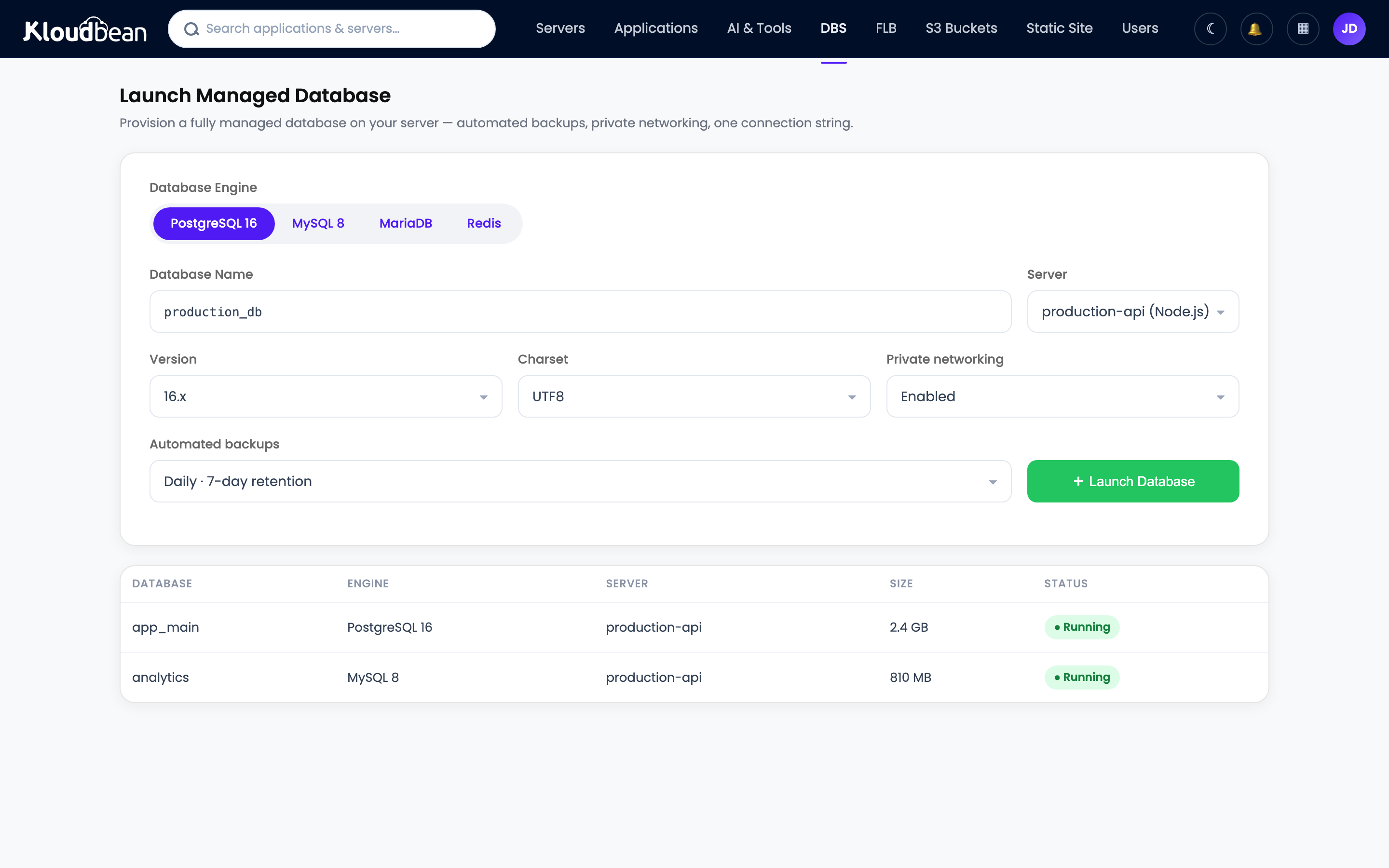
There’s a second path. If you actually want a plain, standalone managed PostgreSQL for your own app (not the full Supabase bundle), Kloudbean runs that as its own product, backed up and locked to your app server’s IP. That’s the route many people take when they realize they used Supabase mostly for its database. The add a managed database guide walks through it, and there’s a dedicated managed PostgreSQL page too.
The keys that actually matter
This is the step people skip, and it’s the one that gets them hacked. Supabase is held together by a set of secrets, and the official example file ships with placeholder values that are public knowledge. Running on those defaults is like leaving the front door open with a sign pointing to it. Change every one of these before a single real record goes in:
POSTGRES_PASSWORD: your database password. Make it long and random.JWT_SECRET: signs every auth token. Everything trusts it, so keep it secret and keep it stable.ANON_KEYandSERVICE_ROLE_KEY: the public and admin API keys, both derived from your JWT secret. Regenerate them so they match the secret you set.- Dashboard username and password: so your Studio isn’t sitting open to anyone who finds the URL.
These go in your environment variables on the server, never in code that could land in a Git repo:
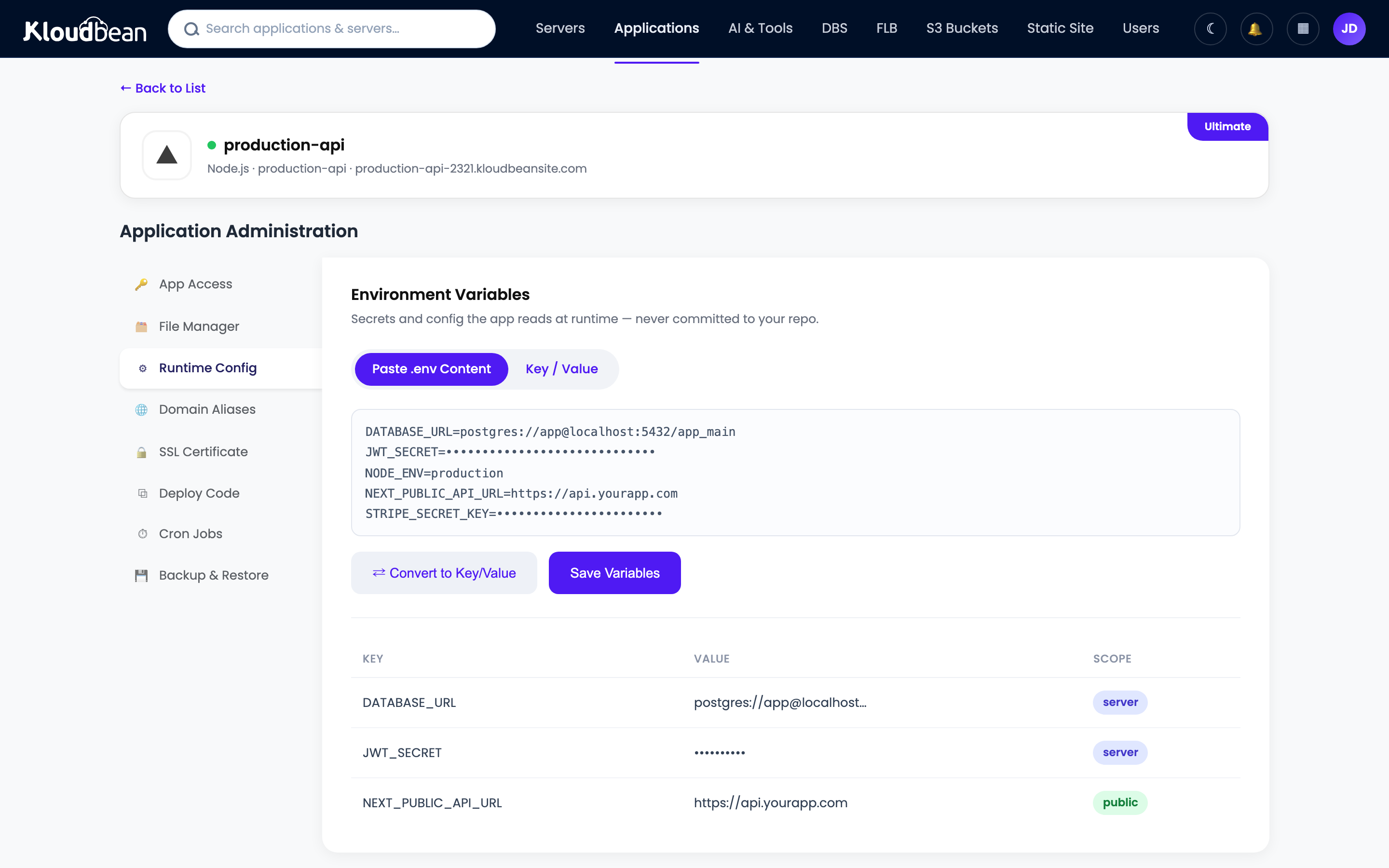
# Change every one of these before real data goes in
POSTGRES_PASSWORD=a-long-random-string
JWT_SECRET=a-long-random-secret-at-least-40-chars
ANON_KEY=regenerated-to-match-your-jwt-secret
SERVICE_ROLE_KEY=regenerated-to-match-your-jwt-secret
DASHBOARD_USERNAME=your-admin-user
DASHBOARD_PASSWORD=another-strong-password
Set them, save, restart the stack so it picks them up. Boring work. Also the single most important thing you’ll do here. If you read one section twice, make it this one. More on the general habit in environment variables done right.
Moving a Supabase Cloud project across
Not starting fresh? Because Supabase is Postgres underneath, bringing your Cloud project over is an ordinary database migration, not a special export format. You dump the Cloud database and load it into your own instance:
# Export from your Supabase Cloud project (it's just Postgres)
pg_dump "postgresql://postgres:[email protected]:5432/postgres" > supabase-dump.sql

# Import into your self-hosted instance's database
psql "postgresql://postgres:[email protected]:5432/postgres" < supabase-dump.sql
Tables, rows, and relationships come across intact, because it’s the same engine on both ends. Storage files (your uploads) move separately: copy them into your self-hosted Storage bucket. Do it while the Cloud project is still live, verify row counts and a few real queries on the new instance, then flip your app’s URL over. Keep the Cloud project around until the new one is serving real traffic.
Your database is the whole ballgame
Burn this into memory: the Postgres database is everything. Users, content, relationships, all of it lives there. Which means your backup story is really a database backup story. Server-level backups protect the box, and those come with the platform. On top of that you want regular dumps of the Postgres database itself, kept somewhere safe, set up on day one rather than the day after you wish you had them. Lose the server and you can rebuild it. Lose the database and there’s nothing to rebuild from. Our server backups guide covers the sane defaults.
When hosted Supabase still wins
I’m not going to tell you self-hosting is always right, because it isn’t. Stay on hosted Supabase when:
- You’re prototyping. The free tier is generous and you should spend your energy on the product, not the plumbing.
- You’re small and happy. If your usage fits comfortably inside a plan and the bill isn’t stinging, there’s no prize for moving.
- You never want to touch a server. That’s a completely valid choice, and it’s exactly what hosted exists for.
The decision isn’t ideological. It’s about whether ownership and predictable cost are worth a little operational responsibility yet. For a weekend project, no. For the app that’s becoming your business, usually yes.
The Lovable connection
Worth calling out, because it catches people by surprise. If you built your app with Lovable, there’s a strong chance it already uses Supabase for its database and auth. That makes this article your natural next step: instead of staying tied to a hosted Supabase project, you can move the backend onto infrastructure you own and take the frontend with it. We wrote the specifics up in the Lovable self-hosted alternative and moving a Lovable app off Vercel. And if you’re weighing other tools to run yourself, the best self-hosted tools roundup and the sibling self-host n8n guide are good company, and self-hosting Penpot is another one-click app worth a look if design is on your list. For a Firebase-style, document-based take on the same backend job, self-hosting Appwrite is the alternative to compare.
Own the backend, keep the keys.
Launch Supabase in one click on a server you control, with the OS, SSL, and server backups handled and your data in your region. Start free at kloudbean.com; plans on pricing.
One-click Supabase · Managed PostgreSQL · Automatic backups · Free migration · Free trial
FAQ
Is self-hosting Supabase hard?
It’s the most involved tool in this category because it’s several services, not one app. But you’re not building from scratch. Supabase ships an official docker-compose stack, and a one-click deploy stands the whole thing up for you. The real work is setting your secrets correctly, which takes a few minutes.
What server size do I need for self-hosted Supabase?
Plan for at least 2 GB of RAM, and more once you have real traffic, because you’re running Postgres plus several services at once. Under-size it and things get flaky under load. Starting a little bigger and resizing later is the easy path.
What’s the most common self-hosting mistake?
Leaving the default keys from the example environment file. POSTGRES_PASSWORD, JWT_SECRET, ANON_KEY, and SERVICE_ROLE_KEY are all public in that template, so you must change them before storing real data. This one mistake causes most self-hosted Supabase security incidents.
Can I move my Supabase Cloud project to my own server?
Yes. Supabase is Postgres underneath, so you export with pg_dump and import into your own instance with psql, then copy your Storage files across and point your app at the new URL. Do it while the Cloud project is still live and verify before you switch over. Free migration assistance can handle the move for you.
Does self-hosted Supabase include auth and storage?
Yes. Self-hosted Supabase is the same software as the hosted version, so you get auth, storage, realtime, the auto-generated REST API, and Studio. Nothing is held back for the paid cloud, apart from a few managed conveniences you’re now handling yourself.
Is self-hosted Supabase cheaper than Supabase Cloud?
Past a certain size, usually yes. Hosted pricing scales with rows, storage, active users, and bandwidth, while a self-hosted server is a flat cost no matter how much you use it. For a small app the hosted free tier is hard to beat. For a growing one, the flat server tends to win.
What do I need to back up?
The PostgreSQL database, above everything else. It holds your users, content, and relationships. Keep regular database dumps in addition to the server-level backups the platform provides, because the database is the one thing you can’t recreate from nothing.
I built my app on Lovable, which uses Supabase. Can I self-host that?
Yes, and it’s a common move. Lovable apps often use Supabase for the database and auth, so self-hosting Supabase lets you own that backend and run the frontend on the same server. See our Lovable self-hosted alternative guide for the full path.
Kloudbean · Own the database, own the backend.