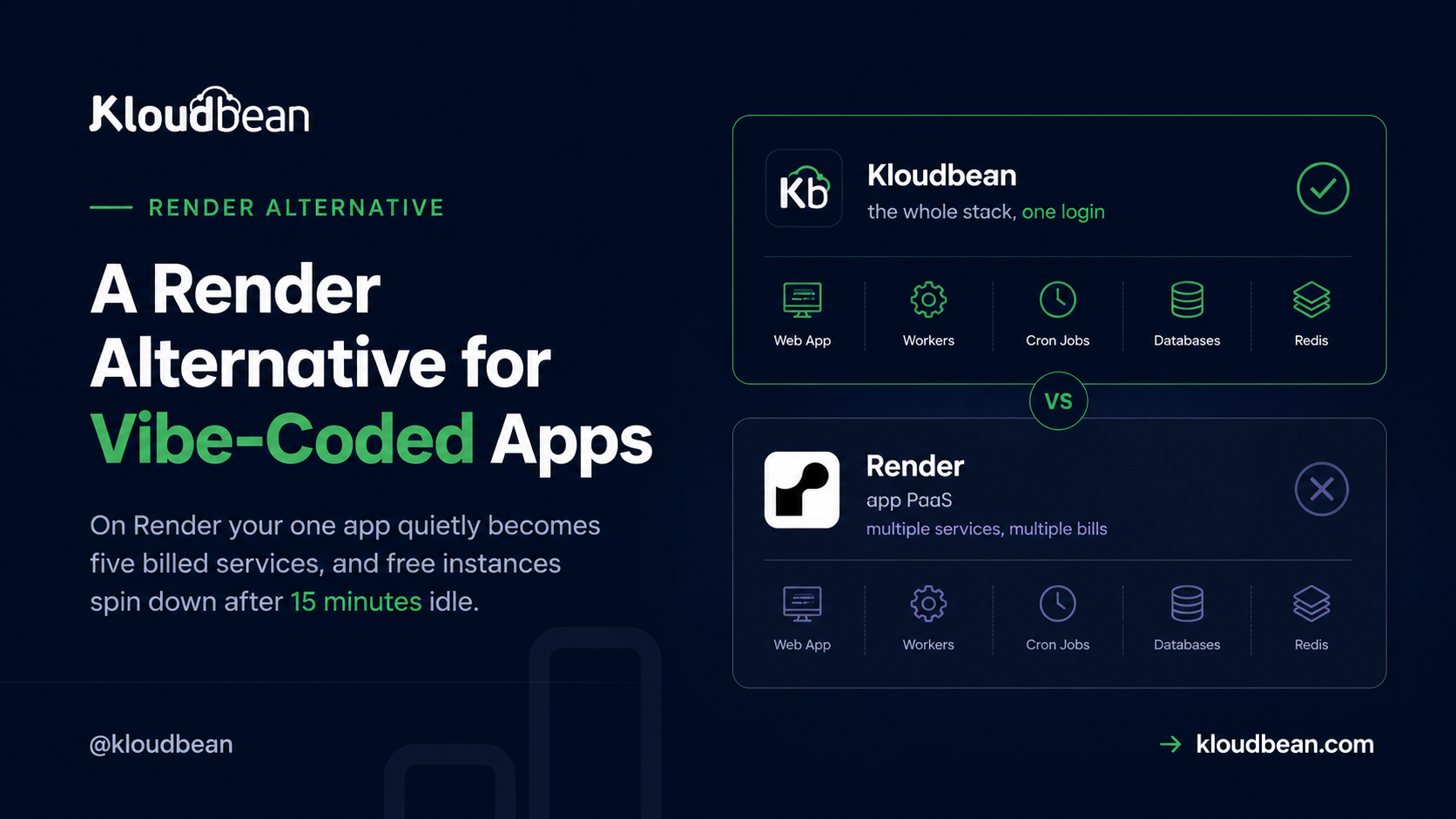
You built the thing in Lovable or Cursor, shipped it to Render because the deploy was painless, and it worked. Then it grew. A background worker to send email. A cron job. A managed Postgres, obviously. Maybe a Redis for sessions. And your one little app is now five services on the invoice. That’s usually the moment people start hunting for a Render alternative, and it’s almost never about the developer experience. Render’s DX is good. The friction is what happens to the bill, and to responsiveness, as a vibe-coded app quietly turns into a fleet of separate services.
Render is a clean PaaS. The catch is structural. Every piece of your app (web service, worker, cron, database, cache) is its own billed service, and free instances spin down after about 15 minutes idle, so the next visitor waits through a cold start. The strongest Render alternative for a growing app isn’t another PaaS. It’s one always-on server for the app tier, where the web process, the worker and the cron cost nothing extra, with the database in its own managed tier reachable only over private, whitelisted access. That’s the standard production shape, and it’s cheaper than paying a meter per process.
Count the services, not the features
Here’s the reframe that changes the decision. On Render you don’t deploy an app. You deploy services, and you’re billed per service. A Web Service for the API. A Background Worker for the async stuff. A Cron Job for the nightly task. A managed Postgres. A key-value store when you add caching. Each one is reasonable on its own. Each one is also its own line item with its own plan.
But step back and look at what you actually built. It’s one application. The worker isn’t a separate product, it’s your app doing a slow thing off the request path. The cron isn’t a separate product, it’s your app on a timer. Those three got split into billed services because that’s how a per-service platform is shaped, not because your app wanted to be three things. On one server they collapse back into what they always were: processes sharing a box. The database is the exception, deliberately. It stays in its own tier, because that’s where a production database belongs.
What you’re actually paying for, service by service
People say Render gets pricey. That’s not quite it. Any single service is fairly priced. The issue is that a normal app needs several of them at once, and the total is the sum you never quite predicted. Here’s the honest itemization, and where each piece lands when you run the whole app on one box instead.
| Render service | What it really is | How it’s billed | On a server plus a data tier |
|---|---|---|---|
| Web Service | Your app’s main process | Per instance, per month, by size | The main process on the server |
| Background Worker | Async jobs off the request path | A second billed instance | A second process (pm2) on the same server, no new bill |
| Cron Job | Something on a timer | Billed compute per run | A cron entry in the UI, no new bill |
| Postgres | Your database | Separate managed plan, by size | A managed database in its own tier, sized separately. Same idea, and that’s correct |
| Key Value / Redis | Cache or session store | Another separate managed plan | A managed Redis instance in the data tier, separate on purpose |
Read the right-hand column and notice where the saving actually is. The three app-tier pieces, web and worker and cron, stop being separate meters, because they were always just processes of one application. The two data services stay separate, and I won’t pretend that’s a saving, because it isn’t. It’s the right architecture. What changes is that you stop paying a per-instance fee for the parts of your own app that were never separate products.
The spin-down tax
The other reason people leave is responsiveness. On Render’s free tier, a web service spins down after roughly 15 minutes of inactivity. The next request has to wake it, and that visitor waits through a cold start while it boots. For a personal demo, fine. For anything you want to feel alive, a backend that naps between visitors is the wrong first impression, and the fix is to move onto an always-on paid instance. So the free savings quietly evaporate the moment you care about the app feeling awake.
Now, the anti-pattern. When developers hit spin-down, the popular hack is a keep-alive ping: a cron somewhere that hits your own URL every few minutes so the instance never idles out. It works, sort of. It’s also a workaround, not a fix, and I’ll say that plainly. If your app genuinely needs to be always on, you’ve already outgrown the free tier. You’re just paying in cron hacks and wasted requests instead of dollars, and you’ve added a moving part whose entire job is to lie to the platform about whether anyone’s home. An always-on server makes the whole problem disappear because nothing sleeps in the first place.
Where the per-service math catches people out
When apps move to us from a PaaS, they almost never arrive as one thing. They arrive as a list. A web service, a worker, a cron, a database, sometimes a cache. Five entries that were always one application, split apart because the platform bills per service, and the owner is a little surprised the running total isn’t the sticker price of the web plan. That’s the pattern we see most often, and it’s not a Render failing. It’s just what per-service pricing does to an app that grew normally.
The place people expect the saving is the database, and that’s the one place it doesn’t come from. A managed Postgres is its own meter on Render and its own subscription on Kloudbean. Equivalent, near enough.
What’s worth understanding is why nobody serious puts a production database on the application server, however tempting the arithmetic looks. Keep it in its own tier and it has no public exposure, reachable only from addresses you allow. You size, tune and back it up on its own schedule, so the query bottleneck and the web CPU bottleneck stop being the same purchase. And when you rebuild, resize or replace the app server, which you will, the data isn’t sitting on the machine you’re rebuilding. That’s the basic, boring, correct shape: an app tier and a data tier, kept apart. Nothing about it is a premium option, it’s just how production is built, and managed PostgreSQL hosting covers the setup.
What a Render alternative has to get right
Once you’ve counted the services, the criteria write themselves. A real Render alternative should be always-on by default (no spin-down, no cold-start penalty for the next visitor), a flat price for the app tier instead of a plan per process, a managed database in its own tier that you size and back up independently, launched from the same dashboard, standard code you can pick up and move, and the connect-a-repo, push-to-deploy flow you’d genuinely miss. That last one is where people stall. They assume owning a server means giving up the easy deploy. It doesn’t.
That’s the model Kloudbean runs. One real server, provisioned and managed for you on the cloud you pick, at a flat monthly price, running the whole app tier, with managed databases alongside it as their own services. You connect a Git repo and deploy from the console, same muscle memory as Render.
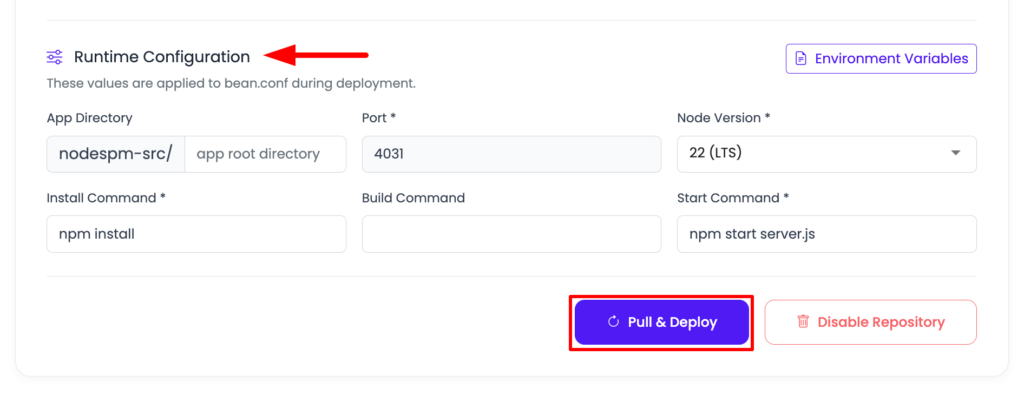
The web process and the worker are just processes on the same machine. You run them under a process manager so they restart on crash and survive a reboot.
# one server, several processes. not several billed services.
pm2 start "npm run start" --name web     # your web service
pm2 start worker.js --name jobs          # the background worker
pm2 save                                 # bring them back after a reboot
Need a second app on the same server? Add it. That’s not another subscription, it’s another application on the server you already have.
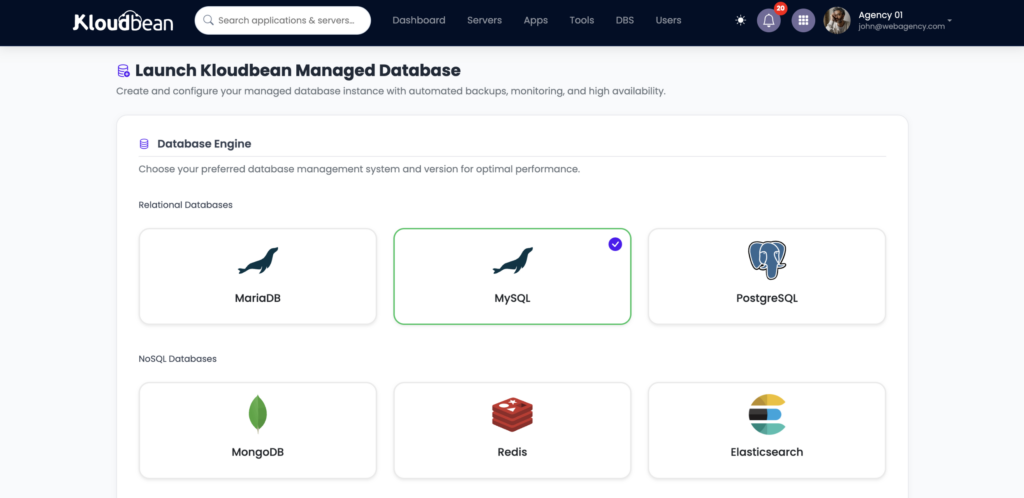
The database is a separate service, and that’s on purpose. Launch a managed PostgreSQL, MySQL, MariaDB, MongoDB, Redis, Memcached or Elasticsearch instance from the same console, allow your app server to reach it, and point the app at its private connection details. It never sits on the public internet, and it isn’t competing with your web process for CPU.
# the app tier reads the data tier over private, allowed-only access
# host and port come from the managed database's connection details
DATABASE_URL=postgres://kb_user:secret@db-private-host:5432/appdb
REDIS_URL=redis://redis-private-host:6379
Cron is a feature of the box, not a billed service. You add a scheduled command from the Cron Jobs tab in the UI, no SSH and no extra plan. The managed layer runs the OS, the stack, SSL, patching, and backups, so you get ownership without turning into a sysadmin. If you’re ready to try it, the deploy walkthrough covers a fresh deploy end to end.
When Render is still the right call
An honest alternative piece has to say when not to switch. Render is a genuinely nice PaaS, and for some shapes it’s the better answer. Here’s the clean split.
| Stay on Render when | You’ve outgrown it when |
|---|---|
| Your app is one service that fits one plan | It’s already three, four, or five services |
| Spin-down on a demo doesn’t bother you | You need it always awake and responsive |
| You love the dashboard and preview environments | You want a flat, budgetable bill for the whole app |
| The total is small and predictable | The per-service total keeps creeping and you want to own the box |
Live mostly in the left column and switching would cost you more than it saves. The alternative earns its place when the per-service model is multiplying your bill and the sleeping instances are in your way. Weighing the neighbors too? The Railway and Heroku comparisons run the same reasoning from different angles.
The honest limits
If your vibe-coded app is becoming more than a simple prototype, the hosting model starts to matter. KloudBean runs the Linux stack behind modern apps: Node.js, PHP, Python, Ruby, Java, Go, and frameworks such as React, Next.js, Vue, Laravel, and Django, with .NET also supported on Linux. That makes it a fit for the kind of applications that start as a quick AI-generated idea and eventually need a real production environment. There is an important distinction, though: managed hosting does not mean managed application development. KloudBean manages the server, runtime stack, SSL, patching, and backups; you remain responsible for your application and its data. And Render can absolutely make sense for the right workload. If you’re running one tiny service with very little traffic, a low-cost or free tier can be difficult to beat. But once your application grows into multiple services, background jobs, databases, workers, and persistent workloads, the economics and operational trade-offs change.
The real question isn’t “Which platform is cheaper?” It’s “What will this app need when it stops being a prototype?”
If your vibe-coded project is heading toward a real production application, choosing infrastructure that can grow with it means you don’t have to rebuild your hosting setup when the app finally takes off.
One app tier, not five meters
Stop piecing your app together. Run the whole stack.
Put your application on one managed server instead of watching multiple service meters add up. Get always-on processes, managed databases, automatic backups, cron jobs, and Git deployment in one dashboard — with predictable server pricing.
FAQ
What’s the best Render alternative without spin-downs?
An always-on managed server for the app tier. Your web process, worker and cron never idle out, at a flat monthly price, with the managed database in its own tier over private access, while keeping connect-a-repo, push-to-deploy. Kloudbean runs that model, so there’s no cold-start penalty for the next visitor and no keep-alive ping to babysit.
Why do people look for a Render alternative?
Two things, mostly. Per-service billing that multiplies as a normal app grows a worker, a cron, a database, and a cache, and free instances that spin down after about 15 minutes idle. The developer experience is rarely the complaint. It’s the bill shape and the sleeping backends.
Do I pay per service like on Render?
Not for the app tier. A managed server is one flat price for the whole machine, and your web process, background worker and cron jobs all run on it rather than each being separately billed. Managed databases are their own subscription, the same as on Render, because a production database belongs in its own tier. Adding a second app is another application on the server, not another subscription.
How do background workers and cron work without separate services?
The worker is just a second process on the server, run under a process manager like pm2 so it restarts on crash. Cron is an entry in the Cron Jobs tab that runs a command on a timer, no SSH. Neither is a separate billed service the way Render models them.
Is this a self-hosted Render alternative I have to maintain myself?
No. It’s managed, which is the difference from rolling your own VPS. Kloudbean handles the OS, stack, SSL, patching, and backups. You get an owned server and standard Linux underneath, without becoming the person who patches it at 2am.
Can I keep deploying from GitHub on push?
Yes. You connect the repo, set install/build/start commands, and turn on auto-deploy so every push builds and ships with live logs. It’s the part of Render worth keeping, and it carries over.
Is a managed server always cheaper than Render?
No, and it’s fair to say so. At very low traffic, one small Render service can be cheaper than any always-on server. A flat server usually wins once your app is several services or needs to be always awake, and it’s more predictable at any size, since the price is the same in a quiet month and a launch month.
By Kloudbean · Managed multi-cloud hosting. Build. Deploy. Scale. Faster Than Ever.