Heroku walked so everyone else could run. Type git push heroku main and your app was live. That single move, plus dynos, buildpacks, and the add-on marketplace, taught a whole generation what deploying was supposed to feel like. Every modern PaaS is basically a cover of that song. So why go looking for a Heroku alternative now? Rarely because the experience was bad. It’s because the model aged: free plans ended in late 2022, the cheap dynos still sleep, the add-on bill keeps stacking, and you’re renting an abstraction that hasn’t moved much in years. This is the fair version of that decision, and a clean way to translate everything you know about Heroku onto a server you own.
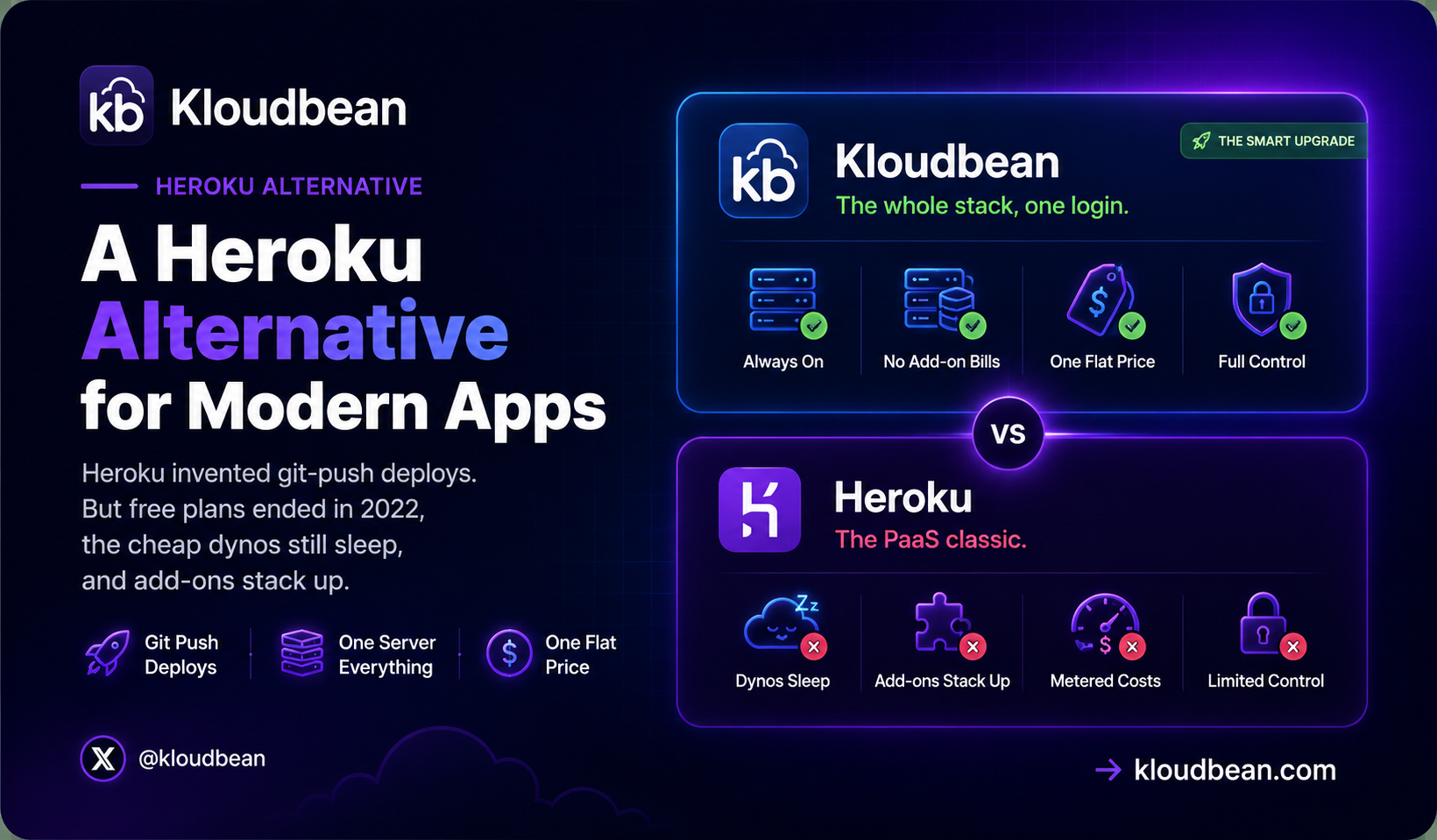
Heroku pioneered git-push deploys and the dyno, and that was genuinely great. The dated part is the economics: dynos are metered (the Eco tier sleeps after 30 minutes idle), every add-on is a separate bill, and free plans ended November 28, 2022. A modern Heroku alternative keeps the push-to-deploy flow but runs your whole app (web, worker, cron, database) on one owned server at a flat price. Every Heroku concept maps cleanly onto it.
Give Heroku its due
Credit first, because it’s earned. Heroku’s core idea was radical for its time and still holds up: push code, get a running app, skip the server admin entirely. Buildpacks detected your stack and just built it. The add-on marketplace turned bolting on a database or a queue into a one-liner. For a classic Rails or Node backend, Heroku still runs fine today. A good Heroku alternative has to keep the part people loved (the effortless deploy) and fix the part that dated (the metered, add-on-driven economics). If it drops the easy deploy, it’s not an alternative. It’s a downgrade.
Why people leave now
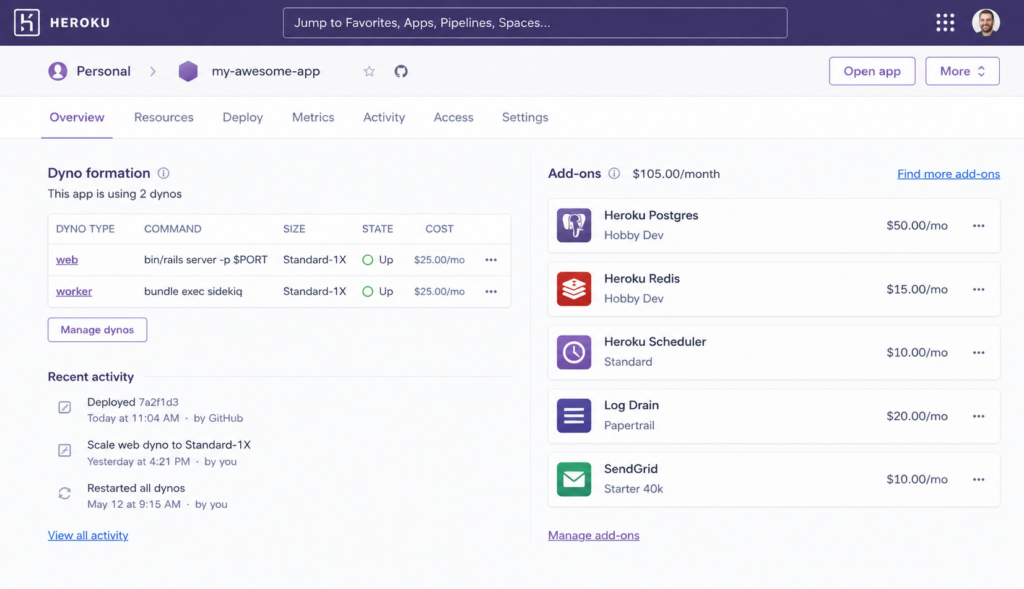
The friction is money and staleness, and it shows up in a few concrete places. Dynos are metered compute, and the model nudges every part of your app into its own paid unit: a web dyno, a worker dyno, more dynos to scale. The add-on marketplace does the same to capabilities. That one-line Postgres, that Redis, that log drain, that scheduler, each convenient, each a separate charge. A modest app quietly becomes a small portfolio of line items nobody’s auditing.
Then two dates that changed the math. Heroku retired free dynos, free Postgres, and free Data for Redis on November 28, 2022. Every hobby app, demo, and half-finished learning project that used to live there for nothing suddenly needed a paid plan just to stay online. The replacement Eco tier is cheap, but it still sleeps after 30 minutes of inactivity, so the next visitor waits for it to wake. If you’re paying either way, the honest question becomes: paying for what, exactly, and could I just own it? That’s the thought that sends people looking.
What a modern Heroku alternative has to keep, and drop
The nice thing about leaving Heroku is that you’re not learning a new mental model. You’re translating one you already know. Every Heroku concept has a direct, boring equivalent on a normal server. Here’s the whole map.
| Heroku concept | What it did | On a modern owned server |
|---|---|---|
| Dyno | A metered compute unit; the cheap tier sleeps | An always-on process under a manager (pm2 or systemd) |
Procfile web: line | Told Heroku your start command | Your Start command in the console |
| Buildpack | Auto-detected the stack and built it | The managed build (your install and build commands) |
| Config vars | Heroku’s environment storage | Environment variables on the server |
| Heroku Postgres | A separate metered database add-on | Managed Postgres on the same box |
| Heroku Data for Redis | A separate metered cache add-on | Managed Redis on the same box |
| Scheduler add-on | Ran jobs on a timer | Cron from the UI, no add-on |
Read the right column and notice something. The things that were five or six separate billed add-ons on Heroku are all just parts of one server. That’s the whole pitch of a Kloudbean-style managed server: keep the deploy you loved, collapse the add-on drawer into one box you own.
The deploy, translated
Your Procfile already documents your app. It lists the processes Heroku ran.
# your Procfile already names the processes
web: npm run start
worker: node worker.js
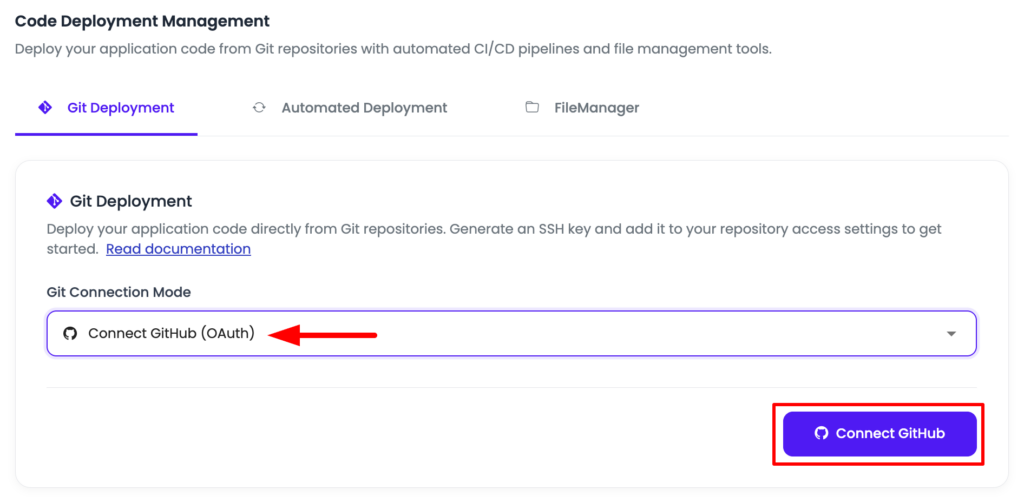
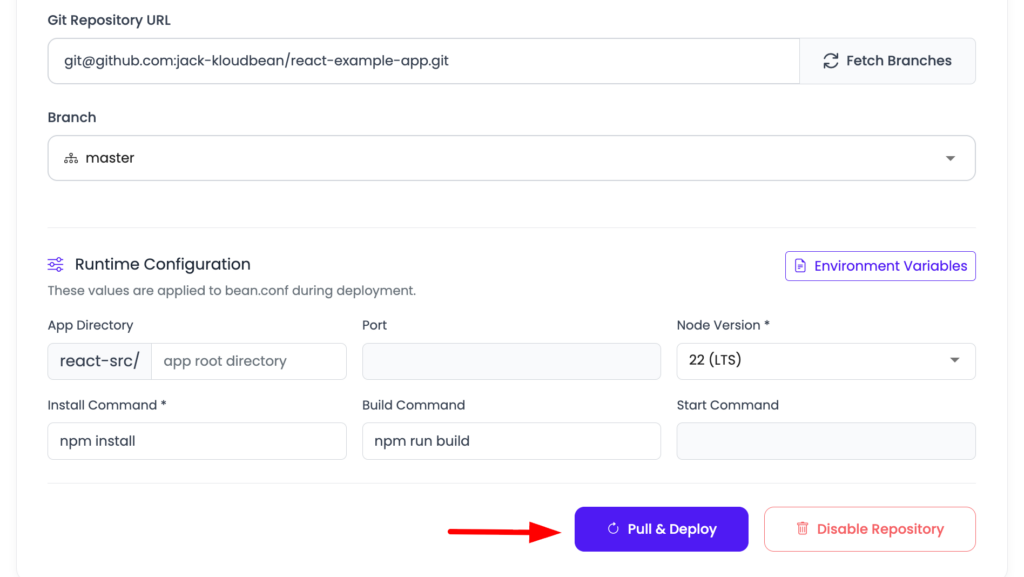
The web line becomes your Start command. The worker line becomes a second process on the same server, kept alive by a process manager. You connect the repo in the console and set the same install, build, and start commands a buildpack used to run for you.
# the worker is just another always-on process
pm2 start "npm run start" --name web
pm2 start worker.js --name worker
pm2 save
Config vars move next. Copy them straight across into the server’s environment variables, same keys, same values.
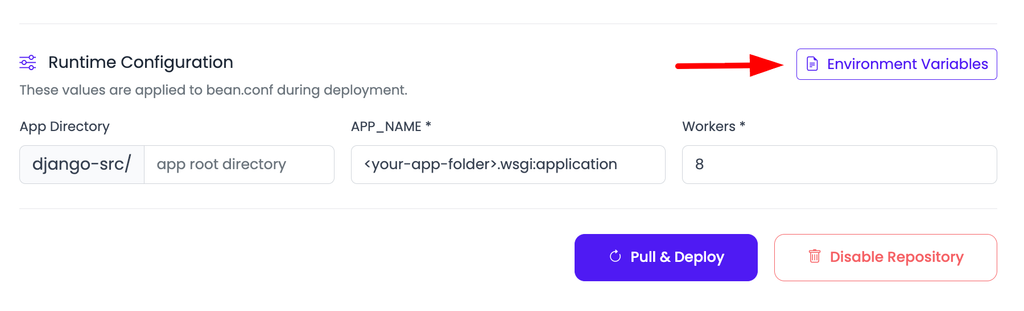
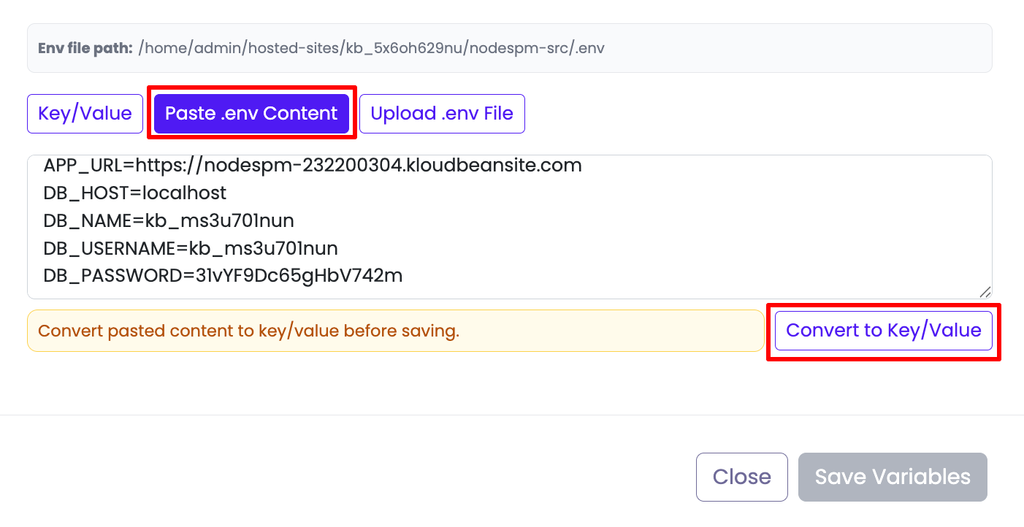
# config vars become environment variables on the server
DATABASE_URL=postgres://kb_user:[email protected]:5432/appdb
NODE_ENV=production
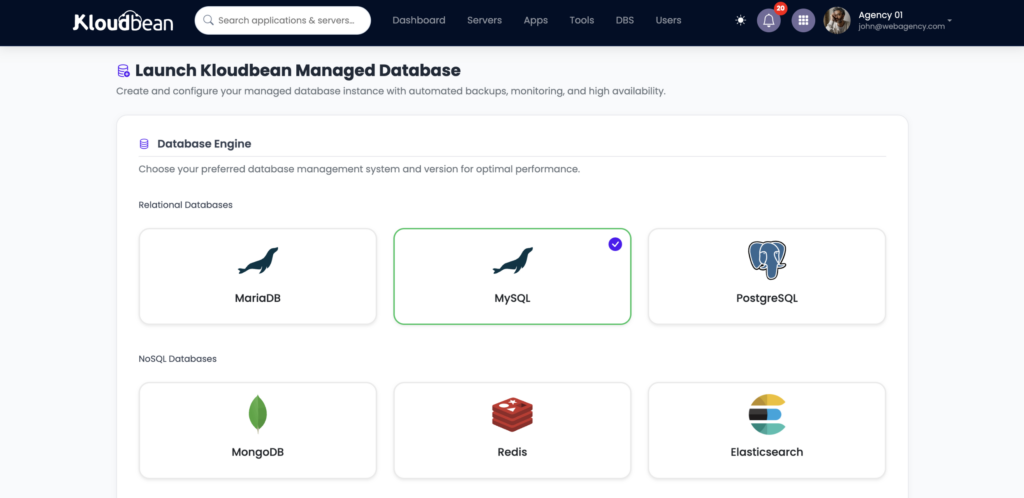
Then the database, which is where the “Heroku alternative with database” question really lives. Launch a managed Postgres from the console (there are six engines: Postgres, MySQL, MariaDB, Redis, MongoDB, Elasticsearch) and bring your data across with a standard dump and restore.
# move Heroku Postgres onto the managed database, over one pipe
pg_dump "$HEROKU_DATABASE_URL" | psql "postgres://kb_user:[email protected]:5432/appdb"
Point the domain, turn on SSL, flip on auto-deploy. Nothing here is exotic, because Heroku ran standard code with a few conventions on top. Peel off the conventions and it’s an ordinary app on an ordinary server. The deploy-a-Node-app guide walks a fresh one end to end.
Where people trip when they translate a Heroku app
Here’s the honest sharp edge, and it’s almost always the same one. When people move a Heroku app to a server, the piece they forget isn’t the web process. It’s the Scheduler. The app comes up, the site loads, everything looks healthy, and three days later someone notices the nightly digest never sent or the cleanup job never ran, because the scheduled add-on was quietly doing real work and didn’t make the trip. So before you cut over, list your add-ons and ask what each one actually does. The database and cache are obvious. The scheduler, the log drain, the mailer, the one-off cron someone added a year ago, those are the ones that go missing.
And an opinion, since this is exactly where I’ll plant a flag: most mature Heroku bills don’t balloon on compute. They balloon on the add-on drawer no one audits. The dyno is rarely the expensive part. It’s the five subscriptions orbiting it. Consolidating those onto one server is usually where the real saving is, not the compute line.
When Heroku is still the right call
If Heroku still fits, keep it. Familiarity has real value, and there’s no prize for migrating a setup that’s working. Stay if your app is a single dyno with no add-ons to speak of and the paid tier is comfortable, or if you lean on a specific add-on or buildpack that would be genuine work to replace. The alternative earns its place once you’re running several dynos and a stack of add-ons, or you’re one of the many people who only started shopping around when the free tier disappeared and the bill became real. Weighing the newer platforms too? The Render and Fly.io comparisons run the same reasoning.
The honest limits
Kloudbean runs Linux web stacks: Node, PHP, Python, Ruby, Java, and frameworks like React, Next.js, Vue, Laravel, and Django, which covers what modern and vibe-coded apps are built on. “Managed” means Kloudbean runs the server, stack, SSL, patching, and backups, while you own and maintain the app. And to be fair, for a single small dyno with no add-ons, Heroku’s simplicity is genuinely hard to beat. The flat, owned server pulls ahead as your app grows processes and add-ons, and as a “cheaper Heroku alternative” starts to mean “stop paying five subscriptions for one app.”
FAQ
What’s the best modern Heroku alternative?
A flat-rate managed server rather than a per-dyno PaaS. One price for a server that runs your web process, worker, and cron, with the database on the same box, while keeping the git-push-to-deploy experience Heroku made famous. Kloudbean runs that model on seven cloud providers, so every Heroku concept maps onto it directly.
Why do people leave Heroku now?
Per-dyno pricing plus a stack of marketplace add-ons that add up, the removal of free plans on November 28, 2022 (which pushed hobby and side projects onto paid tiers), and the Eco replacement dynos still sleeping after 30 minutes idle. Under all of it is the wish to own a modern server instead of renting an aging abstraction.
Is there a Heroku alternative with a database included on the same server?
Yes, and that’s the point. Instead of a metered Heroku Postgres add-on, you launch a managed Postgres, MySQL, or Redis on the same server as the app, backed up and reached over the local network. It’s part of the box, not a separate subscription orbiting it.
Do I pay per dyno on the alternative?
No. You pay a flat price for the whole server, and your web process, background worker, and scheduled jobs all run on it. There’s no per-dyno multiplication as you add parts, and nothing sleeps waiting for the next request.
How hard is it to migrate a Heroku app?
Usually straightforward, because Heroku ran standard code. The Procfile web line becomes your Start command, the worker becomes a second process, config vars become environment variables, and Heroku Postgres moves across with pg_dump and psql. The main thing to watch is add-ons like the Scheduler, which do real work and are easy to forget.
Will I keep git-push deploys?
Yes. You connect the repo, set your build and start commands, and turn on auto-deploy so every push builds and ships with live logs. The git-push-to-live feeling Heroku pioneered carries straight over to a server you own.
By Kloudbean · Managed multi-cloud hosting. Build. Deploy. Scale — Faster Than Ever.