If you’re evaluating Cloudways Velocity, start with what it will not do, because that’s what decides this. Velocity is Cloudways’ managed Node.js product, renamed. By their own description it is “a JavaScript runtime”. It runs on DigitalOcean infrastructure. Their pricing FAQ answers the question “Can I host multiple apps on one server?” with “Not at GA”, and adds that each app runs on its own isolated server. Nothing in their Velocity documentation offers SSH or SFTP. And Cloudways publishes no object storage product at all, on any of its plans.
None of that is my characterisation. It’s all on Cloudways’ own pages, and it rules out more than a feature table reveals.
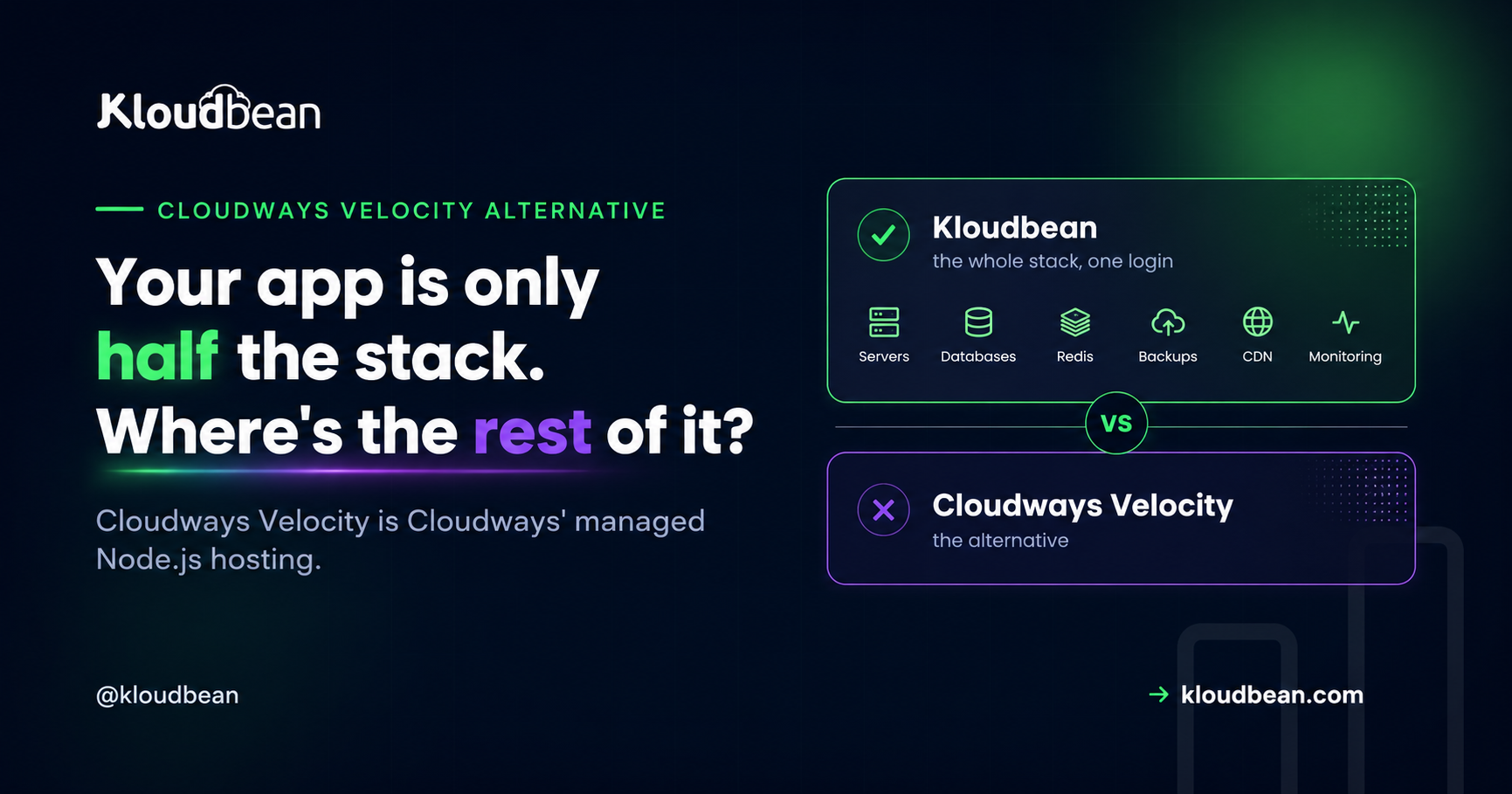
Cloudways Velocity is JavaScript only, so no WordPress, PHP, Python, Ruby, Java or Go. It runs one application per isolated server, which Cloudways confirms is not changing at general availability, so billing is effectively per app from $20/month. It runs on DigitalOcean only, has no documented SSH or SFTP path, and Cloudways offers no object storage bucket for uploads. Its own pricing page and its own support docs currently disagree about which databases you can provision. Kloudbean starts at $8/month, runs many languages across seven clouds, and gives you shell access and S3-compatible buckets. One honest caveat against us: Kloudbean’s plan table lists “Standard Limits” on application count for Standard and Premium, with unlimited only on Enterprise, and managed databases are separate subscriptions.
Five boundaries, all from Cloudways’ own pages
Each row is Cloudways’ published position. Where their pages contradict each other, I’ve said so rather than picking the convenient one.
| Boundary | What Cloudways publishes | What it rules out |
|---|---|---|
| Language | “Velocity is a JavaScript runtime used to build fast and scalable web applications, APIs, and backend services.” Twelve framework presets, Node LTS 22.x and 24.x. | WordPress. PHP. Python. Ruby. Java. Go. Anything not JavaScript. |
| Apps per server | Pricing FAQ, verbatim: “Can I host multiple apps on one server? Not at GA. Logged in customer feedback as a post-GA fast-follow. Each app runs on its own isolated server.” | Packing several small services onto one box. Every app is its own plan. |
| Cloud | “It runs on the Cloudways Lightning Stack on DigitalOcean infrastructure.” You pick a server location, not a provider. | The other four clouds Cloudways offers on its own Flexible product. |
| Shell | No SSH or SFTP section exists in the Velocity application docs. Every mention of a terminal in their launch material frames it as something you no longer need. | Running a one-off script, a migration command, or npm by hand. Debugging from inside the box. |
| Object storage | Cloudways publishes no object storage product. What exists is DigitalOcean Block Storage (a larger disk) and off-site backup storage billed at $0.033/GB. | A bucket for user uploads. Anything you’d normally hand to S3. |
Read the language row twice, because it’s the one people miss. Velocity does not host WordPress. Not as a limitation to work around, but by design: it’s a JavaScript runtime. WordPress on Cloudways lives on a different product, Cloudways Flexible. So if your company has a marketing site on WordPress and an API in Node, Velocity covers one of those, and the other is a separate product, a separate plan, and a separate place to log in.
One app per server, in their own words
This is the constraint most reviews miss entirely, and it’s the one that shows up on the invoice.
On Cloudways Flexible, the economics are per server, and their pricing FAQ is explicit: “There is no restriction on the number of applications you can launch on a single server.” You buy a server and pack it. Five small client sites on one $11 box is normal practice.
Velocity inverts that. Their Velocity pricing FAQ answers the multiple-apps question with “Not at GA”, notes it’s logged as customer feedback for a post-GA fast-follow, and states that each app runs on its own isolated server. So this isn’t a limit you can raise by buying a bigger plan, and it isn’t a preview-only restriction they’ve said will lift at launch. It’s the architecture, and they’ve told you it survives general availability.
Isolation is a real benefit, to be fair. One app cannot starve another of CPU, and a bad deploy is contained. That’s a defensible engineering choice. It just costs what it costs, and the audience Cloudways names first in its own announcement is agencies managing multiple client applications, which is exactly the audience that pays for it most.
Why “Cloudways is mature” isn’t the argument here
You’ll see this comparison written as “Cloudways is an established host, so weigh that against the newer option.” That framing doesn’t survive contact with the facts.
Cloudways the company is established. Velocity the product is in public preview with general availability dated Aug 31 on their pricing page. Those are not the same claim, because Velocity is a separate stack on a separate footprint with a separate feature set. Flexible gives you five clouds; Velocity gives you one. Flexible has no restriction on apps per server; Velocity is one app per server, confirmed for GA. Flexible has documented SSH, SFTP, master credentials and a browser terminal; Velocity’s docs have none of those. Flexible runs WordPress, Magento, Laravel and PHP; Velocity runs none of them.
So when someone tells you Velocity inherits a decade of platform maturity, ask which part. Their launch post lists broader cloud provider support, CI/CD pipelines and multi-region deployments as still on the way. Cloudways is a DigitalOcean subsidiary, which probably explains the single-cloud footprint, though it’s worth being clear that’s my reading of why and not a statement of their roadmap.
No shell, by design
Here’s the part I’d want to know before signing anything, and it’s worth stating precisely rather than loudly.
Cloudways documents SSH and SFTP thoroughly for its other products: master versus application credentials, a browser-based SSH terminal, SSH keys, per-user access toggles. None of that documentation covers Velocity. The Velocity application menu, as their own overview guide lays it out, is Overview, Monitoring, Database, Backup and Restore, Deployment Management, and Settings. No credentials section. No terminal.
Meanwhile their launch material sells the absence as the feature, four separate times: no need for FTP or SSH sessions to push an update, process control “without opening a terminal”, environment variables with no need to “initiat[e] an SSH session to source a file”, and deploying “without … ever needing to SSH into a server”. Their services guide makes the same promise, describing troubleshooting “without running server commands”.
For a lot of workflows that’s genuinely fine, even pleasant. Dashboard restarts of PM2, NGINX, Redis and Imunify360 are documented and they cover the common cases. But there’s a category of work that a dashboard cannot do:
- Running a one-off data migration or backfill script.
npm lsto find out which transitive dependency actually got installed.- Inspecting a file the build produced, or didn’t.
- A heap snapshot when a process leaks memory.
- Anything a runbook says to do at 2am that isn’t a restart button.
Cloudways hasn’t published a statement that shell access is unavailable, so if you need it, ask them directly before you commit rather than trusting my reading of the docs. What I can say is that no path to it is documented, and their design intent is clearly a dashboard-only product.
Kloudbean’s position is the opposite one: you get the server. SSH access, your own processes, cron from the UI or the shell, and files you can go look at. That’s a real trade, not a free win, because a shell is also how people break production. But the boundary of what you’re allowed to do is much further out.
Nowhere to put your uploads
Every Node app that accepts a file needs somewhere to put it that isn’t the application server’s disk. Avatars, invoices, CSV exports, generated PDFs. On Velocity, the documented storage surfaces are the plan’s disk space, a Disk Cleanup tool, and off-site backup storage at $0.033/GB. There’s no bucket.
Cloudways offers DigitalOcean Block Storage as a one-click add-on on its servers, and it’s worth being precise about why that isn’t a substitute: block storage is a bigger disk attached to one machine. Object storage is an HTTP API with its own durability, public and private access control, and no dependency on any single server staying alive. You cannot serve a public avatar URL from a block device without your app in the request path. Their own customer feedback portal carries an open request for native one-click S3 object storage integration, which tells you both that it doesn’t exist and that customers want it.
So the practical outcome is that uploads land on the app disk, and that’s the classic quiet failure. It usually looks fine for months. Then a rebuild, a restore, or a move to a bigger plan happens and the files aren’t there, because nothing in the deploy pipeline ever treated that directory as data. If you’re on a platform without buckets, wire uploads to an external object store on day one, before there’s anything to lose.
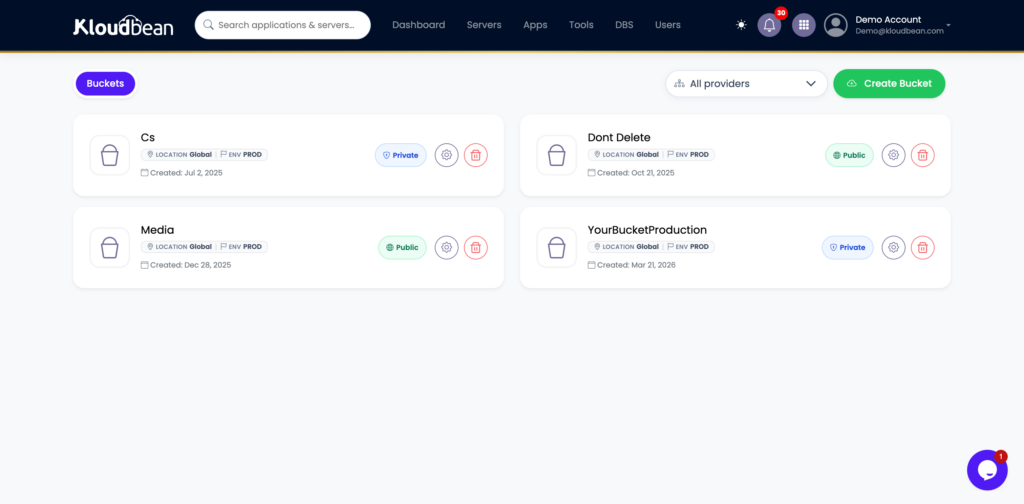
Kloudbean ships S3-compatible buckets and managed Google Cloud Storage in the same account as the app, with public and private access controls, and data transfer out isn’t metered.
The database story, where their own two pages disagree
Worth flagging carefully, because I found a straight contradiction.
Their Velocity pricing FAQ says PostgreSQL, MySQL and MongoDB can all be provisioned from the dashboard. Their Velocity database support article, published more recently, documents exactly two options: install PostgreSQL inside the Cloudways environment, or connect Supabase and host the database externally. No MySQL. No MongoDB.
I can’t resolve that from outside, so treat the support doc as the operational truth and verify in the dashboard before you plan around MySQL or Mongo. Two further details from that support article that matter more than the engine count:
The Postgres install is a one-way door. Their own FAQ: “Can PostgreSQL be removed after installation? No.” It states the installation is irreversible and cannot be uninstalled from the environment. Given one app per server, that means a decision you make in the first ten minutes is permanent for the life of that server.
It installs a database, not a connection. Their words: installing PostgreSQL “only creates the database. It does not automatically update your application code.” It writes environment variables, they apply on the next deploy, and if your app expects different variable names it won’t connect. Fair enough, but “provisioned” is doing some work in the marketing copy.
Redis, credit where it’s genuinely due, runs in the Velocity stack. Their services guide lists it alongside NGINX, PM2 and Imunify360 with restart and stop controls, and it sensibly warns you not to stop it casually because Redis “may also be used for sessions, queues, or temporary application data” rather than only cache. That’s a good thing to tell people and I’d rather say so than leave it out.
For contrast, Kloudbean’s managed databases are standalone subscriptions you size, back up and connect to independently: MySQL, PostgreSQL, MariaDB, MongoDB, Redis, Memcached and Elasticsearch, with the support docs listing nine or more engines. Removable, resizable, and not welded to one app server
Real pricing, from both vendors’ own pages
Verified figures only. Check both pricing pages before you commit, because preview pricing and promotional rates move.
Velocity’s published ladder, per application:
| Velocity plan | Price | RAM | vCPU | CDN bandwidth |
|---|---|---|---|---|
| Starter | $20/mo | 2GB | 2 | 100GB |
| Professional | $30/mo | 4GB | 2 | 200GB |
| Growth | $50/mo | 8GB | 4 | 300GB |
| Scale | $100/mo | 16GB | 8 | 400GB |
| Plus | $150/mo | 32GB | 8 | 500GB |
Bandwidth past the plan allocation is $0.02/GB and off-site backup storage is $0.033/GB, so it isn’t purely flat. Their launch post says pricing starts from $21/month at general availability while the pricing page lists Starter at $20, so treat the exact entry figure as unsettled.
Now the three-way view:
| Cloudways Velocity | Cloudways Flexible | Kloudbean | |
|---|---|---|---|
| Entry price | $20/mo (2GB, 2 vCPU) | From $11/mo (2GB, 1 vCPU, 50GB storage) | From $8/mo |
| Billing unit | Per application | Per server | Per server |
| Apps per server | One. “Each app runs on its own isolated server” | “No restriction on the number of applications” | “Standard Limits” on Standard and Premium; unlimited on Enterprise |
| Clouds | DigitalOcean only | 5 (DigitalOcean, Vultr, Linode, AWS, Google Cloud) | 7 (AWS, Lightsail, Google Cloud, Linode, Vultr, DigitalOcean, UpCloud) |
| Languages | JavaScript only | PHP, WordPress, Magento, Laravel | PHP, WordPress, WooCommerce, Laravel, Magento, Drupal, Joomla, Node, Python, Ruby, Java, Go, static |
| Shell access | Not documented | SSH, SFTP, browser terminal | SSH and SFTP |
| Databases | PostgreSQL in-environment or external Supabase, per the support docs; the pricing page also claims MySQL and MongoDB | MySQL and MariaDB with the app | 9+ documented, standalone and separately sized |
| Object storage | None | None | S3-compatible buckets and managed GCS, transfer out not metered |
| Availability | Public preview, GA dated Aug 31 on their pricing page | Generally available | Generally available |
| Free trial | Free during public preview; from GA, 3 days on Starter and Professional | 3 days, no card required | 3 days, servers only |
What three small services actually cost
Arithmetic, not opinion. Say you run three modest Node services: an API, a scheduled worker, and a small SSR front end. Nothing exotic, 2GB each is plenty.
On Velocity that’s three applications, so three isolated servers, so three Starter plans. $60 a month, and each one wants its own irreversible Postgres if it needs a database. On Cloudways’ own Flexible product the same three apps on one server would be $11, except Flexible won’t run Node. So Cloudways’ Node product is the one where packing is forbidden, and their PHP product is the one where it’s explicitly allowed.
On Kloudbean the three apps go on one server and there’s no per-application fee, because the plan buys the machine rather than a slot. That holds on even an $8 server and on a $1,000 one: the number of apps is not a billing lever at any tier. What eventually stops you is the box itself, which is the honest answer and the more useful one. Three modest Node processes on a 4GB server is unremarkable. Watch memory before CPU, because memory is what runs out first. There’s no rule to work around, only sizing, and we’ve written up where that ceiling actually lands in practice in how agencies host 20 client apps.
Then it compounds. A fourth service, a staging copy of the API, a client’s second site. On per-app billing each of those is another plan at the floor price, whether or not it does any meaningful traffic. Staging environments are where this bites hardest, since a staging copy is a full-price application that serves nobody.
What Kloudbean charges extra for, and what it leaves to you
If this page only listed the other product’s constraints it would be marketing, so here’s the other side. One thing is deliberately absent from the list, because it doesn’t exist: there’s no cap on how many applications a server runs, at any price. Moving up a tier buys capability, things like VPC and VPN, Kubernetes, autoscaling, the audit trail, enterprise support and a dedicated account manager. It never buys permission to run more apps. What it does buy is worth being straight about.
Databases cost extra. A server plus a managed Postgres is two subscriptions. Managed PostgreSQL starts at $18/month for a 1GB Starter instance, $30/month for 2GB, and $60/month for 4GB. Velocity bundles Postgres inside the application plan, so for a single small app that bundling is a genuine total-cost advantage for them, and any comparison hiding it isn’t worth reading. But that doesnot mean you cant use same servers preinstalled MySQL or maria DB to be used along with your JS app.
Free migration is per tier, not unlimited: one per server on Standard but usually not a hard blocker, up to 10 on Premium, unlimited on Enterprise.
BitNinja Pro security is available on standard, Premium and Enterprise. Standard’s baseline is the Shorewall firewall plus Fail2ban. Real hardening,etc but same as cloudways Kloudbean also have cloudflare as a add-on and for enterprise users on kloudbean Cloudflare Enterprise is free.
The free trial is servers only. Databases and load balancers bill from creation. but isnt that fair like even cloudways also allows single service to be enabled as free trial per account at initial account.
Kubernetes, autoscaling, VPC and VPN are Enterprise, not standard-plan toggles. On a standard plan you scale by resizing and by adding nodes behind the load balancer yourself and rest there is no restrictions on standard plan where you can youself have a good infra for your application but with premium and enterprise plan, its more like job of kloudbean team to manage and implement and monitor for you and work closly with dev team where slack to even whatsapp team from KB gets connected and behaves as a inhouse extended infra team.
So which one, and when
The boundaries do most of the work here, so this is unusually clean.
Velocity fits a single JavaScript application, on DigitalOcean, with Postgres, run by a team that never wants a terminal and has nowhere it needs to put files. For one Next.js or Astro app with no uploads and no siblings, the framework presets and dashboard process control are a coherent product and the isolation is a genuine plus.
Velocity stops fitting at the second app, the second language, the first file upload, and the first task that needs a shell. A WordPress site next to the API. A Python service doing the data work. Avatars. A migration script. Any one of those means a second platform or a second product.
Kloudbean fits when the stack is mixed or heading that way, when several apps should share a server, when you want the database, buckets and load balancer in the same dashboard, and when you want the option of logging in and looking. WordPress, WooCommerce, Laravel, Magento, Drupal and Joomla run alongside Node, Python, Ruby, Java, Go and static sites, with staging on WordPress and Laravel, across seven clouds. All of it generally available today, with the Node runtime in production since August 2023, so nothing here is waiting on a launch date.
Write down every service your product will need in six months, then mark each one “in the platform” or “somewhere else”. That list, not a feature table, is the answer.
Moving a Node app across
Undramatic, which is the point. A Node app is a repository, a set of environment variables and a database.
Point a Kloudbean server at the same GitHub repository, copy the environment variables into the dashboard, move the database with a standard dump and restore, swap the connection string, then redeploy and verify before you cut traffic over. Your app runs always-on under PM2, deploys come from Git with the build log streaming live, and application logs are readable in the dashboard under Application Administration then Logs Viewer, where the App Errors tab holds the error log. If uploads are currently sitting on a disk somewhere, that’s the moment to move them into a bucket.
Coming from a Cloudways server? Free migration assistance covers one migration per server on Standard, and there’s a 3-day trial on one service if you’d rather prove it than take my word for it. It’s your code and standard databases the whole way, so there’s no lock-in to unwind.
How it fits the rest of your stack
Start with where to deploy a Node.js app for the architectural options, then the hands-on deploy a Node app to a managed cloud, deploy an Express app and deploy a NestJS app. For uploads, S3-compatible object storage. Weighing Cloudways more broadly? See Kloudbean vs Cloudways and Cloudways alternatives. For the database beside the app, managed PostgreSQL hosting.
Your Node app shouldn’t need three different platforms.
Run your Node.js app, managed database, Redis, storage, static sites, and load balancer from one KloudBean dashboard. Deploy from GitHub and run your application on an always-on server across seven cloud providers.
FAQ
What is Cloudways Velocity?
Cloudways Velocity is Cloudways’ managed Node.js hosting, renamed. Their documentation notes it is a product name change. Cloudways describes it as a JavaScript runtime for web applications, APIs and backend services, running on the Cloudways Lightning Stack on DigitalOcean infrastructure, deployed from a connected Git repository with twelve framework presets and Node LTS 22.x or 24.x.
Does Cloudways Velocity support WordPress?
No. Velocity is a JavaScript runtime, so it does not run WordPress or any other PHP application. WordPress on Cloudways runs on their separate Flexible product. If you need WordPress and a Node app together, that is two different Cloudways products rather than one platform.
Can Velocity run PHP, Python, or Ruby apps?
No. Velocity is JavaScript only. Their framework presets cover Next.js, Remix, TanStack, React, Astro, Nuxt, Svelte, Vite, Express, Fastify, Angular and n8n. PHP, Python, Ruby, Java and Go are outside its scope, so a mixed-language stack needs another platform alongside it.
Can I host multiple apps on one Cloudways Velocity server?
No. Their pricing FAQ answers this directly: not at general availability, logged as customer feedback for a post-GA fast-follow, and each app runs on its own isolated server. So you cannot pack several small services onto one box, and each application carries its own plan from $20 a month.
How much does Cloudways Velocity cost?
Their published ladder runs Starter $20 per month for 2GB and 2 vCPU, Professional $30 for 4GB, Growth $50 for 8GB, Scale $100 for 16GB and Plus $150 for 32GB, each priced per application. Bandwidth beyond the plan allocation is $0.02 per GB and off-site backup storage is $0.033 per GB. Their launch post cites a $21 starting price, so verify the current figure.
Is Cloudways Velocity generally available?
Not yet at the time of writing. It launched in invite-only private preview, is now in public preview with no invite required, and their pricing page dates general availability to Aug 31. Broader cloud provider support, CI/CD pipelines and multi-region deployments are listed as still on the way, so those are not features you can plan around today.
Does Cloudways Velocity give you SSH access?
Not that they document. Cloudways documents SSH, SFTP and a browser terminal for its other products, but the Velocity application menu has no credentials or terminal section, and their launch material repeatedly frames the terminal as something you no longer need. They have not published an explicit statement either way, so ask their support directly if shell access matters to you.
Which cloud providers does Cloudways Velocity support?
One. Cloudways states that Velocity runs on the Cloudways Lightning Stack on DigitalOcean infrastructure, and the launch flow lets you pick a server location rather than a provider. Their Flexible product supports five clouds, so choosing Velocity narrows your provider choice compared with the rest of the Cloudways platform.
Which database can I use with Cloudways Velocity?
Their own pages disagree. The Velocity pricing FAQ claims PostgreSQL, MySQL and MongoDB, while their more recent support article documents only PostgreSQL installed inside the Cloudways environment or an externally hosted Supabase database. That article also states the PostgreSQL install is irreversible and cannot be uninstalled. Verify in the dashboard before planning around MySQL or MongoDB. Redis does run as a stack service.
Does Cloudways offer object storage for file uploads?
No. Cloudways publishes no object storage product on any plan. What exists is DigitalOcean Block Storage, which is a larger disk attached to one server rather than a bucket, and off-site backup storage billed per GB. Their own customer feedback portal carries an open request for native S3 bucket integration, so plan on an external object store for uploads.
What is the best Cloudways Velocity alternative?
It depends on how narrow your needs are. For one JavaScript app on DigitalOcean with Postgres and no uploads, Velocity is coherent. For a mixed stack, several apps on one server, file uploads, or work that needs a shell, Kloudbean is the closer fit: seven clouds, many languages, SSH access, S3-compatible buckets and managed databases in one dashboard, generally available from $8 a month.
Does Kloudbean have application limits too?
Yes, and it’s worth knowing. Kloudbean’s plan comparison lists “Standard Limits” on application count for Standard and Premium, with unlimited only on Enterprise, and it gives a label rather than a number, so confirm the figure for your tier. It is comfortably more than one. Managed databases are also separate subscriptions rather than bundled with the server.
Kloudbean Engineering · Check what a platform refuses to run before you check what it runs well.