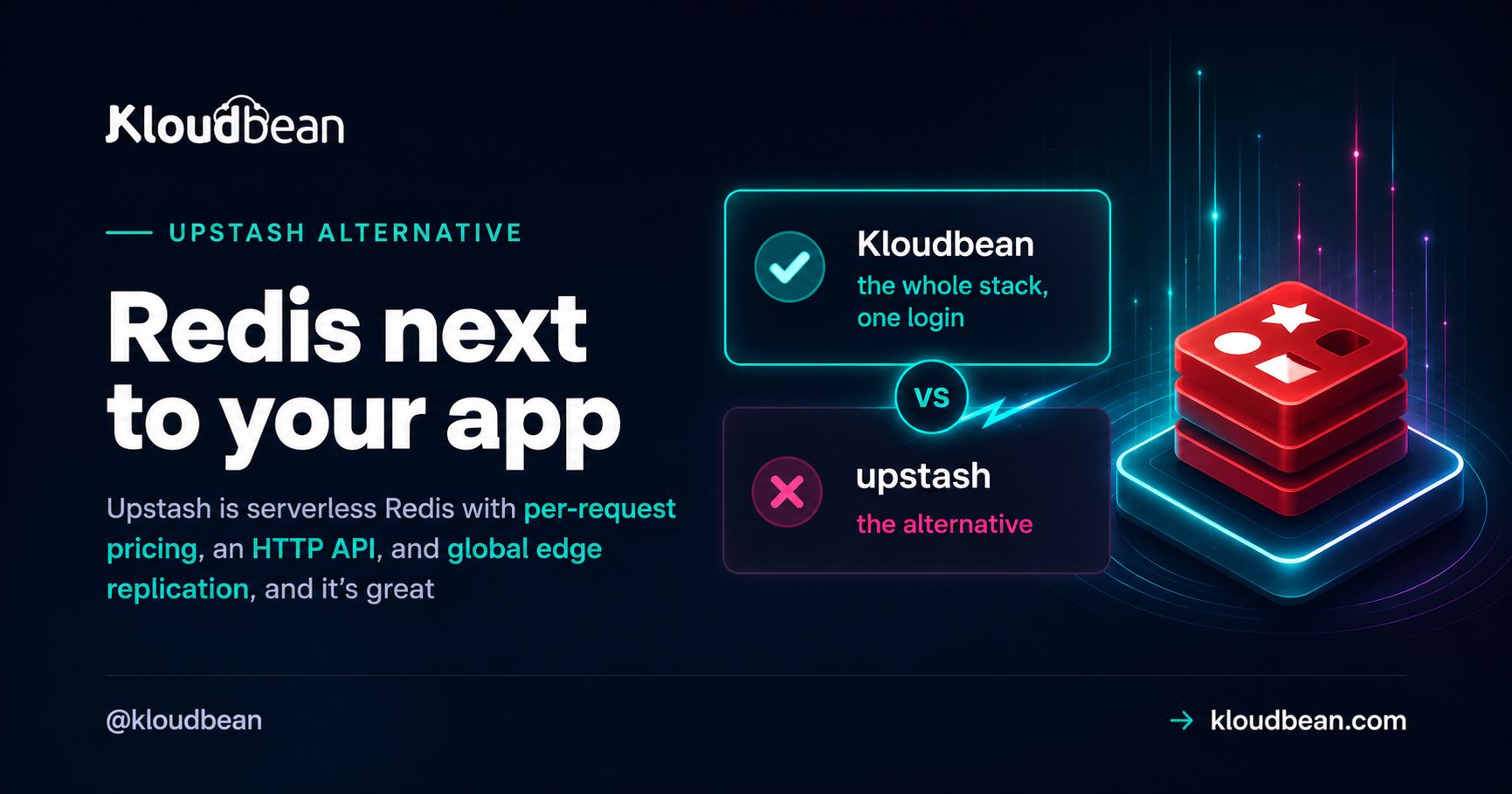
Upstash made Redis feel effortless for serverless. It’s serverless Redis with per-request pricing, an HTTP/REST API, and global edge replication, and for a function that wakes up, does a little work, then goes back to sleep, that combination is hard to beat. So this isn’t a takedown. It’s an honest look at an Upstash alternative for a different situation: you run an always-on app on a persistent server, and a serverless, per-command, edge-first cache is quietly the wrong shape. If that’s you, what you probably want is a low-latency Redis sitting right next to your code.
The argument in one line: keep Redis on the same private network as the app that hammers it, and pay for a server instead of every command.
If you run serverless functions or edge code and want an HTTP Redis you pay for by the request, Upstash is a great fit and you should probably keep it. If you’ve got an always-on app on a persistent server and want a low-latency Redis on the same private network at a price you can forecast, that’s the alternative here. On Kloudbean, Redis is one of the managed database engines: one click to launch, automatic backups, private networking to your app, the standard Redis protocol, and you own the data.
Why teams start hunting for an Upstash alternative
Nobody leaves a tool that fits. Teams searching for a serverless Redis alternative usually hit the same three things, and none is a bug in Upstash. They’re the natural friction of a serverless, edge-first cache sitting under an always-on workload.
- Per-command pricing gets hard to predict. Upstash bills by the request. At low, spiky volume that’s a bargain. But a busy cache fires thousands of small GETs and SETs a second on a hot path, so once the command count climbs, the bill becomes a moving target and forecasting next month gets awkward.
- An external cache adds a network hop. A cache earns its keep by being fast. When Redis lives at the edge or behind an HTTP endpoint and your app runs elsewhere, every read crosses a network you don’t control. For a server that hits its cache constantly, those round trips add up fast.
- The cache lives apart from the app. Your data sits in one place, your code in another, wired together over the public internet with a token. It works. It’s also one more external dependency and one more dashboard to reason about when latency spikes.
If those sound familiar, the fix isn’t a better serverless Redis. It’s moving the cache next to the app.
What Upstash genuinely does better
Credit where it’s due. There are workloads where Upstash is the better tool, full stop.
- The HTTP/REST API is a real superpower. Serverless functions and edge runtimes often can’t hold a TCP connection open, and pools don’t survive between invocations. Upstash’s HTTP interface sidesteps that. You make a request, you get a response, no persistent socket. On Cloudflare Workers, Vercel Edge, or Lambda, that’s the thing that makes Redis usable at all.
- Per-request billing suits spiky, low-volume work. A cron job, a webhook handler, a side project with bursty traffic: paying only for the commands you run, and nothing while idle, is a great deal. Scale-to-zero cost is real money saved for the right workload.
- Global edge replication puts data near users. Upstash can replicate across regions so an edge function reads from something nearby. For a genuinely global, read-heavy, latency-critical app, that’s a hard problem solved for you.
So if your workload is serverless, spiky, or edge-first, honestly, stay on Upstash. It fits. The rest is for the other case: an app that’s always running, on a server.
Serverless Redis vs an always-on managed Redis
Here’s the same Redis, reached two different ways. The left shape is what makes Upstash brilliant for functions. The right shape is what makes an always-on managed Redis better for a persistent server.
The difference is proximity plus protocol. A function can’t hold a socket open anyway, so HTTP suits it. An always-on app keeps a warm pool, so standard Redis over same Data Center region is faster and cheaper per operation. Same database, different physics. But with kloudbean Enterprise you can have VPC where no exposure to your Redis to external threats.
Upstash vs Kloudbean managed Redis, side by side
Fairly, with Upstash winning several rows. Pick the row that fits your app.
| Upstash | Kloudbean managed Redis | |
|---|---|---|
| Model | Serverless, per-request | Always-on server |
| Protocol | HTTP/REST plus TCP | Standard Redis over TCP |
| Pricing | Per command, scale to zero | Server-based, flat and predictable |
| Latency | Edge or external, a network hop | Colocated on your private network (VPC Part of Enterprise Plan) |
| Global edge replication | Yes, a real strength | No, single instance by design |
| Best fit | Serverless and edge functions, spiky traffic | Always-on apps on a persistent server |
| Connection model | Stateless HTTP, no pool needed | Warm connection pool, reused |
| Backups | Yes | Automatic backups |
| Ownership | Managed service, hosted data | You own the server and the data |
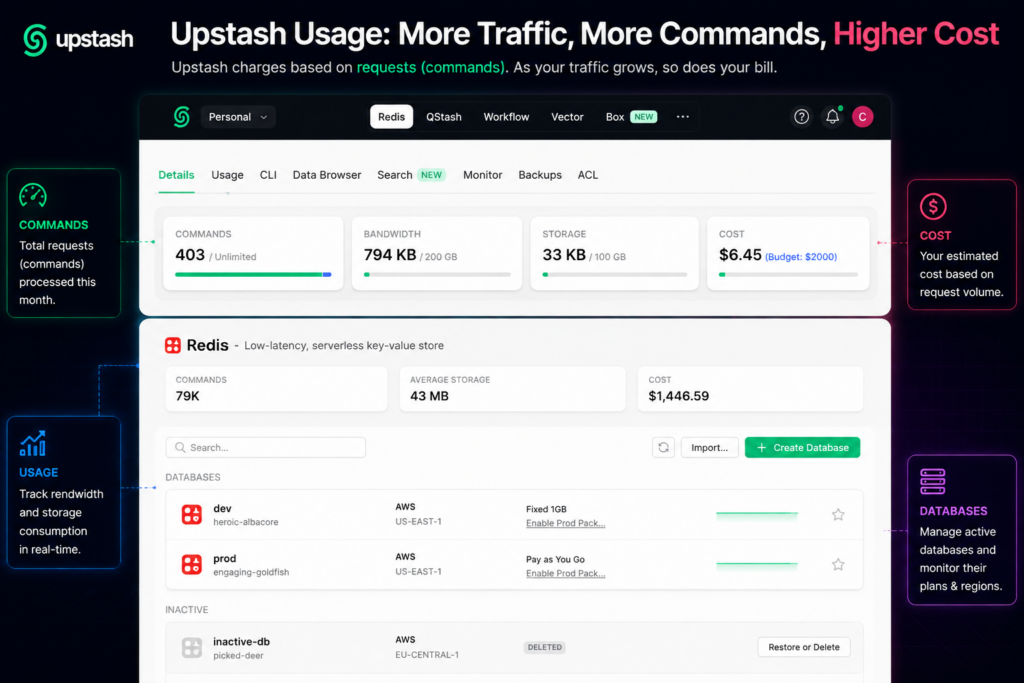
Upstash pricing: per-request vs a server you rent
“Is Upstash cheaper?” is what everyone actually wants answered, and the honest reply is that it depends entirely on how many commands you run.
Upstash’s per-request model is close to free when idle and cheap when spiky. That’s the appeal. But the meter never stops, and a busy always-on app runs a staggering number of small operations: session lookups, cache reads, rate-limit counters, queue polls. Each one is billable. Multiply by real traffic around the clock and the Upstash per-request cost stops looking small.
A server-based managed Redis flips that. You pay for the instance, then run as many commands as it can handle without watching a counter. On Kloudbean it’s part of a server that starts around $8 a month and holds your app and cache together, so it’s one predictable line item. Check current numbers on the pricing page, since plans change.
So: low or spiky volume, Upstash usually wins. Steady, high-throughput, always-on, a flat server usually wins, and you stop counting GETs.
Connecting: the standard Redis protocol, not an HTTP API
This is the part to be crystal clear about, because it cuts both ways. Kloudbean Redis speaks the standard Redis wire protocol over TCP. It has no HTTP or REST API. If your code needs to reach Redis over HTTP from an edge runtime, that’s exactly what Upstash is for, and Kloudbean won’t replace it.
For an app on a server, the standard protocol is what you want, and every mainstream client already speaks it. You point a REDIS_URL at the private-network host and connect the normal way:
# On the private network, right next to your app
REDIS_URL=redis://default:[email protected]:6379/0
Keep that in an environment variable, never in your source. There’s a full rundown in environment variables done right.
Node, with ioredis
import Redis from "ioredis";

// Standard Redis over TCP on the private network
const redis = new Redis(process.env.REDIS_URL);

await redis.set("session:42", "active", "EX", 3600);
const status = await redis.get("session:42");
Python, with redis-py
import os
import redis

r = redis.from_url(os.environ["REDIS_URL"])
r.set("session:42", "active", ex=3600)
value = r.get("session:42")
The contrast with Upstash is really one import line and a connection style:
// Upstash: HTTP client, ideal for serverless / edge
import { Redis } from "@upstash/redis";
const redis = Redis.fromEnv();

// Kloudbean: standard TCP client, ideal for an always-on app
import Redis from "ioredis";
const redis = new Redis(process.env.REDIS_URL);
node-redis, ioredis, redis-py, go-redis, every standard client works against Kloudbean Redis, because it’s just Redis. No SDK lock-in, no HTTP wrapper.
What an always-on Redis is good for
Once the cache sits next to your app, the usual jobs get faster and cheaper, because you’re not paying per command or crossing the internet for each one. Cache hot reads in front of your busiest queries (the Redis caching guide has the patterns), hold sessions and rate-limit counters in memory, and run background jobs where Celery uses Redis as a broker. Not everything belongs in the cache, though, and when to use Redis vs Postgres draws that line. Because the server is always on, your app keeps a warm connection pool to Redis and reuses it, instead of the connect-per-invocation dance serverless forces on you.
How to run an always-on managed Redis next to your app
Here’s the whole flow. It’s short.
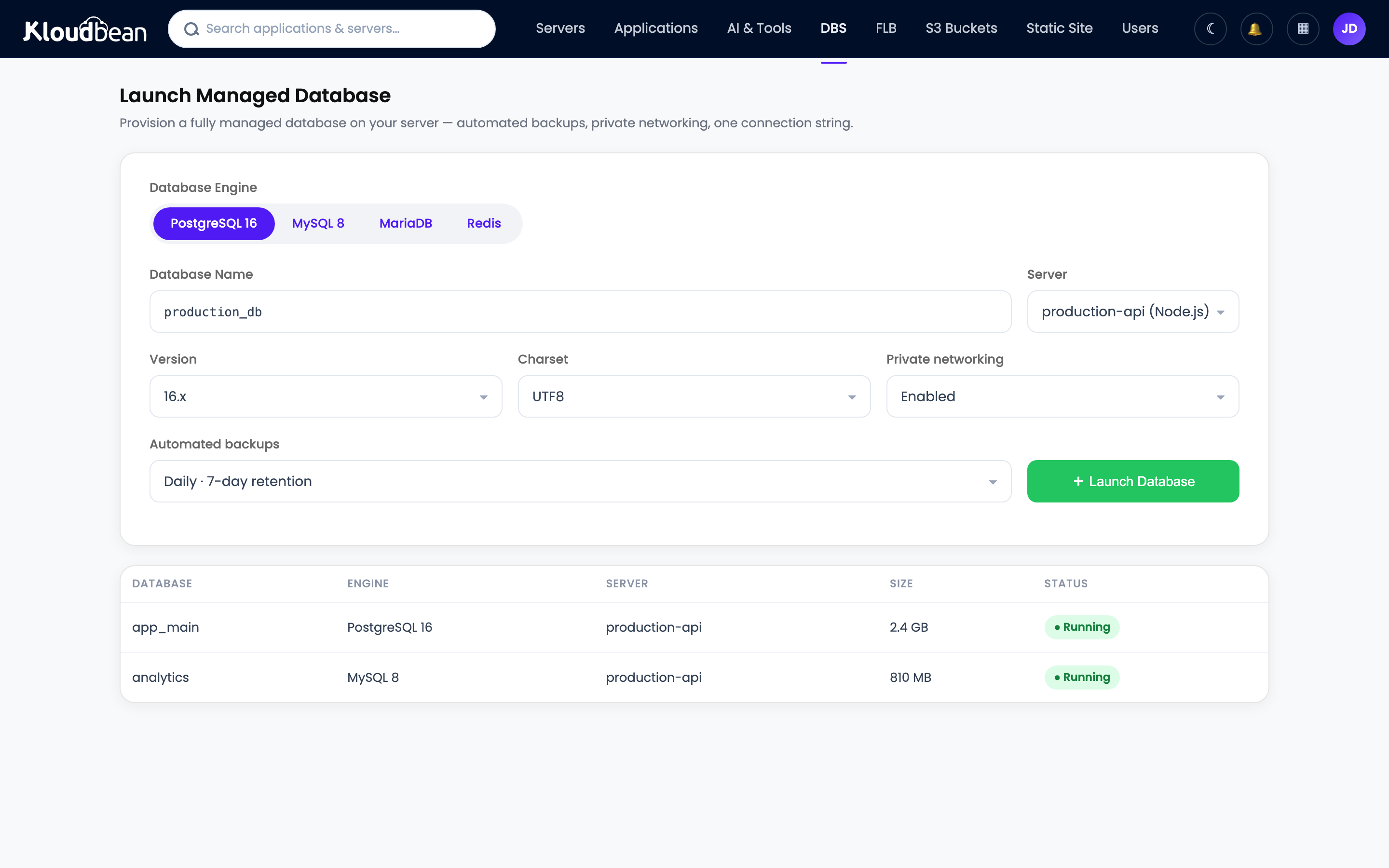
- Launch a managed Redis. In the console, open the databases section and hit Launch Database. Redis is one of the managed engines, alongside MySQL, MariaDB, PostgreSQL, Memcached, Elasticsearch, and MongoDB. Name it, create it, and it’s provisioned and backed up a minute or two later.
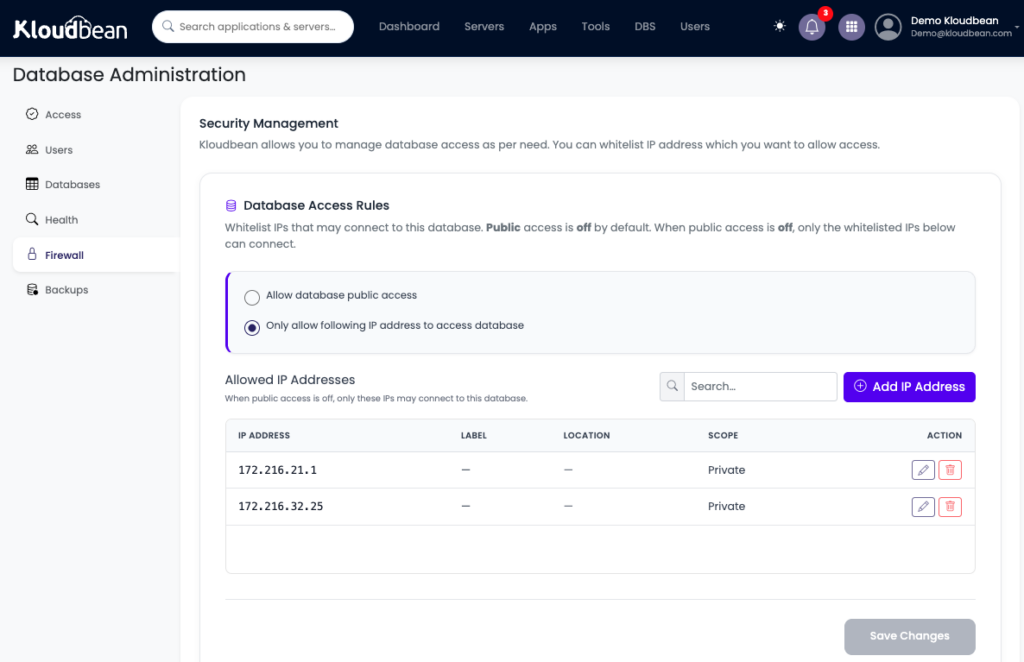
- Grab the private-network connection details. You get a host, port, and password. The host is reachable from your app over the private network, so the cache never sits on the public internet. Only in the case of Enterprise Kloudbean users, this is handled differently. For all other users, the firewall settings allow communication only between the application server and the Redis database by whitelisting the application server’s IP address in the Managed Redis Firewall.
- Set
REDIS_URLas an environment variable. Open Runtime Configuration, then Environment Variables, and add the connection string there. Not in your code, not in Git.
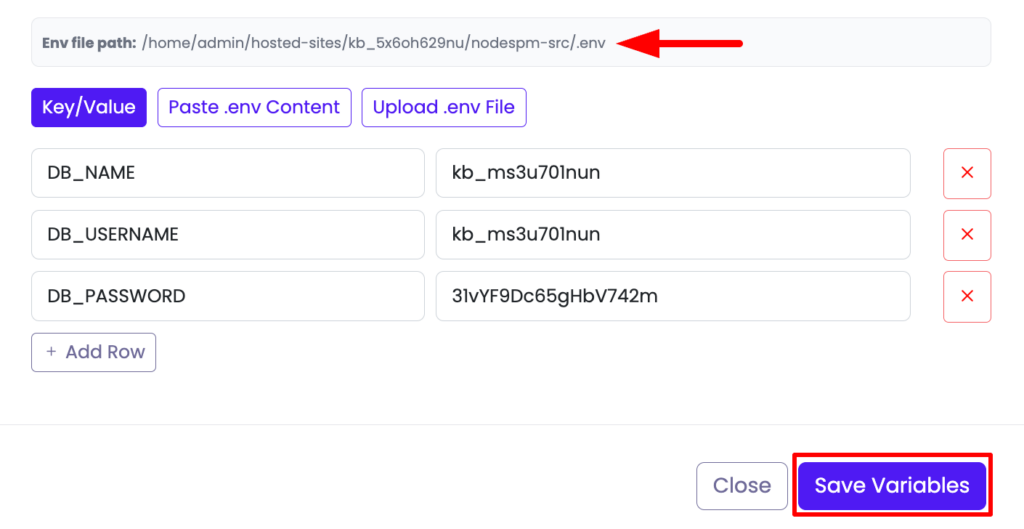
REDIS_URL lives here, never in your repository.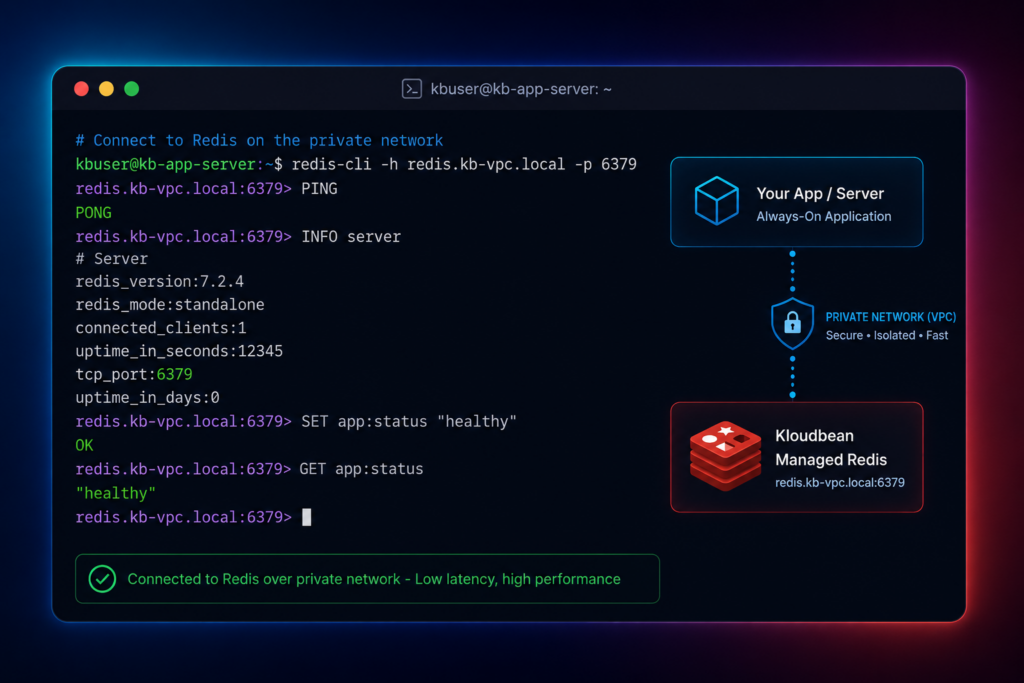
- Connect with a standard client. ioredis or node-redis for Node, redis-py for Python. The same code you’d write for any Redis.
- Deploy and verify. Push your repo and let managed CI/CD from GitHub build and deploy it (the deploy a Node app to managed cloud guide walks the full flow), then confirm with a quick
redis-cli -u "$REDIS_URL" pingthat returnsPONG.
That’s it. App and cache on one server, one dashboard, one bill. The managed Redis hosting page has the deeper reference.
Moving off Upstash is refreshingly boring
Say you’ve decided your app is the always-on kind. Getting off Upstash is undramatic, because Redis is Redis.
Most caches don’t need migrating at all. A cache is disposable, so the simplest path is: launch the new managed Redis, point REDIS_URL at it, swap the Upstash HTTP client for a standard one like ioredis or redis-py, and redeploy. The cache repopulates from your database on the first misses. Done.
If you’re using Redis as a durable store and actually need the data, grab a copy and load it into the new instance:
# A cache is usually disposable: point at the new Redis and let it refill.
# If you must move data, take an RDB copy from the source first:
redis-cli -u "$OLD_REDIS_URL" --rdb ./dump.rdb
# then load dump.rdb into the new instance, or migrate key-by-key with MIGRATE.
Repoint REDIS_URL, redeploy, and you’re on the new cache. If you’d rather not do it by hand, Kloudbean includes free migration assistance and a free trial, so you can move and test first.
The honest limits
To keep this straight: Kloudbean Redis is an always-on, single-instance managed Redis on Linux. It has no serverless or per-request tier, no HTTP or REST API, and no global edge replication across regions. Those are Upstash’s territory, and if you need them, use Upstash. “Managed” means Kloudbean provisions, patches, and backs up the instance, while the keys and data stay yours to export anytime. The win it’s offering is narrow and real: a low-latency Redis on the same datacenter region or VPC as your app, at a predictable server-based price, in one dashboard with your app. For an always-on app, that’s usually the trade you want.
Put Redis right next to your app.
Launch a managed Redis on the same private network as your code, connect it with a standard client, and pay for a server instead of every command. Start free at kloudbean.com; plans on pricing.
One-click managed Redis · Private networking · Automatic backups · Standard Redis protocol · Free migration · Free trial
FAQ
What’s the difference between serverless and always-on Redis?
Serverless Redis, like Upstash, spins up on demand, bills per request, and is reached over HTTP, which suits functions that run briefly and stop. Always-on Redis runs continuously on a server you keep, is reached over standard TCP, and is billed as part of that server. Serverless fits spiky, edge, and function workloads. Always-on fits apps that run non-stop and hit their cache constantly.
Is Upstash cheaper than a managed Redis server?
It depends on your command volume. At low or spiky volume, Upstash’s per-request pricing and scale-to-zero are often cheaper. For a busy always-on app running many commands around the clock, a flat server-based price is usually cheaper and far easier to predict, because the bill doesn’t move with traffic.
Does Kloudbean Redis have an HTTP API?
No. Kloudbean Redis speaks the standard Redis protocol over TCP, not HTTP or REST. If you need an HTTP Redis for an edge or serverless runtime that can’t hold a TCP connection, Upstash is the right choice. For an always-on app on a server, the standard protocol is what you want, and every common client supports it.
Can I use Upstash from a serverless function?
Yes, and that’s genuinely its strength. Serverless and edge functions struggle to keep a persistent TCP connection open, so Upstash’s HTTP API is built for exactly that. If your workload is functions or edge runtimes, Upstash is a great fit and worth keeping.
What clients work with Kloudbean Redis?
All the standard ones, because it’s plain Redis. ioredis and node-redis for Node, redis-py for Python, go-redis for Go, and so on. Point a REDIS_URL at the instance and connect the usual way, with no special SDK or HTTP wrapper.
How do I move off Upstash?
Most of the time you don’t migrate data, because a cache is disposable. Launch a managed Redis, point REDIS_URL at it, swap the Upstash HTTP client for a standard client like ioredis or redis-py, and redeploy, and the cache refills itself. If you’re using Redis as a durable store, take an RDB copy from the old instance and load it into the new one. Free migration assistance can handle it.
Will an always-on Redis actually be faster than edge Redis?
For an app on a persistent server, usually yes. When Redis sits on the same Datacenter network and for more security under VPC, cache reads don’t cross the public internet, and a warm connection pool avoids repeated setup. Edge Redis is optimized for functions near end users, a different goal from a server hitting its cache all day.
Do I need Redis, or is Memcached enough?
If you only need a simple key-value cache with no persistence or richer data types, Memcached is a lean option, and it’s also a managed engine on Kloudbean. Choose Redis when you want data structures, persistence, pub/sub, or a job-queue broker. For most apps that outgrow a plain cache, Redis is the safer default.
Is Kloudbean a good Upstash alternative for every app?
No, and that’s the honest answer. It’s a strong Upstash alternative when you run an always-on app on a persistent server and want a colocated, low-latency Redis at a predictable price. It’s not the right pick for serverless functions, edge runtimes, or workloads that need an HTTP API or global edge replication. Match the tool to your app.
By Kloudbean Data · Redis next to your app