Open the hood of most of the web and you’ll find MySQL. WordPress, WooCommerce, Magento, half the LAMP stack, countless internal tools nobody talks about. It’s the database that just works, which is exactly why so few people think about it until it breaks.
Managed MySQL hosting is about keeping it from breaking. The platform patches the engine, runs the backups, sizes the memory, and watches the connection count, so you get a connection string and get back to your app. This piece covers what that actually buys you, where running mysqld yourself is a false economy, and the two or three places self-hosting still wins.
MySQL powers a huge slice of the web, and for the vast majority of apps it (or MariaDB) is the safe default. Managed MySQL hosting hands the boring, critical jobs to the platform: patching, automatic backups, sensible tuning, monitoring, a private network. You keep the schema, the queries, and the data, and you can export the lot with mysqldump whenever you want.
Why MySQL still runs so much of the web
MySQL turned up in the late 90s and never left. WordPress alone sits under a large share of all websites, and WordPress runs on MySQL. Add WooCommerce stores, Laravel apps, Magento, Drupal, and a mountain of custom PHP, and you’re looking at the default database for the CMS-and-store half of the internet.
That ubiquity is a feature, not an accident. Every host supports it. Every framework has a mature driver for it. Every developer you hire has used it. The tooling is deep and the failure modes are well understood, because millions of people have already hit them and written up the fix.
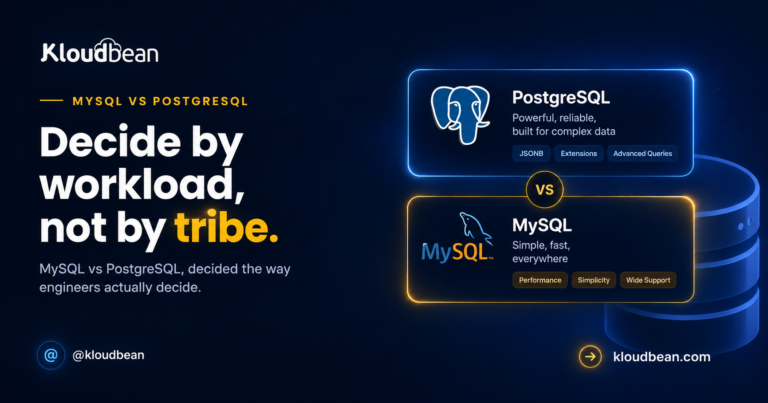
So here’s an opinion I’ll stand behind: for a typical web app, CMS, or store, MySQL or MariaDB is the boring right answer, and boring is a compliment for a database. You rarely regret picking it. If you’re genuinely torn between engines for a brand-new project, the MySQL vs PostgreSQL comparison is the honest head to head. For most people reading this, though, the engine choice was made the day they installed WordPress.
The ops bill nobody quotes you
Installing MySQL takes about five minutes. That’s the trap. The bill doesn’t arrive at install time. It arrives in month four, at 2am, when the disk fills or the backups turn out to be empty. Running mysqld yourself signs you up for a standing list of chores:
- Security patches. MySQL ships regular fixes. Somebody has to notice, test, and apply them, or your database drifts into known-vulnerable territory.
- Backups that actually run, plus a restore you’ve tested. A backup nobody has ever restored is a rumor, not a safety net.
- Memory tuning. The single biggest MySQL knob is
innodb_buffer_pool_size. Set it too small and the database reads from disk constantly. Left on a default, it often is too small. - Connection limits. The default
max_connectionsis modest, and a traffic spike can blow straight through it. - Disk watching. Binary logs and temp files grow. Fill the disk and MySQL stops accepting writes, which looks like a total outage to your users.
- Failover, if you need it. A standby replica that takes over when the primary dies is real work to build and rehearse.
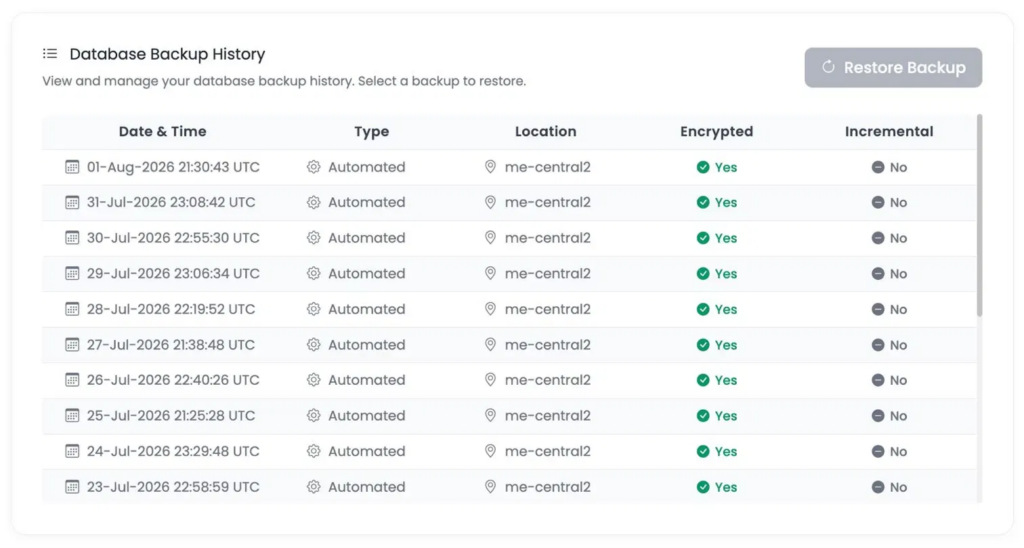
Want the blunt version of where this goes wrong? The most common self-host disaster isn’t a dramatic crash. It’s a restore that didn’t exist. The cron job silently stopped in March, or the only copy lived on the same disk that just failed. That’s the risk managed hosting quietly removes, and it’s the one people value most only after they’ve been burned once.
What managed MySQL hosting actually runs for you
Go managed and that chore list becomes someone else’s job. You pick the engine and version, and it arrives configured, secured, and already being backed up. Here’s the split, chore by chore:
| Job | Running mysqld yourself | Managed MySQL |
|---|---|---|
| Install and configure | You, per server | One click, ready in minutes |
| Security patches | You track and apply | Handled for you |
| Backups | You script and monitor | Automatic, on a schedule |
| Restore path | You hope it works | A defined, ready path |
| Buffer pool and tuning | You size it by hand | Sane defaults, resizable |
| Connection and disk limits | You watch the graphs | Monitored |
| Private networking | You configure firewalls | Under VPC |
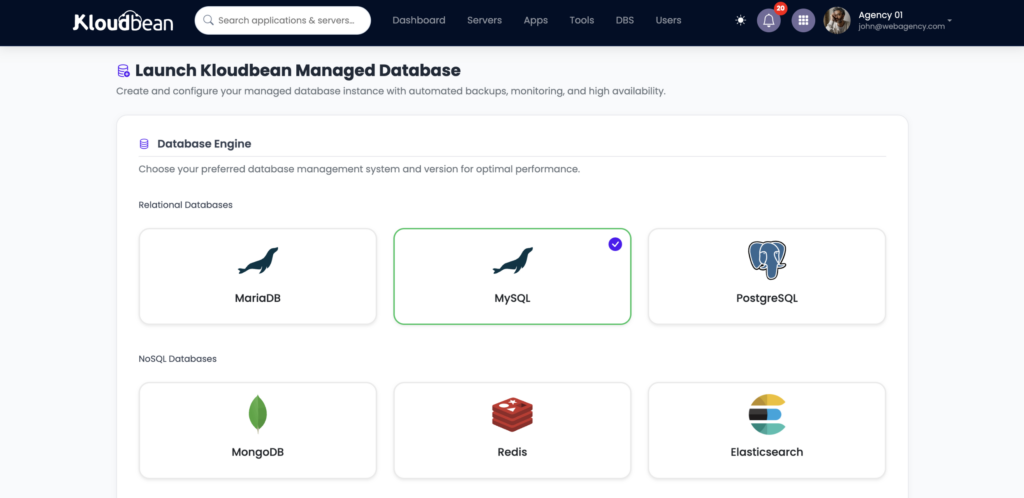
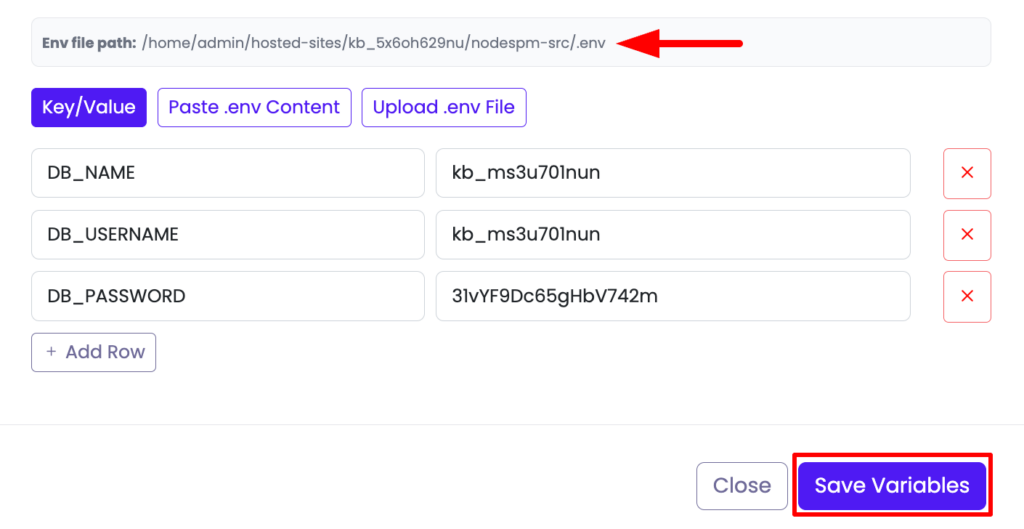
Once it’s up, connecting is the same one env-var trick you’d use for any database. You get host, port, database name, user, and password. Roll them into a single connection string and store it as an environment variable, never in code:
# MySQL connection string, stored as an env var (not committed to Git)
DATABASE_URL=mysql://appuser:[email protected]:3306/appdb
The full app-side walkthrough (env vars, ORMs, running migrations, verifying it sticks) lives in how to add a managed database to your app, so I won’t repeat it here. This piece is about the database, not the wiring.
The connection wall that bites WordPress and PHP hardest
Let me pick one failure mode to show in detail, because it’s the one our inbox sees most on busy PHP sites. You launch fine, traffic climbs, and then the site throws:
ERROR 1040 (HY000): Too many connectionsHere’s why it happens. Each PHP-FPM worker that handles a request opens its own MySQL connection. Under a traffic spike you can have hundreds of workers alive at once, each holding a connection, and MySQL’s max_connections ceiling (often left near its default of 151) gets hit. New requests can’t get a connection, so they fail. The database itself is fine. It’s the connection budget that ran out.
The fixes are boring and effective. Right-size max_connections for the RAM the server actually has. Size innodb_buffer_pool_size so hot data lives in memory instead of thrashing the disk (a common starting point on a dedicated database box is somewhere around 60 to 70% of RAM). And take repeat reads off MySQL entirely by caching them in managed Redis, so the database sees far fewer queries in the first place. Managed hosting sets defensible defaults for the first two and lets you resize the server for more headroom, so you’re tuning from a sane baseline instead of from scratch.
Where self-hosting MySQL still makes sense
Managed isn’t automatically right, and it’d be dishonest to pretend otherwise. Run it yourself when:
- You’re learning. Setting up and tuning MySQL by hand teaches you how it actually works. If understanding the internals is the goal, do it the hard way.
- It’s a hobby or throwaway. A tiny side project where a bit of downtime costs nothing runs happily on the server you already have.
- You need exotic configuration. Unusual plugins or engine settings a managed service doesn’t expose are a real reason to keep full control.
- You already have a DBA team. If operating databases is literally someone’s job and they want the keys, managed can just get in their way.
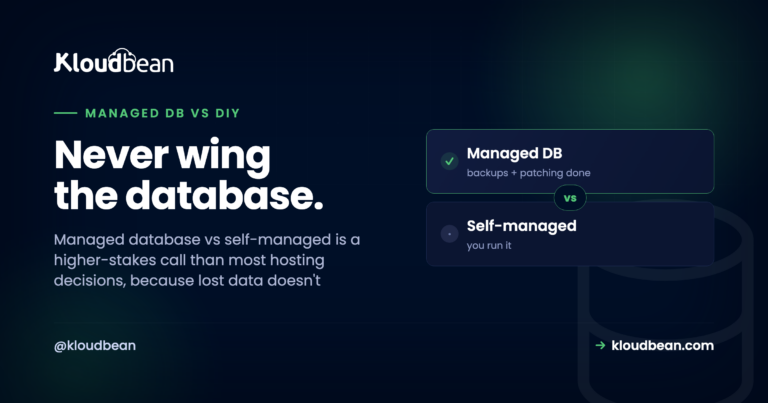
No shame in either path. But for anything real users depend on, the trade usually tips hard toward managed once you count your own time and the cost of an outage. If you want that argument laid out in full, it’s in managed database vs self-managed.
MySQL or MariaDB?
You’ll see both offered, and Kloudbean runs both as managed engines. MariaDB is a community fork of MySQL that stays drop-in compatible for the overwhelming majority of apps. WordPress, Laravel, and most PHP software run happily on either. Pick whichever your stack or host already expects, and don’t lose sleep over it. If you have no preference, plain MySQL is the most widely documented starting point.
Keep the database off the public internet
A database open to the whole internet gets found by scanners within hours. So the security basics aren’t optional:
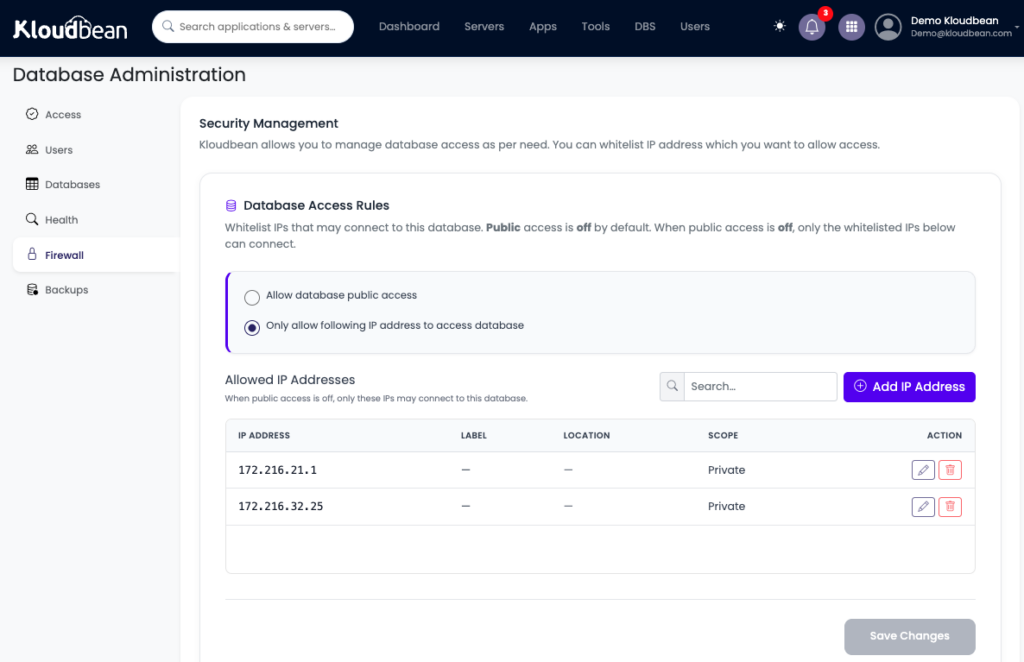
- Private network. On Kloudbean for Enterprise Plan the database sits on a private network (VPC), reachable by your app internally rather than exposed to the open web. Or otherwise Whitelisting of the database to only allow connection with the backend or application server is also one of th way maximum number of users make it safe.
- Least privilege. Your app’s user should have the rights it needs and nothing more. It doesn’t need to be
root. - No credentials in code. The connection string lives in an environment variable, and
.envstays out of Git. - Rotate freely. Because the credential is an env var, changing the password is a config edit, not a deploy.
Moving an existing MySQL database in
Already have data somewhere? A migration is a plain dump and load, then you repoint the connection string:
# export from the old host, import into the managed one
mysqldump -h OLD_HOST -u USER -p appdb > appdb.sql
mysql -h NEW_HOST -u USER -p appdb < appdb.sql
Point DATABASE_URL at the new database, redeploy, done. For a large or production database where you’d rather not do the first cutover solo, Kloudbean’s free migration assistance will handle it with you.
How it fits the rest of your stack
A managed MySQL is one tile in a bigger picture. Your app connects to it over the private network. Hot reads get cached in Redis. Big uploads go to object storage instead of bloating the database. Everything sits behind automatic backups and free SSL, and read-heavy growth later points you at read replicas as a scaling concept. One dashboard, one server, one bill. The managed PostgreSQL option sits right beside MySQL in the same console if a project ever calls for it.
The honest boundary, stated once: these are Linux-based managed engines. Managed means the platform handles provisioning, patching, backups, tuning, and monitoring. Your schema, your queries, and your data stay yours, and a standard dump walks out the door with you whenever you want.
Your database should run the business, not become your job.
Launch MySQL or MariaDB on managed infrastructure with automated backups, patching, private networking and the operational support you need to keep your application moving.
FAQ
What is managed MySQL hosting?
It's MySQL delivered as a service. The platform installs, configures, patches, backs up, and monitors the database, and you get a ready-to-use connection string. It's the standard MySQL engine underneath, so your app and queries work unchanged. The difference is that operating the database is handled for you instead of being your job.
Do I actually need managed MySQL, or can I run it myself?
Go managed for anything real users depend on, when you don't want to tune and patch databases, or when you're a small team with no ops person. Run it yourself for learning, hobby projects, unusual configurations, or when you have a DBA team that wants full control. It's a fit-to-situation call, not a rule.
MySQL or MariaDB, which should I choose?
MariaDB is a fork of MySQL that stays drop-in compatible for almost every app, and both are available as managed engines on Kloudbean. WordPress, Laravel, and most PHP software run on either. Pick whichever your stack expects. With no preference, plain MySQL is the most widely documented starting point.
Does managed MySQL lock me in?
No. It's standard MySQL, so your schema, queries, and data are fully portable. You can export the entire database with a normal mysqldump and move it elsewhere anytime. Managed hosting operates the database for you; it never takes ownership of your data.
What causes the Too many connections error, and does managed fix it?
MySQL has a max_connections ceiling, and busy PHP sites hit it because each worker opens its own connection. The fix is right-sizing max_connections for the available RAM, sizing the InnoDB buffer pool, and caching repeat reads in Redis. Managed hosting sets defensible defaults and lets you resize the server, so you tune from a sane baseline rather than from scratch.
How do I move my existing MySQL database to managed hosting?
Export the old database with mysqldump, import it into the managed one with the mysql client, then repoint your DATABASE_URL and redeploy. For a large or production database, Kloudbean offers free migration assistance to run the cutover with you and keep downtime minimal.
Is managed MySQL more expensive than self-hosting?
On the sticker, yes. A managed database costs more than running MySQL on a server you already have. But it bundles the patching, backups, tuning, and monitoring you would otherwise do by hand, plus the risk reduction of professional operation. For production data, the real cost usually favours managed once your time and downtime risk are counted.
Is managed MySQL good for WordPress and WooCommerce?
Yes. WordPress and WooCommerce are built on MySQL, so managed MySQL (or MariaDB) is a natural fit. Automatic backups and sane connection and buffer-pool settings matter a lot for stores, where a database stall means lost sales. Caching repeat reads in Redis on top keeps the database load down under traffic.
Kloudbean · Your MySQL, minus the maintenance.