Most servers are barely working. You provisioned a box for one app, that app uses maybe 10% of it, and the other 90% sits idle while you pay the full bill. Then your next project gets its own server, and now you’re paying twice for hardware you already own most of.
You can host multiple apps on one server and reclaim all that waste, as long as you do it cleanly. The trick isn’t cramming apps onto a box. It’s isolation: giving each app its own user, web root, process, and database so they share hardware without ever touching each other’s state. Get that right and one server quietly runs a handful of projects. Get it wrong and a single bug takes down everything you host.
One server can run several apps because a light app uses a fraction of it. Keep them clean by isolating each: its own system user, web root, process on its own internal port, environment variables, and its own database. A reverse proxy (Nginx or Apache) routes each domain to the right app. Leave headroom for spikes, never share one database across unrelated apps, and split an app onto its own server when it reliably needs most of the box.
Why one server can hold many apps
A single-app server is almost always overprovisioned. A low-traffic WordPress site, a small API, a couple of static sites, even an always-on bot: each spends most of the day idle, using a sliver of CPU and a modest chunk of RAM. Stack a few of those and their quiet moments overlap far more than their busy ones, so the server that was 90% idle for one app is comfortably busy for five.
Consolidation is the underrated cost and ops win for small teams, and I’ll happily argue for it. One server to patch instead of five. One backup routine. One bill. You get more out of the hardware you’re already renting, and you have fewer moving parts to babysit. The one thing you must not trade away for that saving is isolation, which is the whole rest of this guide. If you want the money side spelled out, see the real cost of an unmanaged VPS.
What it takes to host multiple apps on one server safely
Sharing a server should never mean sharing everything. Clean co-hosting gives each app its own separate world, and there are four boundaries that matter. Miss one and the apps start leaking into each other. Each app here can be a plain runtime process or a container you run yourself; the isolation rules are identical either way.
- Its own system user. Each app runs as its own Linux user, so its files and processes are walled off from the others at the OS level. If one app is compromised, the blast radius stops at that user, it can’t read the neighbour’s files.
- Its own web root. Each app’s code and uploads live in that user’s own directory (say
/home/app_a/public), never a shared folder where one deploy could overwrite another. - Its own process and port. Each app is a separate process listening on its own internal port (
127.0.0.1:3001,:3002, and so on). They don’t share a runtime, so restarting one doesn’t touch the others. - Its own database. Each app gets its own database and its own least-privilege user. This is the big one, and it’s where I see the worst mistakes.
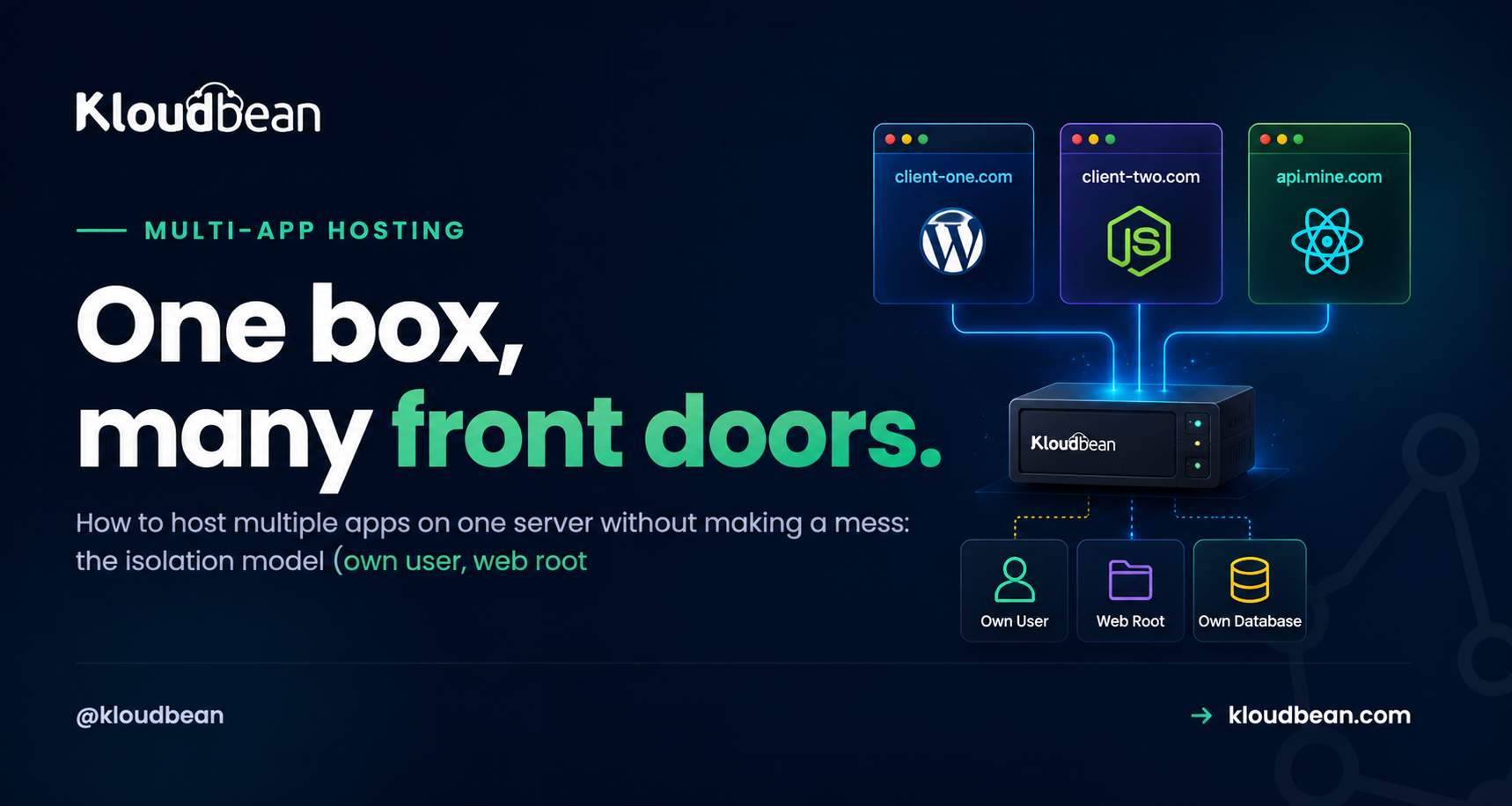
Here’s the shape of a clean multi-app box: many domains coming in, one reverse proxy routing each to the right app, and each app sitting in its own lane with its own database.
Routing by domain: virtual hosts
The piece that makes several apps answer on one server is the reverse proxy out front. Every request lands on port 80/443, and the proxy reads the Host header (the domain) and forwards it to the matching app’s internal port. Nginx calls this a server block; Apache calls it a virtual host. Same idea.
Here’s Nginx routing two domains to two separate apps on the same box:
# /etc/nginx/sites-available/app-a
server {
    listen 80;
    server_name client-one.com www.client-one.com;
    location / {
        proxy_pass http://127.0.0.1:3001;   # app A's own process
        proxy_set_header Host $host;
        proxy_set_header X-Forwarded-For $remote_addr;
    }
}

# /etc/nginx/sites-available/app-b
server {
    listen 80;
    server_name client-two.com;
    location / {
        proxy_pass http://127.0.0.1:3002;   # app B, different port
        proxy_set_header Host $host;
    }
}
The Apache equivalent, if that’s your stack:
<VirtualHost *:80>
    ServerName client-two.com
    ProxyPass        / http://127.0.0.1:3002/
    ProxyPassReverse / http://127.0.0.1:3002/
</VirtualHost>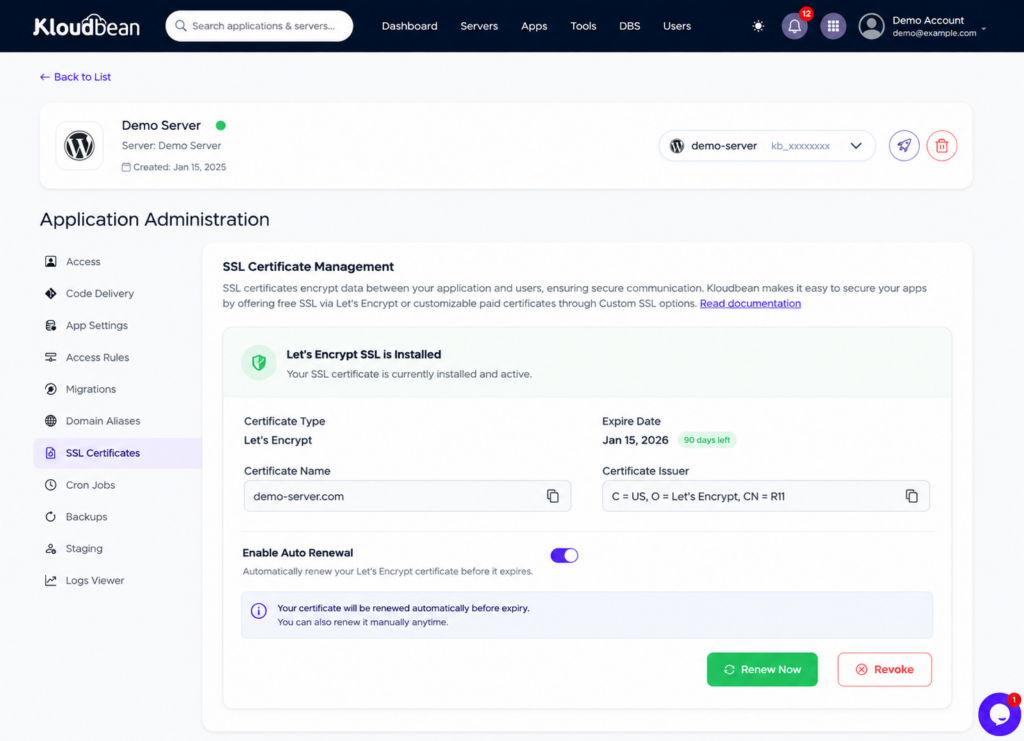
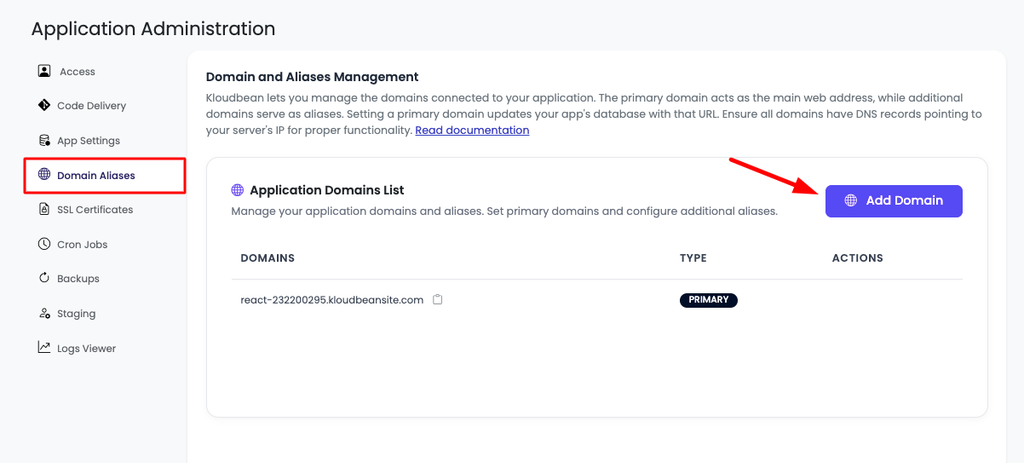
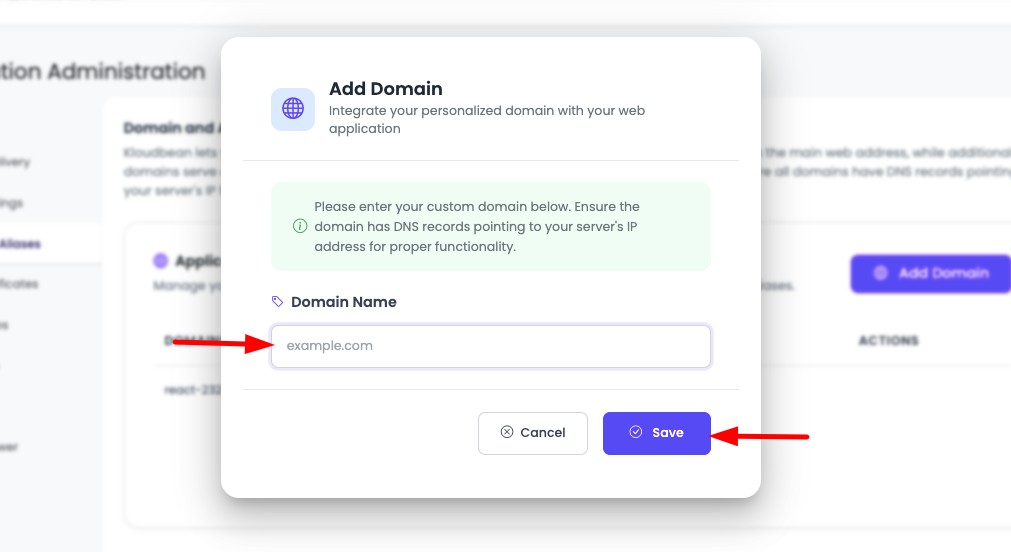
Add a domain, add a block, reload the proxy, and that domain now reaches its app. On a managed platform you don’t hand-edit these files. You add an application, point a domain at it, and the routing plus a free SSL certificate are wired up for you. But it’s worth knowing what’s happening underneath, because this is the mechanism.
Per-app environment and secrets
Each app carries its own configuration, and that config never leaks to a neighbour. App A’s database password, API keys, and settings live in its environment, invisible to app B. That’s not just tidiness. If every app read from one shared config, a single leak would expose all of them at once.
So each app reads its own environment variables, the same pattern a single app uses, just kept separate per app. If you’re fuzzy on the how and why, environment variables, done right is the deep version.
The anti-pattern: one shared database
If you take one thing from this guide, take this. Do not point several unrelated apps at a single shared database. It feels efficient. It’s a trap.
The moment two apps share a database, they’re no longer isolated. A runaway query in app A can lock tables app B needs. A bad migration in one app’s deploy can break the schema the other relies on. A security hole in the weakest app exposes every app’s data, because it’s all in one place with one set of credentials. And when one client wants to leave or move, you’re untangling their rows from everyone else’s. I’ve watched teams lose a weekend to exactly this.
Give each app its own database and its own user. On MySQL that’s a couple of lines per app:
CREATE DATABASE app_a;
CREATE USER 'app_a'@'localhost' IDENTIFIED BY 'a-strong-secret';
GRANT ALL PRIVILEGES ON app_a.* TO 'app_a'@'localhost';

CREATE DATABASE app_b;
CREATE USER 'app_b'@'localhost' IDENTIFIED BY 'a-different-secret';
GRANT ALL PRIVILEGES ON app_b.* TO 'app_b'@'localhost';
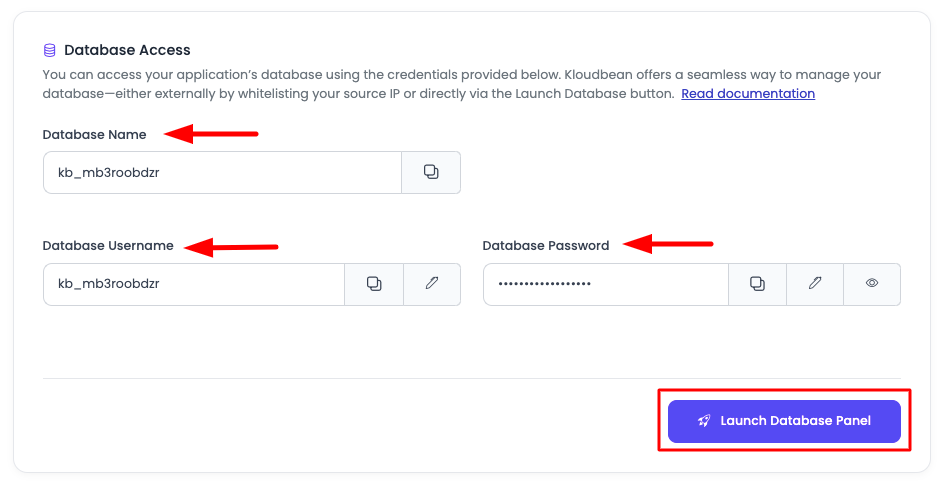
Now app_a can only ever see app_a, and a problem in one database can’t reach into another. A managed database per app makes this even cleaner, and each one is backed up on its own. More on that in adding a managed database to your app. The one time sharing a database is fine is when the apps are genuinely one system (a frontend and its own API, say). Unrelated apps, never.
Headroom and the noisy neighbour
The one real risk of packing apps onto a server is resource contention. If they all get busy at once, they compete for the same CPU and RAM. Two habits keep that from biting.
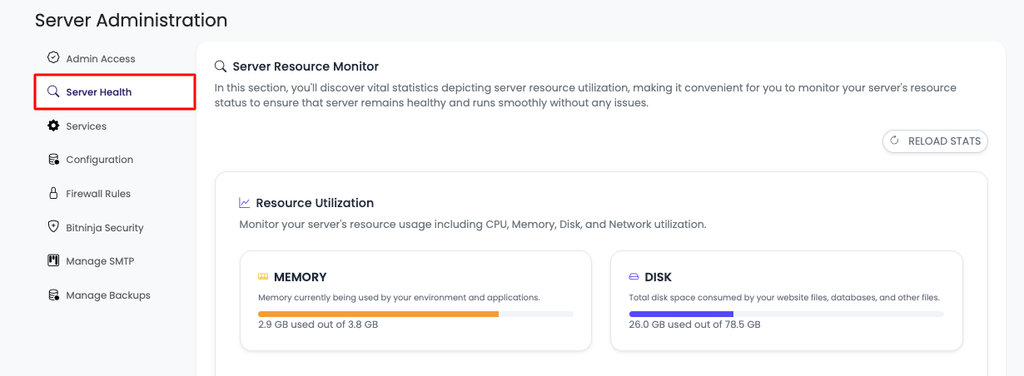
First, leave headroom. Don’t run the box at 90% on a calm Tuesday, because you’ll have nothing left for a Friday spike. Size for the sum of your apps’ typical usage plus a comfortable buffer, and remember you can resize later, so start sensible instead of over-buying. Second, know your heavy hitters. If one app is far busier or hungrier than the rest, it’s a candidate to move out before it drags the others down.
This is the honest caveat with co-hosting, worth naming plainly. Isolation of data and config is complete: apps genuinely can’t see each other’s state. Isolation of raw horsepower is not, because they share the same CPU and memory. A true noisy neighbour, one app suddenly eating everything, can slow the others until you move it. That’s a fine trade for light and medium apps, and the moment it stops being fine is your signal to split.
When to split to a second server
Co-hosting is a spectrum, not a religion. There’s a clear point where a second server, or a load balancer in front of several, becomes the right move:
- One app outgrows the box. When a single app reliably needs most of the server, give it its own. It has earned it.
- A client or rule demands isolation. Some clients, or a compliance requirement, warrant a dedicated server with no neighbours at all.
- A spike is coming. If you know traffic’s about to jump, split the busy app out ahead of time, or put a load balancer in front and run more than one copy.
Splitting later is easy because you kept the apps isolated from day one. Each app is already self-contained, its own user, code, env, and database, so moving it to its own server is a redeploy, not a painful untangling. If you get to the point of spreading one app across several servers, a load balancer is the next piece, and Kloudbean’s Flexible Load Balancer is built in on any account to switch on when you need it.
How Kloudbean does it
On a managed platform the four boundaries above are handled for you. You add an application to a server, give it a domain, and it gets its own user, web root, process, and routing with free SSL, added one at a time.
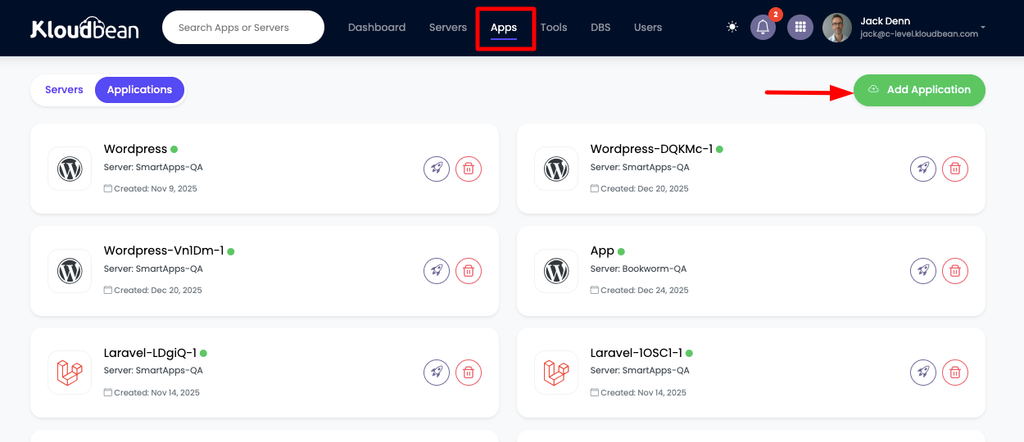
Add each app to the same server, each with its own domain. The console keeps every app’s routing, user, and SSL separate.
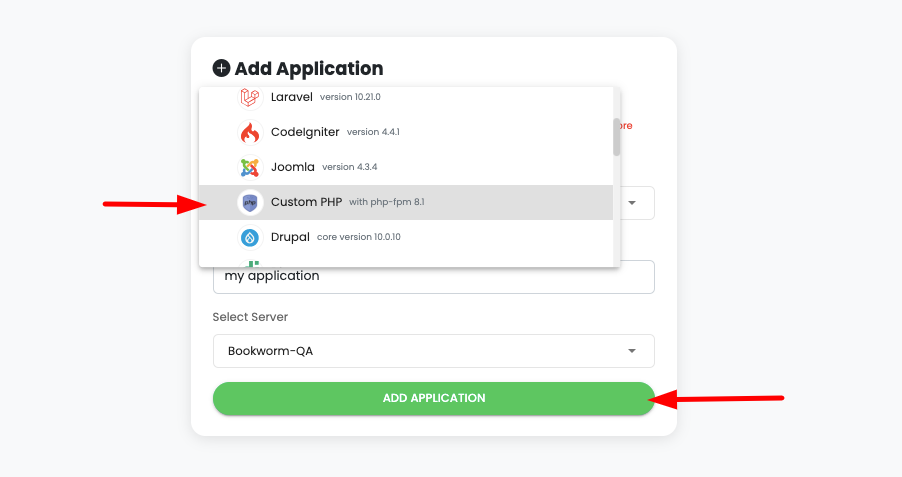
So client-one.com, client-two.com, and api.mine.com can all live on one server, each answering only for its own traffic, each with its own managed database and its own automatic backups. You add them one at a time, and the platform keeps the routing and SSL straight. When one app earns its own box, moving it is a redeploy. This is the general, technical build. If you’re running many client sites and want the operational playbook (billing, handoff, standardising the fleet), that’s a different angle covered in the agency hosting playbook and how agencies host 20 client apps.
Want just an app plus its own API and database on one box, rather than many tenants? That narrower setup is walked through in host an app, API, and database on one server. And if you’re weighing doing all this yourself versus a managed setup, managed vs unmanaged hosting lays out the trade.
The honest limits
Underneath, it’s ordinary managed Linux hosting. The platform keeps the server, the stack, SSL, and per-app backups healthy, and you own each app and its data. Running several apps on one box doesn’t change that deal, it just makes the box you’re already paying for do a lot more work. The caveat stays the same as any shared server: apps share raw CPU and memory, so a genuinely heavy app eventually wants its own home. That’s not a flaw in the approach. It’s the signal, built into it, that tells you when you’ve grown.
MULTI-APP HOSTING
One server. Multiple apps. One bill.
Stop paying for servers that sit idle. Host multiple apps on one right-sized server with isolated users, separate databases, automatic backups, and built-in routing. Start free at KloudBean and see plans and server sizes.
- ✓ Multiple apps
- ✓ Per-app isolation
- ✓ Separate databases
- ✓ Automatic backups
- ✓ Built-in load balancer
- ✓ Free SSL
- ✓ Free trial
FAQ
Can I host multiple apps or websites on one server?
Yes. You add each app to the same server, give each its own domain or subdomain, and a reverse proxy routes each domain to the right app on its own internal port. Several light-to-medium apps (static sites, a small API, a WordPress site) coexist comfortably on one right-sized server, which uses hardware you’re already paying for far more efficiently.
How do I keep multiple apps on one server from interfering?
Isolate them across four boundaries: its own system user, its own web root, its own process and port, and its own database with its own least-privilege user. Add per-app environment variables on top. Then they share hardware but not state, so one app can’t read another’s config or corrupt its data.
How does a server know which app a domain belongs to?
A reverse proxy (Nginx or Apache) reads the Host header on each incoming request and forwards it to the matching app’s internal port. In Nginx that’s a server block; in Apache a virtual host. On a managed platform you just add the app and its domain, and the routing plus SSL are configured for you.
Should multiple apps share one database?
No, not unless they’re genuinely one system. Give each app its own database and user. A shared database breaks isolation: a runaway query or bad migration in one app can hurt the others, and a breach exposes everyone’s data at once. Separate databases keep a problem contained to the one app that caused it.
How many apps can one server handle?
It depends on how heavy each app is, not a fixed number. A few light apps run happily on a modest server; heavier apps need more room or their own box. Size for the sum of your apps’ typical usage plus a buffer, watch usage, and leave headroom rather than running near the ceiling.
What is the noisy neighbour problem?
It’s when one app on a shared server suddenly consumes most of the CPU or memory and slows the others down. Data and config stay isolated, but raw horsepower is shared. You manage it by leaving headroom and by moving a consistently heavy app to its own server before it affects its neighbours.
When should I move an app to its own server?
When one app reliably needs most of the server, when a client or compliance rule demands isolation, or when you know a spike is coming. Because well-hosted apps are already isolated, moving one is just a redeploy, so start consolidated and split when an app earns it.
Is it cheaper to run several apps on one server?
Usually, yes. Most single-app servers sit largely idle, so adding more apps to the same box gets more value from hardware you already pay for, instead of a new server per project. The savings hold as long as you leave headroom and split off any app that grows too demanding.
By Kloudbean · One box, many front doors.