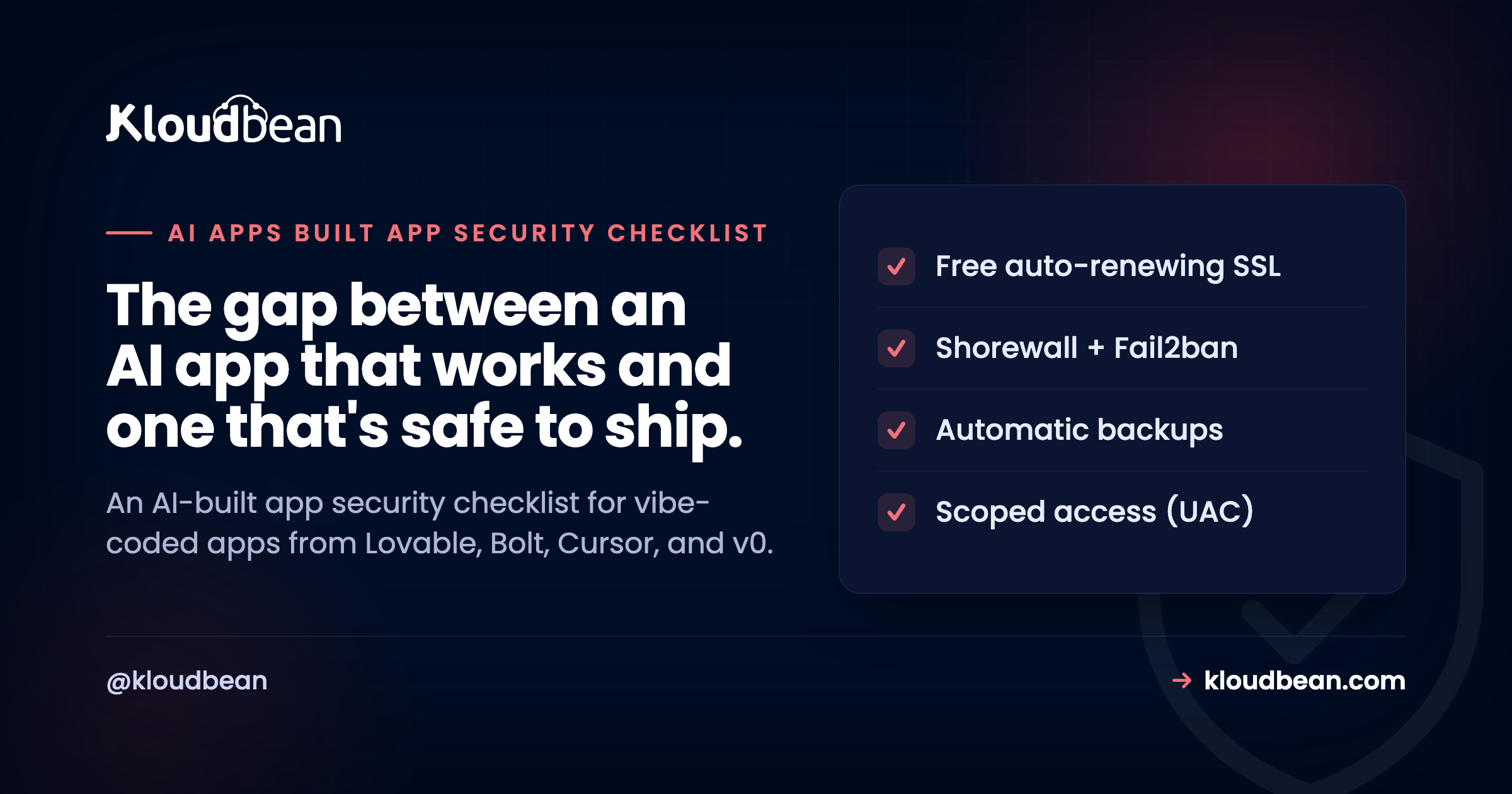
Lovable, Bolt, Cursor, Replit, v0. These tools will hand you a working app in an afternoon, and honestly, most of the time the code is fine. What they don’t hand you is a security review. This AI-built app security checklist walks the real holes generated code tends to ship with, why each one is dangerous, and the exact fix. If you’ve been quietly wondering “is my AI app secure,” start here.
How do I secure an app built with an AI tool?
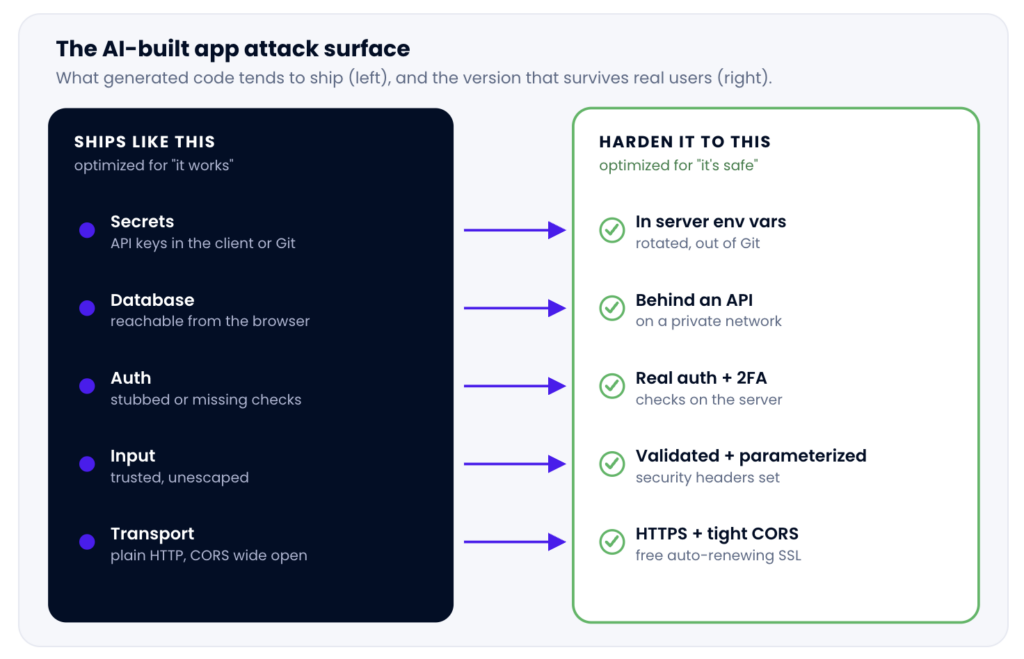
Work the same short list every time. Move secrets out of the client and out of Git into server-side environment variables. Keep the database off the public internet. Add real authentication and server-side access checks. Validate every input. Lock down CORS. Patch dependency CVEs. Force HTTPS. Add rate limiting. Turn on backups. AI writes code that works. Making it safe is your job, and it’s mostly this checklist.
Why AI-built apps ship with security holes
Start with the honest version, because it’s not what people expect. AI coding tools aren’t insecure by design. They’re just aimed at a different target. Their whole job is to get you a working preview fast, so they optimize for “it runs,” not “it survives an attacker.” A threat model isn’t in the prompt. So the app works on the first try and quietly carries a handful of the same gaps, over and over.
That’s the mental shift. Generated code optimizes for working. Security is on you. Not because the tool failed, but because nobody told the model your app would one day hold real users’ data on the open internet.
A founder-level note worth saying plainly: the most common way an AI-built app gets breached is boring. It’s not an exotic zero-day. It’s an API key sitting in the front-end bundle or committed to a public Git repo, found by an automated scanner within minutes. Bots watch new commits for exactly this. Fix the boring stuff first and you’ve closed most of your real risk.
One more frame that saves a lot of confusion. Hosting security is a split. The platform hardens the infrastructure under your app, and you own the code and data inside it. That’s the shared-responsibility model, and this checklist is mostly your side of that line. If you haven’t shipped the app yet, the full guide to deploying an AI-built app to production covers the going-live steps this list assumes.
The AI-built app security checklist, item by item
Nine checks. Each one is a symptom you can look for, the risk it creates, and the fix. Work top to bottom. The first three close the most common breaches, so if you only have an hour, do those.
1. Secrets and API keys hard-coded in the client or committed to Git
Symptom: an OPENAI_API_KEY, a Stripe secret, or a database password sitting in a React component, a config file, or your commit history. Anything prefixed VITE_ or NEXT_PUBLIC_ is shipped to the browser too, where anyone can read it in devtools.
Risk: this is the number-one AI-app breach. A leaked key is a blank cheque. Someone runs up your OpenAI bill, drains your Stripe account, or reads your whole database. Scanners crawl public repos for key patterns and hit within minutes of a push.
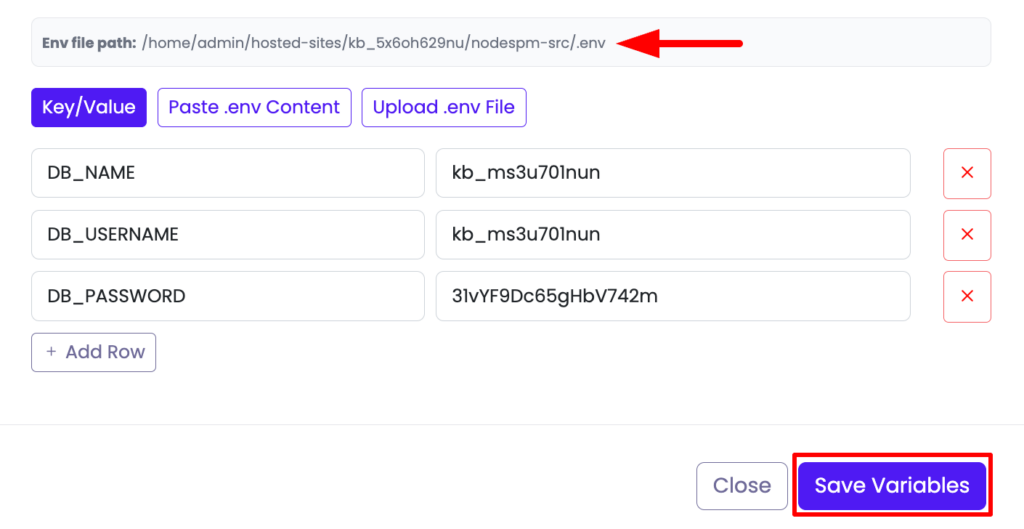
Fix: move every secret to server-side environment variables, never the client. In the Kloudbean console that’s Runtime Configuration, Environment Variables (there’s a Paste .env tab). Then rotate any key that ever touched your code or Git, because a key that leaked once is burned. If a secret is in your history, scrub it; deleting the file in a new commit is not enough. Full walkthrough in environment variables done right.
# Server-side only. Never in client code, never committed.
OPENAI_API_KEY=sk-...
STRIPE_SECRET_KEY=sk_live_...
DATABASE_URL=postgresql://appuser:[email protected]:5432/appdb
2. Database credentials or the database itself exposed to the browser
Symptom: the browser connects straight to the database, or the database has a public IP and a password. Some generated apps wire the front end directly to a data layer to skip building an API.
Risk: if the browser can reach your database, so can everyone. A public database with a weak password gets found by scanners in hours, and then your data is copied, encrypted for ransom, or wiped.
Fix: put an API between the browser and the data, and keep the database off the public internet. On Kloudbean the app talks to a managed database over a private network (VPC), so the database isn’t sitting on the open web. Give the app a least-privilege database user, not a superuser. The how-to is in adding a managed database to your app.
3. Missing or weak authentication and broken access control
Symptom: auth is stubbed (“TODO: check the user”), or it exists on the login screen but the API endpoints don’t actually verify who’s calling. A classic tell: you can change an id in a URL and see someone else’s data.
Risk: broken access control is the most common serious web vulnerability there is. If your server trusts the client to say “I’m allowed,” anyone can lie. AI tools love to scaffold a pretty login and leave the enforcement half-built.
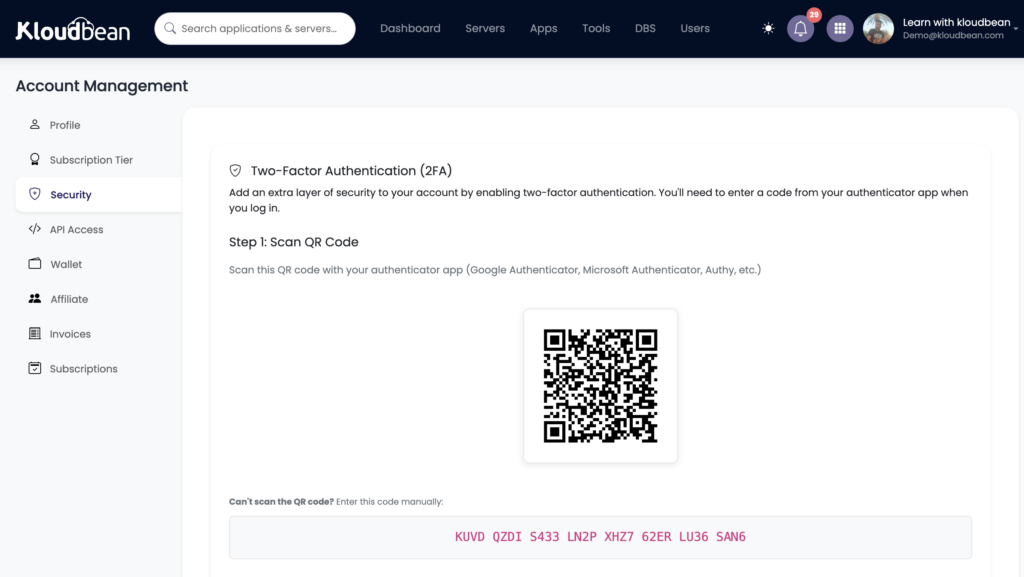
Fix: enforce auth on the server, on every protected route, and check that the logged-in user actually owns the record they’re asking for. Don’t trust a hidden field or a front-end role flag. For your Kloudbean account itself, turn on two-factor auth, and if a team touches the app, use subusers with User Access Control so each person gets only the access their job needs.
4. No input validation, which opens the door to injection and XSS
Symptom: user input goes straight into a database query, an HTML page, or a shell command with no checking. String-concatenated SQL is the giveaway.
Risk: SQL injection lets an attacker read or destroy your database through a form field. Cross-site scripting (XSS) lets them run code in your users’ browsers and steal sessions. Both are old, both are still everywhere, and generated code frequently skips the guardrails.
Fix: validate and sanitize every input on the server. Use parameterized queries or an ORM so data is never concatenated into SQL. Escape output before it hits the page. And set HTTP security headers (a Content-Security-Policy, HSTS, and friends) so the browser helps defend your users. The security headers guide has the exact headers and values.
// Vulnerable: user input concatenated into SQL
db.query("SELECT * FROM users WHERE email = '" + email + "'");

// Safe: parameterized, the driver handles escaping
db.query("SELECT * FROM users WHERE email = $1", [email]);
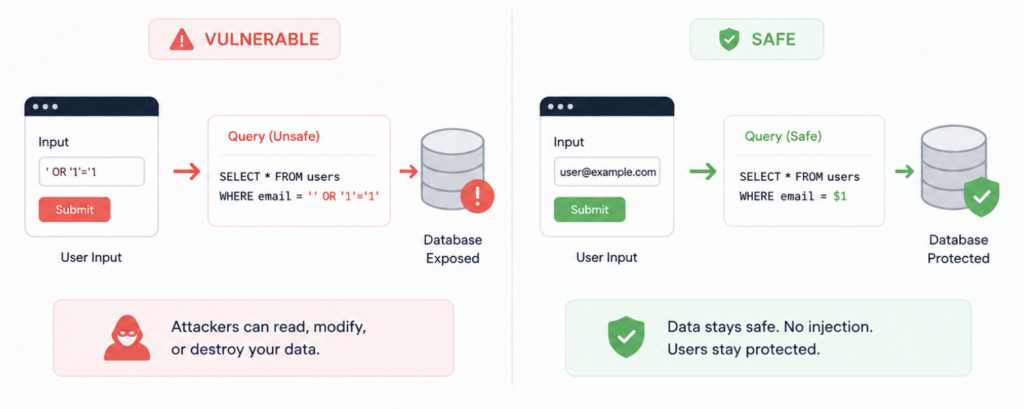
Side by side: a string-concatenated query (vulnerable) next to a parameterized query (safe).Or a browser console showing a blocked inline script from a CSP.
5. Overly permissive CORS
Symptom: your API sets Access-Control-Allow-Origin: *, or reflects any origin back. AI tools reach for the wildcard because it makes the “why won’t my front end talk to my API” error disappear.
Risk: a wildcard tells every website on the internet that it’s welcome to call your API from a victim’s browser. Combined with weak auth, that’s a real path to data theft.
Fix: allow only the origins you actually use. Your production domain, maybe localhost while you develop. Nothing else.
// Overly permissive: every origin allowed
app.use(cors());

// Locked down: only your app
app.use(cors({ origin: "https://yourapp.com" }));
6. Dependency CVEs in the generated package.json
Symptom: the app pulls in dozens of packages you never chose, some pinned to old versions with known vulnerabilities (CVEs).
Risk: a patched server won’t save you from a hole in a library you shipped. Attackers scan for known-vulnerable versions because it’s easy and it works.
Fix: run your language’s audit and update what it flags. Do it before launch, then on a schedule. If you ship containers, scan the image too.
# Node
npm audit
npm audit fix

# Python
pip-audit
7. No HTTPS
Symptom: the app is served over plain http://, or the certificate expired and nobody noticed.
Risk: without HTTPS, logins, session cookies, and form data travel as plain text that anyone on the network path can read. Browsers also flag the site as “Not secure,” which quietly kills trust.
Fix: serve everything over HTTPS and force a redirect from HTTP. On Kloudbean you install a free Let’s Encrypt certificate that renews itself, so there’s no expiry to forget. This one is genuinely easy, so there’s no excuse to skip it.
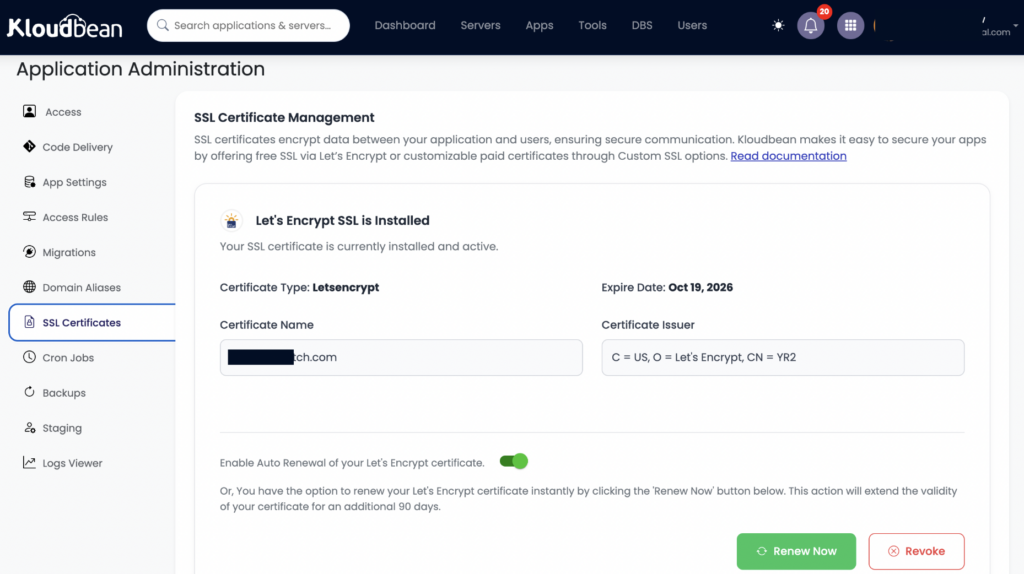
8. No rate limiting or brute-force protection
Symptom: a login endpoint or an API that will happily accept ten thousand requests a minute from one address.
Risk: without limits, attackers brute-force passwords, scrape data, and run up your bill. AI-generated apps almost never include rate limiting out of the box.
Fix: two layers. At the server level, every Kloudbean server ships with a Shorewall firewall and Fail2ban already on, which bans an IP that keeps failing to log in (the signature of a brute-force bot). At the app level, add rate limiting to sensitive endpoints, especially login and password reset. BitNinja is available as an added layer on higher plans if you want more, but the firewall and Fail2ban are the floor you already stand on.
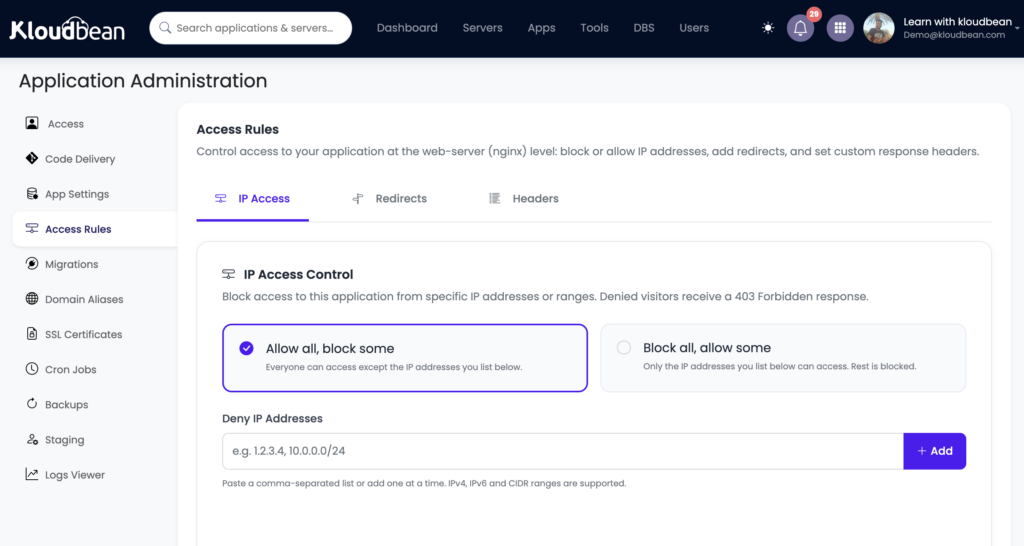
Shorewall and Fail2ban are on from the first minute. BitNinja is an optional extra, not the baseline.
9. No backups
Symptom: nothing is making a restorable copy of your data. A bad migration or one wrong DELETE would be permanent.
Risk: ransomware, a fat-fingered query, or a broken deploy can erase everything, and “everything” includes your users’ data. Recovery without a backup is often just an apology.
Fix: turn on automatic backups, and here’s the part almost everyone skips: restore one on purpose, once, before you actually need it. A backup you’ve never restored is a hope, not a plan.
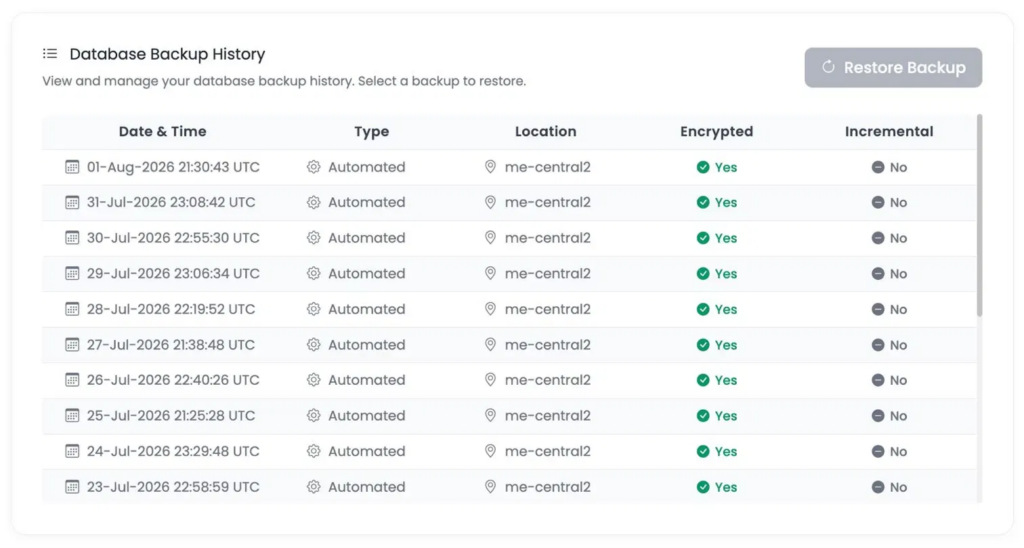
The backups view: automatic backups enabled, and a restore point being tested.
The checklist at a glance
The whole list in one grid. Scan it, find what matches your app, and jump back up to the fix.
| What AI-generated code often ships | Why it’s risky | The fix |
|---|---|---|
| Secrets in client code or Git | Leaked key, drained account, exposed data | Server-side env vars, rotate, scrub history |
| Database reachable from the browser | Anyone can read or wipe your data | API in front, private network, least-privilege user |
| Auth stubbed or not enforced | Broken access control, users see each other’s data | Enforce on the server, verify ownership, add 2FA |
| Input trusted as-is | SQL injection and XSS | Validate, parameterize, escape, set security headers |
| CORS set to a wildcard | Any site can call your API | Allow only your real origins |
| Old, vulnerable dependencies | Known CVEs attackers scan for | npm audit / pip-audit, then update |
| Plain HTTP | Credentials readable in transit | Free auto-renewing SSL, force HTTPS |
| No rate limiting | Brute-force and scraping | Fail2ban baseline plus app-level limits |
| No backups | One mistake erases everything | Automatic backups, and test a restore |
Who secures what: the shared-responsibility line
Here’s the boundary that keeps you sane. Your host hardens the infrastructure. You harden the app. A good managed platform hands you the outer layers already switched on, so you can spend your effort where only you can: the code the AI wrote.
On Kloudbean, the platform side is a real starting position. A Shorewall firewall and Fail2ban on by default. Free auto-renewing SSL. Private networking so the database stays off the open web. Two-factor auth, subusers, and User Access Control. Automatic backups. Environment-variable storage so secrets never live in code. That covers items 1, 2, 7, 8, and 9 on the infrastructure side, and gives you the tools for 3.
What no host can do for you: write safe application logic. Auth enforcement, input validation, CORS rules, and keeping your dependencies patched are yours, because they live inside the code. And a straight answer on compliance, since hosting pages love to blur it: no platform makes your application compliant on its own, and nobody can honestly promise your app a certification just by hosting it. The platform supplies the infrastructure controls an auditor wants to see; you own everything above the app boundary. The full split, including how ECC (KSA), CSCC (KSA), DCC (KSA), CCC (KSA), GDPR, PCI, and SOC 2 map to it, is in the secure, compliant hosting guide.
A 10-minute hardening pass
If you do nothing else today, do these. In order.
- Search your codebase for
sk-,key,secret, andpassword. Move every hit into server-side env vars, then rotate the keys. - Confirm your database has no public IP and the browser can’t reach it directly.
- Check that every protected API route verifies the user on the server, not just the UI.
- Turn on HTTPS and force the redirect from HTTP.
- Run
npm auditorpip-auditand fix anything high or critical. - Replace any
cors()wildcard with your real origin. - Turn on two-factor auth for your hosting account, and confirm backups are running.
Ship your AI-built app on a base that arrives hardened.
Spend your time on the app-level security only you can own, while the infrastructure comes secured out of the box. Start free at kloudbean.com, plans from $8/mo on pricing (Enterprise is custom; always verify current details there).
Firewall + Fail2ban baseline · Free auto-renewing SSL · Private networking · Server-side env vars · 2FA + UAC · Automatic backups
FAQ
How do I secure an app built with an AI tool?
Work a fixed checklist. Move secrets to server-side environment variables and rotate any that leaked, keep the database off the public internet behind an API, enforce authentication and access checks on the server, validate every input and use parameterized queries, lock CORS to your real origins, patch dependency CVEs, force HTTPS, add rate limiting, and turn on backups. AI writes working code; making it safe is your side of the work.
Are AI-generated apps secure by default?
Not usually, and that’s not a knock on the tools. AI coding tools optimize for a working preview, not a threat model, so generated apps tend to ship with the same handful of gaps: exposed secrets, weak auth, no input validation. The code often works fine. Security is the part left to you, and it’s mostly the items on this checklist.
My API key is in my front-end code. Is that bad?
Yes, and it’s the most common AI-app breach there is. Anything shipped to the browser can be read by anyone, so a key in front-end code is effectively public. Move it to a server-side environment variable, have your server make the API call, and rotate the exposed key right away because it should be treated as compromised.
How do I secure a Lovable, Bolt, or Cursor app?
The same way regardless of which tool built it. Get secrets out of the client and out of Git, put the database behind an API on a private network, enforce auth on the server, validate input, and turn on HTTPS and backups. The tool that generated the code doesn’t change the checklist; the gaps these apps ship with are remarkably consistent.
Do AI coding tools write insecure code on purpose?
No. They aim to produce something that runs, and they’re good at it. Security requires knowing how the app will be attacked in production, which isn’t part of generating a working preview. So the result works but skips guardrails like input validation, access checks, and CORS limits. Treat the AI as a fast first draft, then apply the checklist.
How do I check my dependencies for vulnerabilities?
Run your language’s audit tool. For Node, npm audit lists known CVEs and npm audit fix updates what it safely can. For Python, use pip-audit. Do it before launch and on a schedule after, and if you ship containers, scan the image as well. Patching your own dependencies is your responsibility, not the host’s.
Does my AI-built app really need HTTPS?
Yes, always, with no exceptions. Without HTTPS, logins and session cookies travel as plain text that anyone on the network can read, and browsers label the site “Not secure.” It’s also one of the easiest fixes on the list: install a free, auto-renewing certificate and force the redirect from HTTP.
How do I stop brute-force attacks on my login?
Use two layers. At the server level, a firewall plus Fail2ban bans addresses that repeatedly fail to log in, and on Kloudbean both are on by default. At the app level, add rate limiting to sensitive endpoints like login and password reset so a single client can’t hammer them. Together they shut down most automated guessing.
Is my database safe if it works from my app?
Working and safe aren’t the same thing. If the database has a public IP or the browser connects to it directly, it’s exposed even though the app functions. Put an API between the browser and the data, keep the database on a private network, and give the app a least-privilege user. Scanners find public databases within hours.
Whose job is security, mine or the hosting platform’s?
It’s shared. The platform hardens the infrastructure: firewall, SSL, private networking, backups, access controls. You own the application: your code, secrets, auth logic, input validation, and dependencies. No host can secure the code the AI wrote for you, and no host can make your app compliant on its own. This checklist is mostly your side of that line.
By Kloudbean Security · The gap between an AI app that works and one that’s safe to ship.