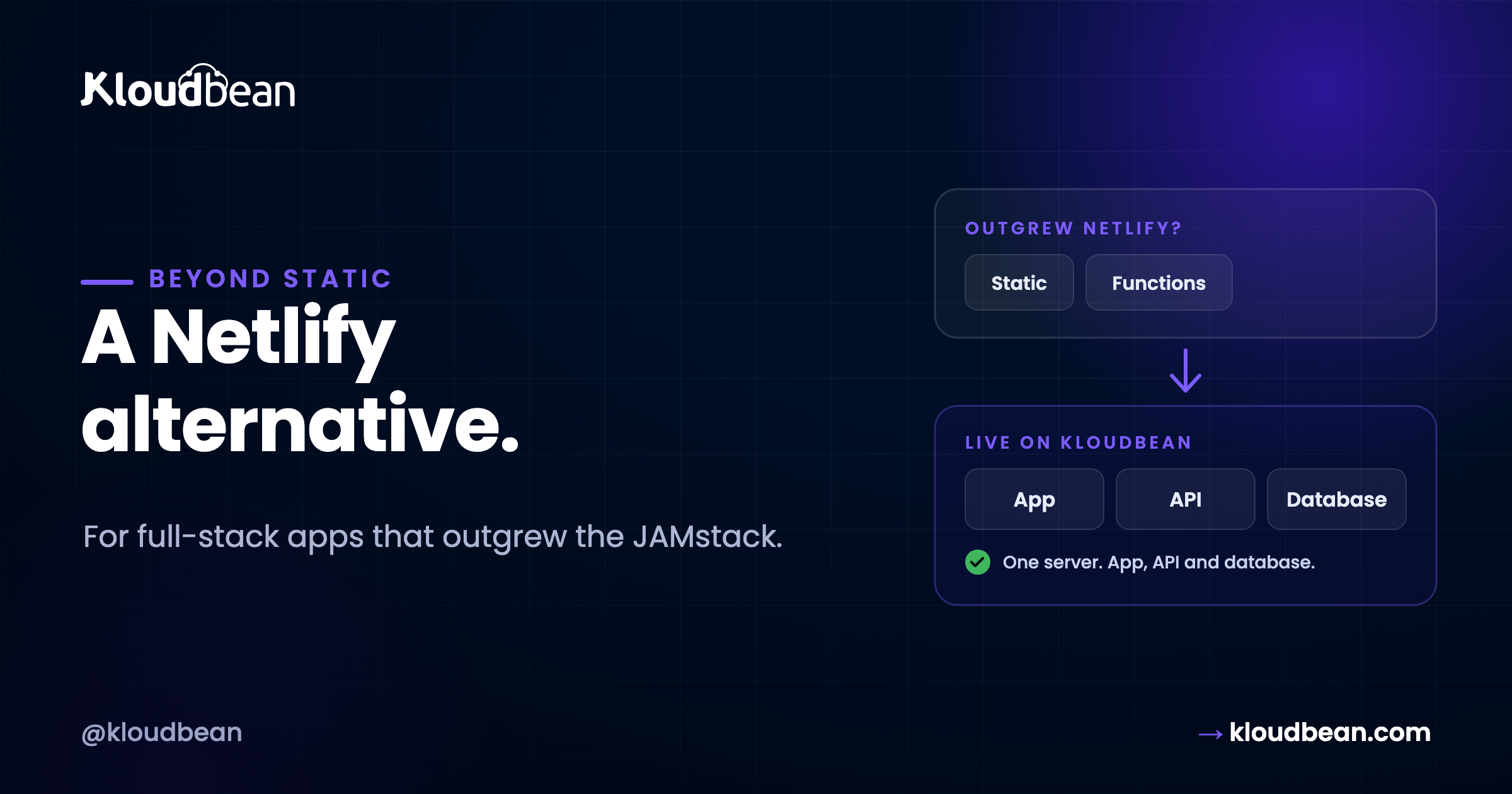
Netlify is one of the tools that made modern web development pleasant. It took the pain out of shipping a static site or a JAMstack front end — connect a repo, and a global, SSL-secured deploy happens on every push, with previews and rollbacks for free. If that’s your project, Netlify works well and you can keep using it. The reason you might be reading this is the other case: your app grew a real backend, and a platform built static-first is now bending to hold something it wasn’t shaped for. Here’s an honest look at what to want in an alternative, and how the managed-server approach compares.
What Netlify is good at
Start with the strengths, since they’re real. Netlify’s build pipeline is capable — it detects your framework, builds on push, and serves the result from a fast global edge with automatic SSL. Preview deploys per pull request are useful, and its developer experience for static and JAMstack sites is polished. For a marketing site, a docs site, a blog, or a front end that talks to third-party APIs, it’s a reasonable choice. Knowing this is important, because it’s exactly what you’d be weighing against when you consider leaving.
Where it pinches for full-stack apps
The strain appears when the app stops being static-first. A few pressures, roughly in the order people hit them:
- Netlify Functions are a serverless model. Your backend logic runs as functions that spin up per request. Fine for a form handler or a light API; awkward when you need a persistent process, websockets, background jobs, or anything that runs longer than a function’s limit.
- The platform is static-first by design. SPA routing, redirects, and rewrites are handled through Netlify’s configuration rather than by your own server, which is elegant until your app wants to behave like an application rather than a site.
- The database is always elsewhere. Netlify doesn’t give you a database next to your app; you wire in a hosted one, adding a service, a bill, and a network hop.
- Platform features become dependencies. Netlify Identity for auth, Netlify Forms for submissions — convenient, but they tie a piece of your app to Netlify specifically.
- Pricing scales with build minutes, functions, bandwidth, and seats. Reasonable per line; cumulatively a bill that grows with success.
Again, this isn’t a fault in Netlify. It’s a static-first platform being asked to be a full-stack host.
What “full-stack” actually demands
It helps to name what changes when an app matures, because “full-stack” bundles a lot of concrete needs. A grown-up app usually wants persistent user sessions and stateful auth, durable file uploads, stable webhook endpoints that are always listening, scheduled jobs that run on a timer, sometimes real-time features over websockets, and background processing so slow work doesn’t hold up a response. Each of those sits more comfortably on an always-on server than in a per-request function or a static host. A static-first platform can approximate several of them through Functions and integrations, but each approximation is another moving part bolted onto a system that would rather be serving files. On a server, these aren’t add-ons — they’re just things your always-running app does. That’s the underlying reason full-stack projects gravitate toward a server: the server is the shape the requirements were always pointing at.
What to want in an alternative
Before weighing products, fix the criteria. For a full-stack app, a strong alternative gives you:
- A real, always-on backend — a server process, not functions — so long-running and stateful work runs naturally.
- An owned database next to the app — on the same machine, not a separate metered service.
- Your own auth and forms — a form endpoint and authentication that live in your app, not tied to a platform feature.
- A flat, predictable price — budgetable, not scaling with build minutes and seats.
- No lock-in and the deploy flow you like — standard code you can move, still deployed by pushing to Git.
The developer experience is what makes leaving Netlify feel risky, so the right alternative preserves push-to-deploy and simply adds ownership underneath.
How the managed-server model compares
Kloudbean fills exactly this gap. Rather than functions on a static-first platform, it runs your app as a normal always-on process on a real server it provisions and manages, on the cloud you choose. You still connect a repo and deploy from a console — the familiar part stays familiar:
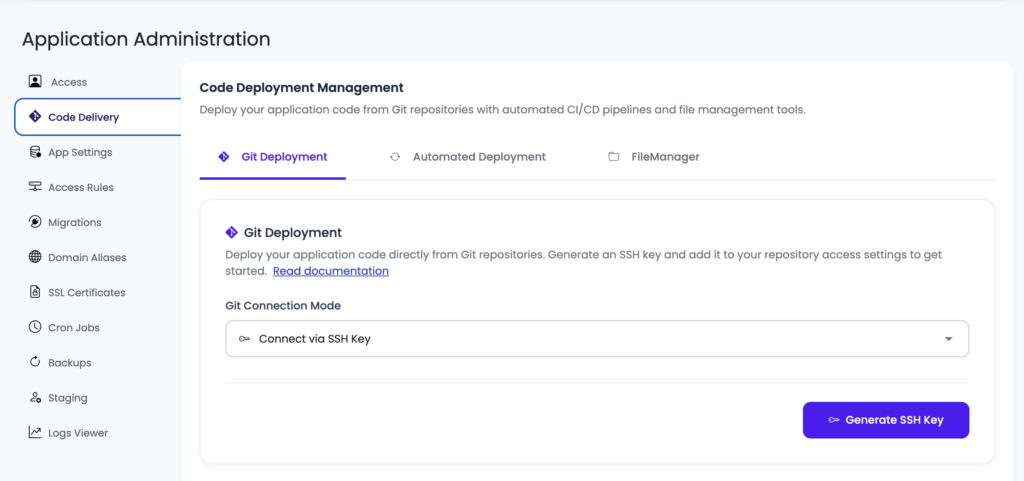
That maps onto the criteria: a persistent process with no function timeouts, a managed Postgres or MySQL launched next to the app, your own routing and auth handled by your code, a flat monthly price, standard Linux so nothing traps you, and auto-deploy on push. The managed layer runs the OS, stack, SSL, and backups, so you own the app without personally administering a server. And the whole thing is easier to reason about — one server holding the app, its API, and its data, instead of a static host, a functions layer, and a database spread across three services.
Side by side
- Backend model. Netlify: serverless Functions on a static-first platform. Managed server: one always-on process.
- Routing. Netlify: platform config (
_redirects,netlify.toml). Managed server: your app (or web server) routes directly. - Auth & forms. Netlify: Identity and Forms as platform features. Managed server: your own auth and a normal form endpoint.
- Database. Netlify: a separate hosted service. Managed server: one on the same box, backed up.
- Pricing shape. Netlify: build minutes + functions + bandwidth + seats. Managed server: flat monthly for the server.
- Deploy experience. Both: connect a repo, push to deploy.
- Lock-in. Netlify: portable static code, platform-specific features. Managed server: standard Linux, leave anytime.
The platform-features question
The one thing that genuinely differs from a plain “move off Vercel” is Netlify’s platform features. If you used Netlify Identity for logins or Netlify Forms for submissions, an alternative means bringing those into your own app — your app’s own authentication (most full-stack apps already have this or want it) and a normal form-handling route on your server. That’s not a downside so much as a return of control: your auth and your form data now live in your app and your database, not in a platform-specific feature you’d have to work around later anyway. If you’re mid-decision, the step-by-step migration guide covers exactly how these map over.
When you should just stay on Netlify
The honest case for staying. Keep Netlify if:
- Your project is a static site or JAMstack front end — its sweet spot, and nothing here applies.
- Your backend needs are light — a couple of Functions that fit the model comfortably.
- You rely on and value Netlify’s build pipeline and edge, and the bill isn’t a problem.
Migrating a genuinely static site to a server would be effort spent to make things slightly worse. The alternative is for full-stack apps specifically where a real backend, an owned database, and one predictable bill outweigh the static-first conveniences.
The metered pieces that surprise people
Netlify’s pricing has a few meters that catch full-stack teams off guard, and they’re worth naming because they’re specific to this kind of platform. Build minutes are consumed every time the platform builds your site; a busy team pushing often, or an app with a slow build, can burn through an allotment faster than expected and pay for more. Bandwidth is metered, so a spike in traffic — the good kind, the launch-went-well kind — can produce an overage in the same month you were celebrating. Function invocations and runtime meter your backend logic. None of these is unreasonable, but together they mean your bill moves with things you don’t fully control: how often you deploy, how popular you are that week, how much your functions run. A flat server inverts that: the build runs on the server you already pay for, bandwidth isn’t separately metered in the same way, and your backend is a process that’s running regardless. You trade a set of meters for a single fixed number, which for a growing app is usually the calmer arrangement.
A fair word on cost
No promise of a smaller number in every case. Netlify’s free and starter tiers are tough to beat at very low traffic. A flat server tends to win as build minutes, function usage, bandwidth, and team size climb, because it isn’t metered on any of those, and several apps can share one box. But the durable benefit is predictability: a flat server costs the same in a slow month and a busy one, which is easier to plan around than a usage-based bill that spikes with a good week.
The honest limits
Kloudbean runs Linux web stacks — Node, PHP, Python, and frameworks like React, Next.js, Vue, Laravel and Django — which covers what most Netlify apps are built on. It isn’t for Windows/.NET/IIS workloads. “Managed” means Kloudbean runs the server, stack, SSL and backups (server-level backups by default; daily automated backups and disaster recovery on Premium/Enterprise); you own and maintain the application. The server itself isn’t an edge CDN — it’s a server in the regions you pick, which is what a full-stack app wants. For global reach you can add Cloudflare Enterprise edge caching in front (a paid add-on, free for Enterprise users), so content is fast worldwide while your app stays on an owned server.
Wrapping up
The right Netlify alternative for a full-stack app isn’t another static-first platform — it’s a real server you own, with your database, auth, and routing in your own hands, at a flat price, still deployed by pushing to Git. Netlify remains equivalent for static and JAMstack; the alternative earns its keep the moment your app becomes a real application. If you’ve decided to move, follow the migration guide; for a fresh build, the deploy walkthrough covers it.
Beyond static-first.
Compare it for your app at kloudbean.com — free trial, first migration done for you. Plans on pricing.
FAQ
What’s the best Netlify alternative for a full-stack app?
A managed server rather than another static-first platform: a real always-on backend, an owned database next to the app, your own auth and forms, a flat price, and standard code you can move — while keeping git-push-to-deploy. Kloudbean offers that model.
Why move off Netlify?
Usually because the app outgrew static-first or if you want host for less that Netlify subscription cost which is 20 USD but on Kloudbean it can be hosted for just 8 USD per month. Functions constrain long-running work, routing and platform features are Netlify-specific, the database is separate, and pricing scales with build minutes, functions, bandwidth, and seats. For a static site none of this bites; for a full-stack app it does.
What happens to Netlify Identity and Forms?
They become your own: authentication in your app and a normal form-handling route on your server, with submissions in your database. It returns control of auth and data to you rather than leaving them in platform-specific features.
Do I keep push-to-deploy?
Yes. On a managed server you connect your repo, deploy from the console, and turn on auto-deploy so a push ships automatically — the same flow Netlify gave you, on a server you own.
Is a server always cheaper than Netlify?
Not always. At very low traffic Netlify’s free tier can be cheaper. A flat server usually wins as usage and team grow, and it’s more predictable regardless — the same monthly price whether the month was quiet or busy.
By Kloudbean · Managed multi-cloud hosting. Build. Deploy. Scale — Faster Than Ever.