
API Access — Programmatic access with personal API tokens
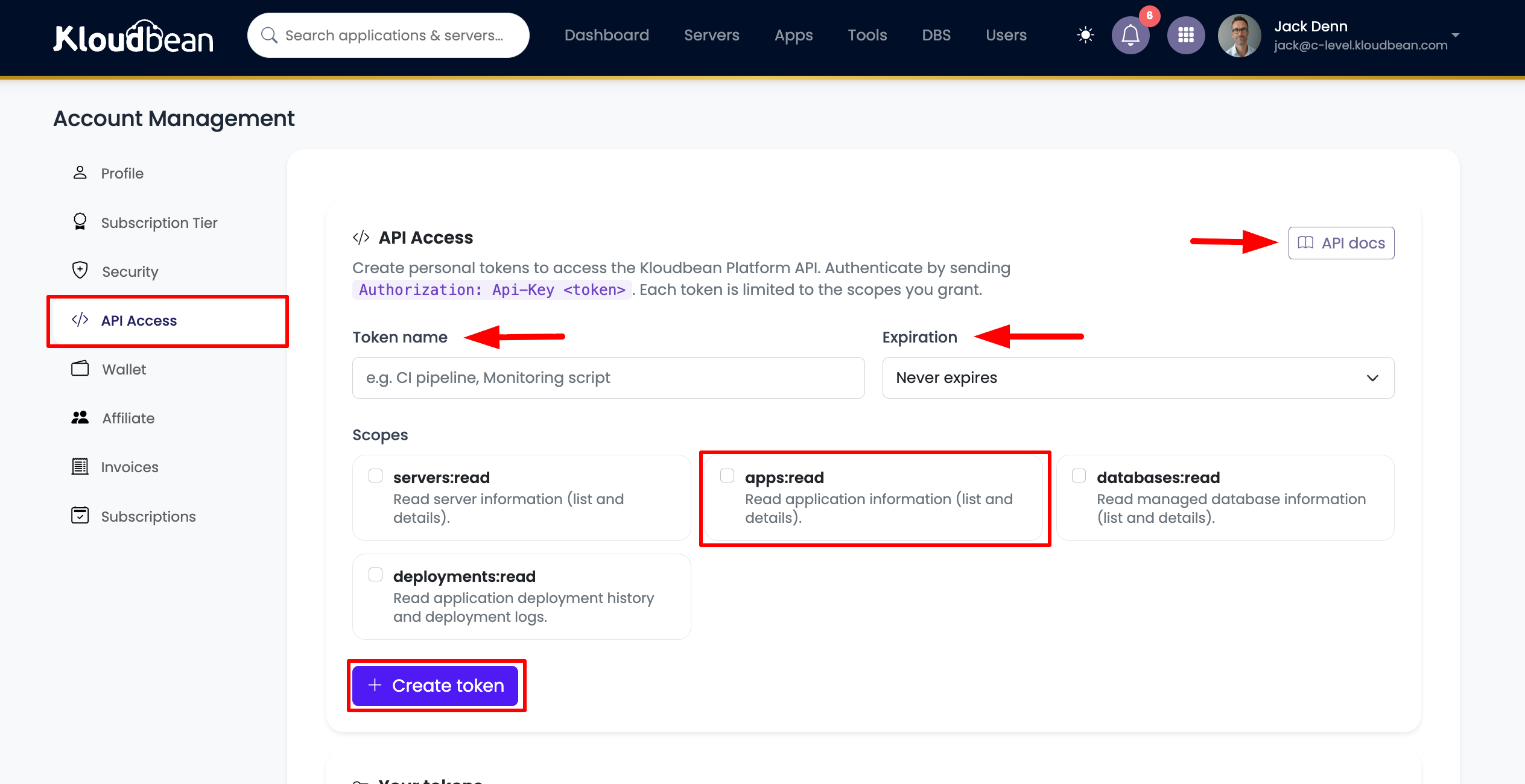
You can now access your KloudBean resources programmatically using the new Platform API. Create personal API tokens right from your account and use them in scripts, CI/CD pipelines, monitoring tools, or your own applications.
What’s new
API Access page — available under Account → API Access and from the top-right profile menu.
Personal API tokens — create tokens with a name, an optional expiration (30 days, 90 days, 1 year, or never), and fine-grained scopes. The full token is shown once at creation, so you copy it and store it securely.
Token management — view all your tokens with status (active / revoked / expired), last-used time, and expiry. Rotate a secret, revoke, or delete a token at any time.
Scopes (least-privilege) — grant only what a token needs:
- servers:read — server information
- apps:read — application information
- databases:read — managed database information
- deployments:read — deployment history and deployment logs
Available endpoints (v1, read-only) — list and view your servers, applications, and managed databases, plus application deployment history and logs.
Subuser support — both account owners and subusers can create their own tokens. A subuser’s token is automatically limited to that subuser’s own permissions and never grants more access than they already have.
Interactive API docs (Swagger) — explore and test every endpoint from your browser. Open the docs from the API Access page, click Authorize, and enter your token as Api-Key
How to authenticate
Send your token in the request header: Authorization: Api-Key kb_<prefix>_<secret>
Security
Tokens are stored hashed and shown only once.
Each token is rate-limited independently.
Revoke or rotate instantly if a token is ever exposed.
Learn more in the Using API Access. -> https://support.kloudbean.com/docs/user-account/using-api-access
Never miss an update
Get new changelog entries by email, as soon as they're published.





